Understand your Mac and iPhone more deeply by tracing the evolution of Mac OS X from prelease to Swift. John Siracusa delivers the details.
You've got two main options:


| """ | |
| The most atomic way to train and run inference for a GPT in pure, dependency-free Python. | |
| This file is the complete algorithm. | |
| Everything else is just efficiency. | |
| @karpathy | |
| """ | |
| import os # os.path.exists | |
| import math # math.log, math.exp |

| podman run --pull newer --detach --security-opt label=type:container_runtime_t --replace --device /dev/kfd --device /dev/dri -v ollama:/root/.ollama -p 11434:11434 --name ollama ollama/ollama:rocm; podman run --replace --pull newer -d --network=host -v open-webui:/app/backend/data -e OLLAMA_BASE_URL=http://127.0.0.1:11434 --name open-webui --restart always ghcr.io/open-webui/open-webui:main |


| public class MainActivity extends AppCompatActivity implements WifiChangeBroadcastReceiver.WifiChangeBroadcastListener { | |
| private WifiManager wifiManager; | |
| private ConnectivityManager connectivityManager; | |
| private WifiChangeBroadcastReceiver wifiStateChangeReceiver; | |
| @Override | |
| protected void onCreate(@Nullable Bundle savedInstanceState) { | |
| super.onCreate(savedInstanceState); | |
| wifiManager = (WifiManager) getApplicationContext().getSystemService(Context.WIFI_SERVICE); |
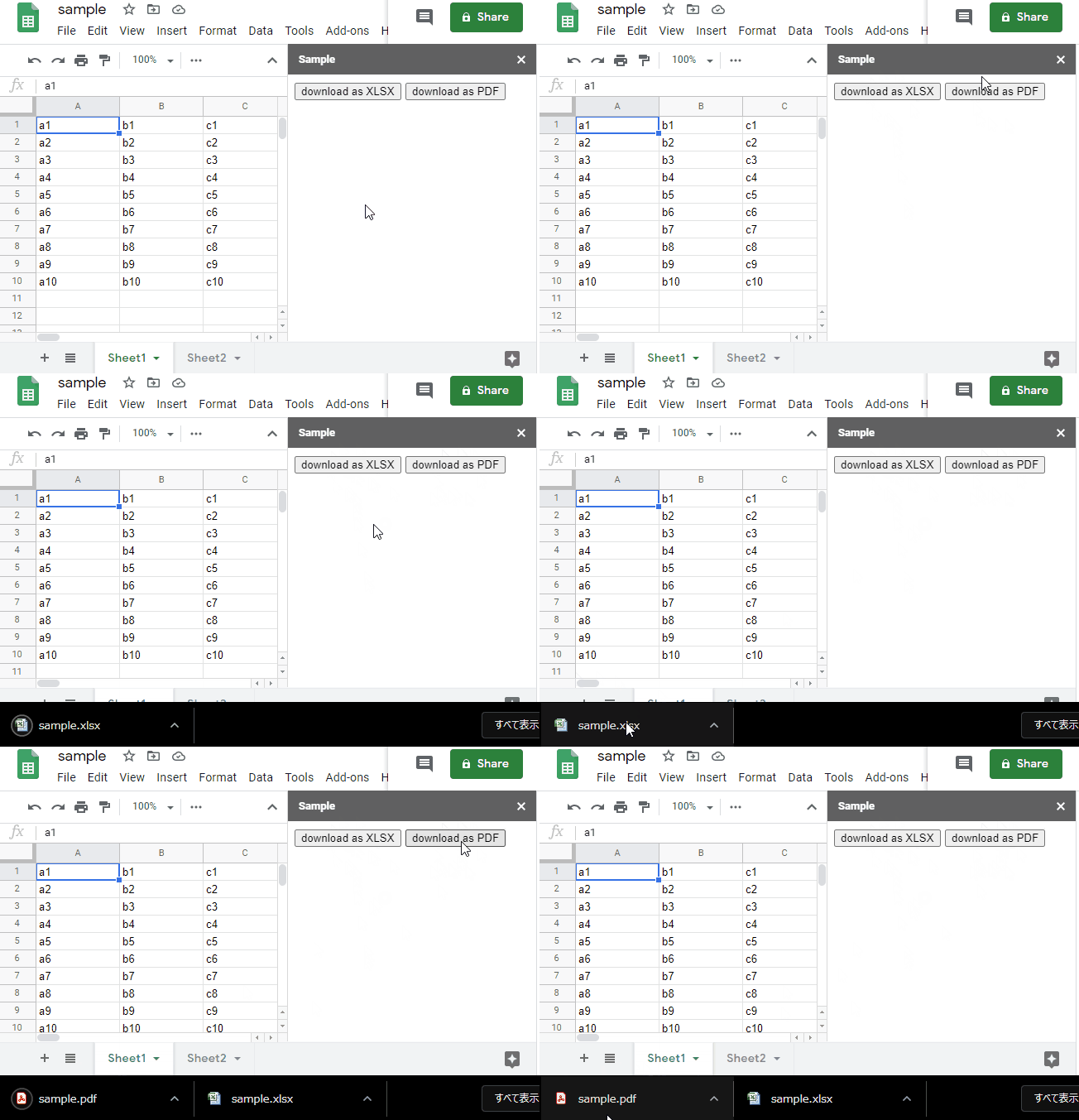
This is a sample script for downloading Google Spreadsheet to the local PC as a XLSX file and a PDF file when a button on the side bar and the dialog is clicked. This is created with Google Apps Script and HTML&Javascript.
Please create new Google Spreadsheet and copy and paste the following scripts to the script editor. And please run openSidebar(). By this, the side bar is opened to the Spreadsheet.
Install both xscreensaver and xsecurelock using your package manager
Make sure xscreensaver is not set to lock the screen or to manage the display. Xfce aleady does all those, so there is no need to enable it again.
Also make sure that the xscreensaver daemon is not autostarted. Not doing this may result in the screen not being locked.
Set the following environmental variables (in ~/.xprofile or ~/.xsession) for xsecurelock:
# xsecurelock options
export XSECURELOCK_SAVER=saver_xscreensaver

| Mute these words in your settings here: https://twitter.com/settings/muted_keywords | |
| ActivityTweet | |
| generic_activity_highlights | |
| generic_activity_momentsbreaking | |
| RankedOrganicTweet | |
| suggest_activity | |
| suggest_activity_feed | |
| suggest_activity_highlights | |
| suggest_activity_tweet |
| set-hook -g client-attached 'run-shell /bin/update_display.sh' |

| // A minimal iOS app set up entirely in code using Objective-C rather than using a storyboard and UIApplicationSceneManifest in the Info.plist. | |
| // Last updated for iOS 18. | |
| // Swift version: https://gist.github.com/douglashill/b8125f7e2336b6a47461df0d4898f64d | |
| @import UIKit; | |
| @interface SceneDelegate : UIResponder <UIWindowSceneDelegate> | |
| @end | |
| @implementation SceneDelegate |

| /** | |
| * Pivot the scene when user enters VR to face a target. | |
| */ | |
| AFRAME.registerComponent('recenter', { | |
| schema: { | |
| target: {default: ''} | |
| }, | |
| init: function () { | |
| var sceneEl = this.el.sceneEl; |