Skip to content

Instantly share code, notes, and snippets.

@nomeqc
Last active November 28, 2025 15:39
Show Gist options
  • Select an option

  • Save nomeqc/125204aae5e532d304d40bc22154a5c3 to your computer and use it in GitHub Desktop.

Select an option

Save nomeqc/125204aae5e532d304d40bc22154a5c3 to your computer and use it in GitHub Desktop.
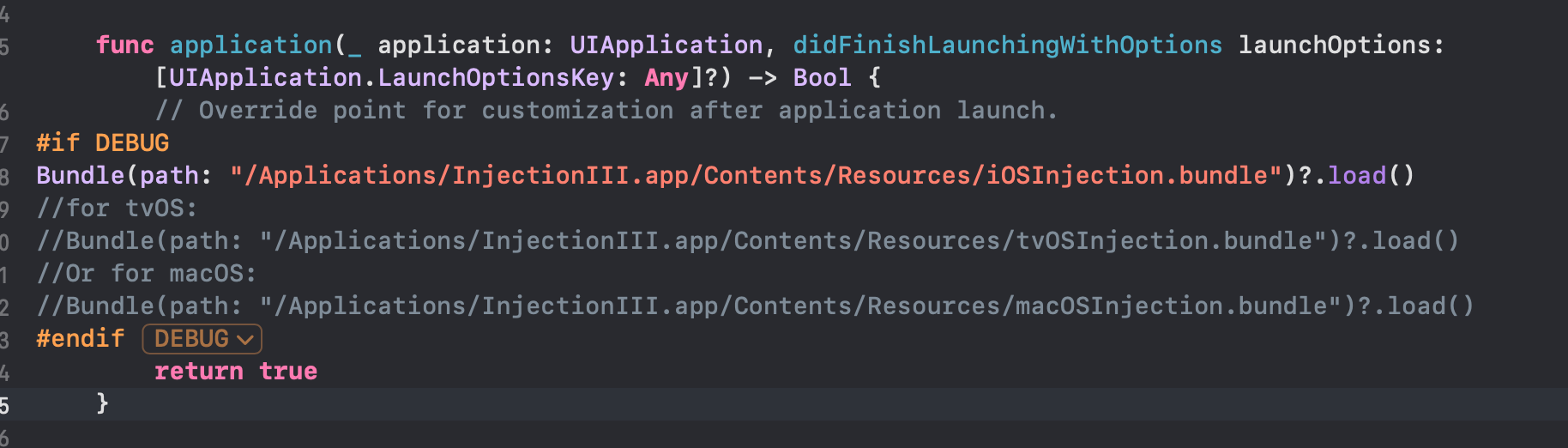
  • 在AppDelegate中添加加载代码:

    func application(_ application: UIApplication, didFinishLaunchingWithOptions launchOptions: [UIApplication.LaunchOptionsKey: Any]?) -> Bool {
        // Override point for customization after application launch.
#if DEBUG
Bundle(path: "/Applications/InjectionIII.app/Contents/Resources/iOSInjection.bundle")?.load()
//for tvOS:
//Bundle(path: "/Applications/InjectionIII.app/Contents/Resources/tvOSInjection.bundle")?.load()
//Or for macOS:
//Bundle(path: "/Applications/InjectionIII.app/Contents/Resources/macOSInjection.bundle")?.load()
#endif
        return true
    }
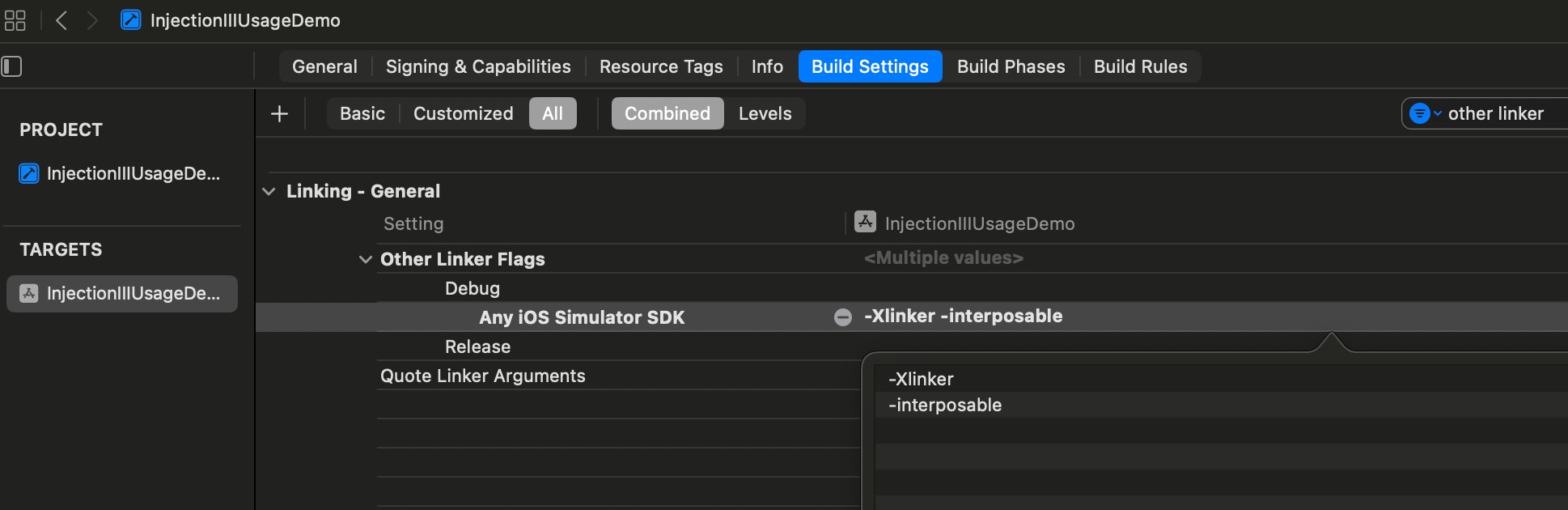
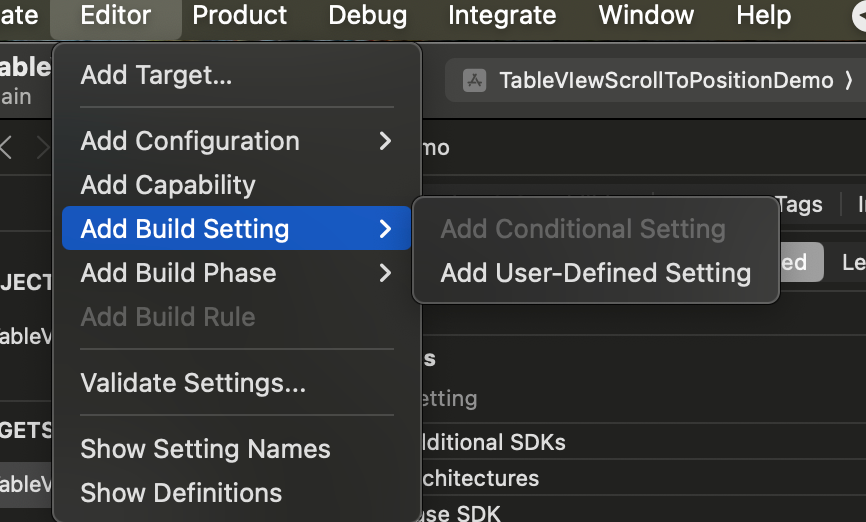
  • 选中Target -> Build Settings -> 点亮AllCombined -> 搜索other linker -> 在Debug中先后添加-Xlinker-interposable标志

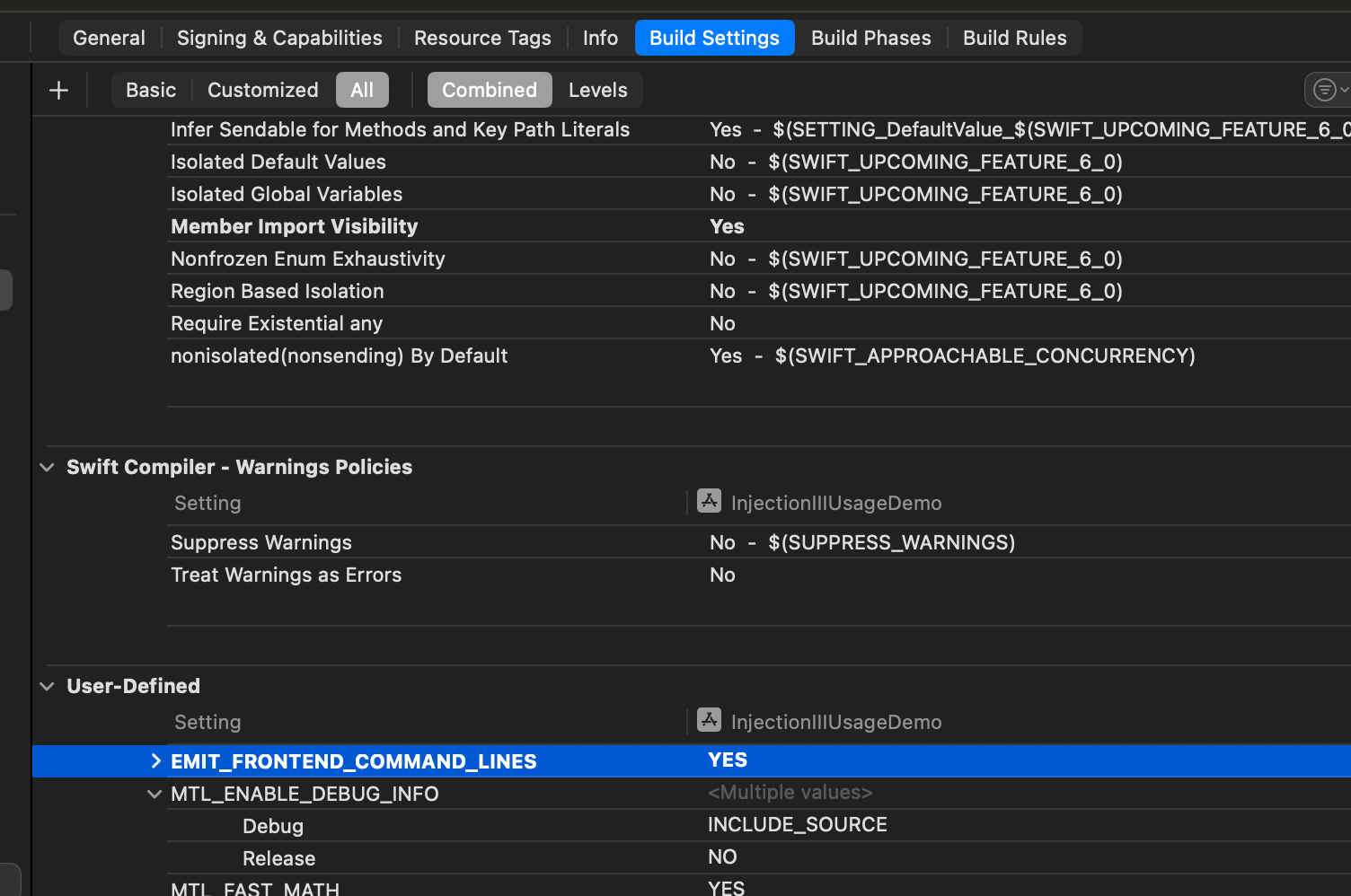
  • 选中Target -> 点击Build Settings -> 点击工具栏Editor -> Add Build Setting -> Add User-defined Setting添加设置EMIT_FRONTEND_COMMAND_LINESYES

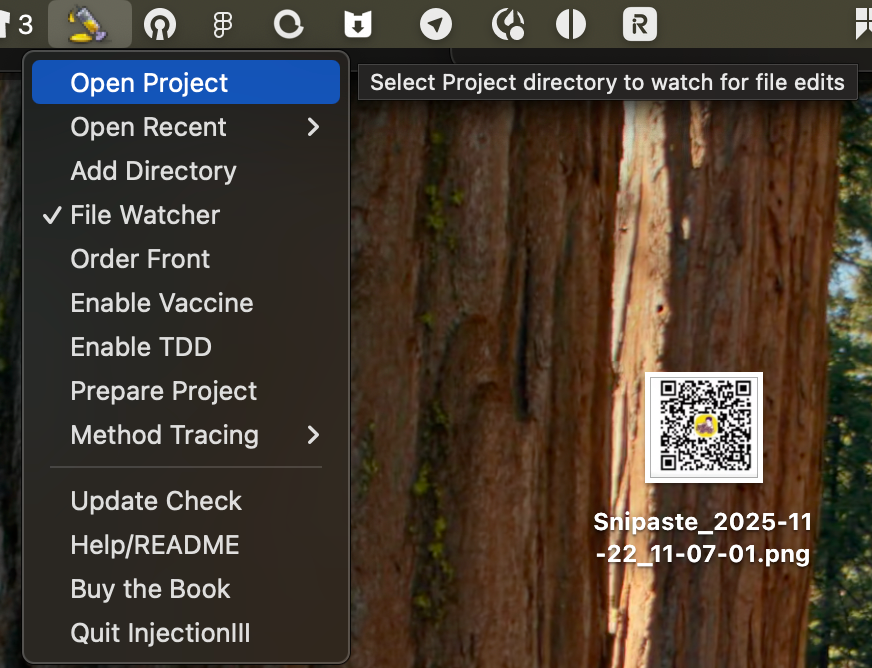
打开InjectionIIIApp -> Open Project -> Select Project directory to watch for file edits


这样经过以上配运行项目修改文件就会热加载修改的代码了

Sign up for free to join this conversation on GitHub. Already have an account? Sign in to comment