
We will need an LAN cable to CM4 and PC running tftpd-hpa for netbooting. Basically we will need to
- Modify bootloader of CM4 to set
TFTP_IPto our PC - Flash the new config
- Install tftpd and change directory to our boot folder
full doc can be found here https://www.raspberrypi.com/documentation/computers/compute-module.html#compute-module-4-bootloader . here is the summary
- git clone https://github.com/raspberrypi/usbboot.git
- then go into newly cloned
usbbootfolder and runmaketo compile. - then go to
recoveryfolder to edit boot.conf to includeTFTP_IPto your PC local IP,BOOT_UART=1is nice to eanble as well. Here is mine
[all]
BOOT_UART=1
WAKE_ON_GPIO=1
POWER_OFF_ON_HALT=0

# Try  SD -> Network ->  Loop
BOOT_ORDER=0xf21

# Set to 0 to prevent bootloader updates from USB/Network boot
# For remote units EEPROM hardware write protection should be used.
ENABLE_SELF_UPDATE=1

TFTP_IP=192.168.0.117
- run
./update-pieeprom.shwhich is helper script to generate binary and signature for bootloader config
- Insert Jumpber to one that says Fit Jumper to disable eMMC Boot as shown in the picture
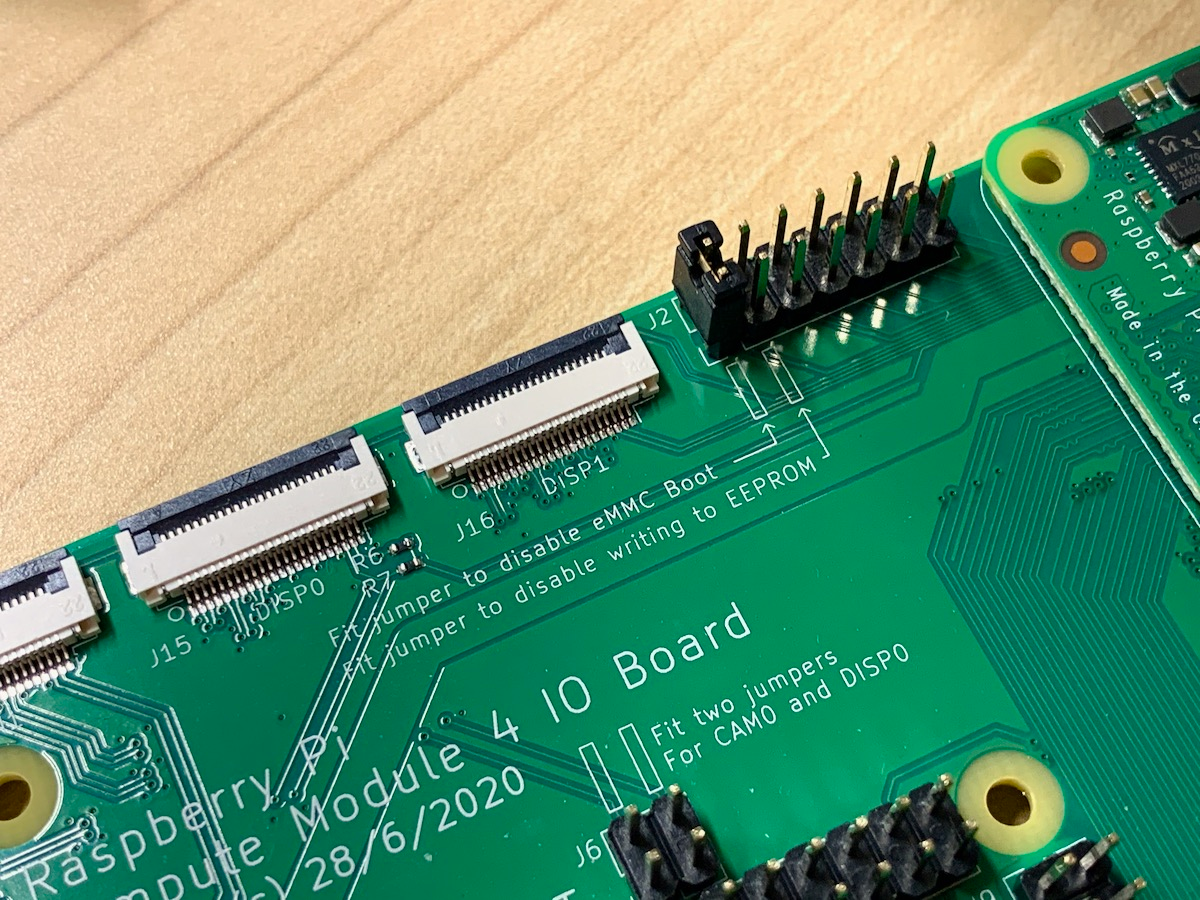
- plug usb micro usb cable from CM4IO to your pc and power on the cm4, it will boot as usb device with HID interface.
- from usbboot folder run
sudo ./rpiboot -d recover, it will then flash the new boot config to the board. - Then you are done with the CM4, remove the jumper, remove SD card, plug your LAN cable.
Note this is for ubuntu 20.04, your PC can be different. Detailed install can be found here https://linuxhint.com/install_tftp_server_ubuntu/
sudo apt install tftpd-hpa- then edit its config
sudo nano /etc/default/tftpd-hpato change theTFTP_DIRECTORYto your preferred folder that hold all the boot files for CM4 (all the files in boot partition in SD card). - restart server with
sudo systemctl restart tftpd-hpa. You could test the server using client from tft-hpa
You are all set, plug the LAN to CM4 without SD card, then it should try to boot with SD, then fall back to network. Just make sure kernel8.img is copied to your tft server directory when compiling.
TIPs: CM4 does not have power button, use an AC extension cord with on/off button to quickly cycle power on/off to test it out (not sure if this could cause any electrical issue with cpu).