show dbs

zuzhi hu zuzhi


lisawolderiksen
/ git-commit-template.md
Last active
March 16, 2026 04:22
Use a Git commit message template to write better commit messages
The always enthusiastic and knowledgeable mr. @jasaltvik shared with our team an article on writing (good) Git commit messages: How to Write a Git Commit Message. This excellent article explains why good Git commit messages are important, and explains what constitutes a good commit message. I wholeheartedly agree with what @cbeams writes in his article. (Have you read it yet? If not, go read it now. I'll wait.) It's sensible stuff. So I decided to start following the

If you haven’t worked with JavaScript in the last few years, these three points should give you enough knowledge to feel comfortable reading the React documentation:
- We define variables with
letandconststatements. For the purposes of the React documentation, you can consider them equivalent tovar. - We use the
classkeyword to define JavaScript classes. There are two things worth remembering about them. Firstly, unlike with objects, you don't need to put commas between class method definitions. Secondly, unlike many other languages with classes, in JavaScript the value ofthisin a method [depends on how it is called](https://developer.mozilla.org/en-US/docs/Web/Jav

This file contains hidden or bidirectional Unicode text that may be interpreted or compiled differently than what appears below. To review, open the file in an editor that reveals hidden Unicode characters.
Learn more about bidirectional Unicode characters
| SPC | |
| SPC: find file | |
| , switch buffer | |
| . browse files | |
| : MX | |
| ; EX | |
| < switch buffer | |
| ` eval | |
| u universal arg | |
| x pop up scratch |

wronk
/ python_environment_setup.md
Last active
April 10, 2025 22:25
Setting up your python development environment (with pyenv, virtualenv, and virtualenvwrapper)
This guide is targetted at intermediate or expert users who want low-level control over their Python environments.
When you're working on multiple coding projects, you might want a couple different version of Python and/or modules installed. This helps keep each workflow in its own sandbox instead of trying to juggle multiple projects (each with different dependencies) on your system's version of Python. The guide here covers one way to handle multiple Python versions and Python environments on your own (i.e., without a package manager like conda). See the Using the workflow section to view the end result.
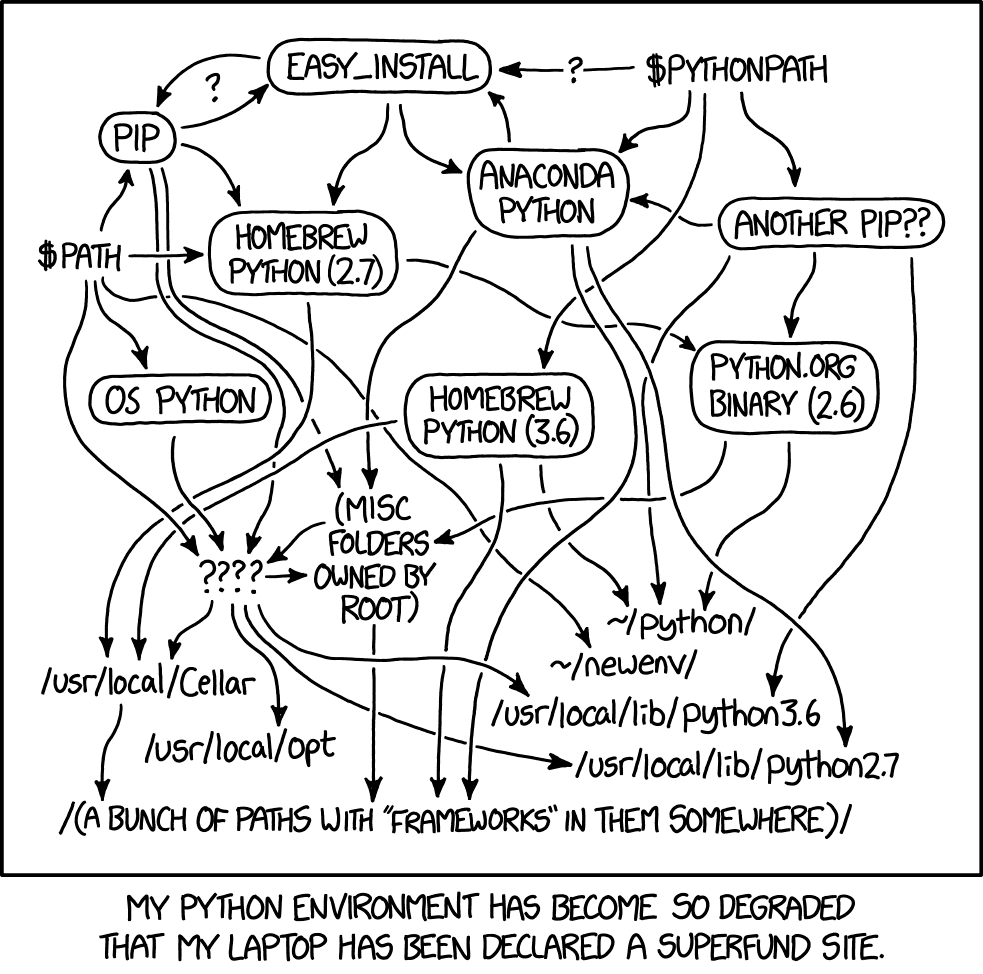
h/t @sharkinsspatial for linking me to the perfect cartoon

This file contains hidden or bidirectional Unicode text that may be interpreted or compiled differently than what appears below. To review, open the file in an editor that reveals hidden Unicode characters.
Learn more about bidirectional Unicode characters
| # IMPORTANT! | |
| # This gist has been transformed into a github repo | |
| # You can find the most recent version there: | |
| # https://github.com/Neo23x0/auditd | |
| # ___ ___ __ __ | |
| # / | __ ______/ (_) /_____/ / | |
| # / /| |/ / / / __ / / __/ __ / | |
| # / ___ / /_/ / /_/ / / /_/ /_/ / | |
| # /_/ |_\__,_/\__,_/_/\__/\__,_/ |

twlz0ne
/ here-emacs
Last active
December 15, 2022 08:25
Launch emacs from emacs.d folder you placed anywhere.
This file contains hidden or bidirectional Unicode text that may be interpreted or compiled differently than what appears below. To review, open the file in an editor that reveals hidden Unicode characters.
Learn more about bidirectional Unicode characters
| #!/usr/bin/env bash | |
| # | |
| # Launch emacs from emacs.d folder you placed anywhere. | |
| # | |
| # @author gongqijian@gmail.com | |
| # @created 2016-07-21 | |
| # @version 0.6 | |
| # @last-updated 2022-12-15 15:51:23 +0800 | |
| # |

roadrunner2
/ 0 Linux-On-MBP-Late-2016.md
Last active
March 18, 2026 18:47
Linux on MacBook Pro Late 2016 and Mid 2017 (with Touchbar)
This is about documenting getting Linux running on the late 2016 and mid 2017 MPB's; the focus is mostly on the MacBookPro13,3 and MacBookPro14,3 (15inch models), but I try to make it relevant and provide information for MacBookPro13,1, MacBookPro13,2, MacBookPro14,1, and MacBookPro14,2 (13inch models) too. I'm currently using Fedora 27, but most the things should be valid for other recent distros even if the details differ. The kernel version is 4.14.x (after latest update).
The state of linux on the MBP (with particular focus on MacBookPro13,2) is also being tracked on https://github.com/Dunedan/mbp-2016-linux . And for Ubuntu users there are a couple tutorials (here and here) focused on that distro and the MacBook.
Note: For those who have followed these instructions ealier, and in particular for those who have had problems with the custom DSDT, modifying the DSDT is not necessary anymore - se

This file contains hidden or bidirectional Unicode text that may be interpreted or compiled differently than what appears below. To review, open the file in an editor that reveals hidden Unicode characters.
Learn more about bidirectional Unicode characters
| module.exports = { | |
| config: { | |
| // default font size in pixels for all tabs | |
| fontSize: 12, | |
| // font family with optional fallbacks | |
| fontFamily: 'OperatorMonoSSm-Book, Menlo, "DejaVu Sans Mono", "Lucida Console", monospace', | |
| // other configs... | |
| overlay: { |

rponte
/ install-android-studio-on-linux-ubuntu-14.04.LTS.sh
Last active
June 23, 2020 00:36
Installing Android Studio on Ubuntu 14.04-LTS via PPA
This file contains hidden or bidirectional Unicode text that may be interpreted or compiled differently than what appears below. To review, open the file in an editor that reveals hidden Unicode characters.
Learn more about bidirectional Unicode characters
| #!/bin/bash | |
| set -e | |
| # Update Ubuntu package index | |
| sudo apt-get update -y | |
| sudo apt-get install -y software-properties-common debconf-utils | |
| ### | |
| # installs java 8 - oracle |
NewerOlder