- Visit fmhy.net/android-iosguide#ios-ipas for more sources.
- Sideloading Guide: https://rentry.co/sideloadingguide, https://ios.cfw.guide/sideloading-apps/

Harley W worrhar7

ongkiii
/ IPA-Sources.md
Last active
March 15, 2026 19:52
REPOS/TELEGRAM CHANNELS LIST BY u/angkitbharadwaj


loderunner
/ 01-mac-profiling.md
Last active
July 31, 2025 17:31
Profiling an application in Mac OS X
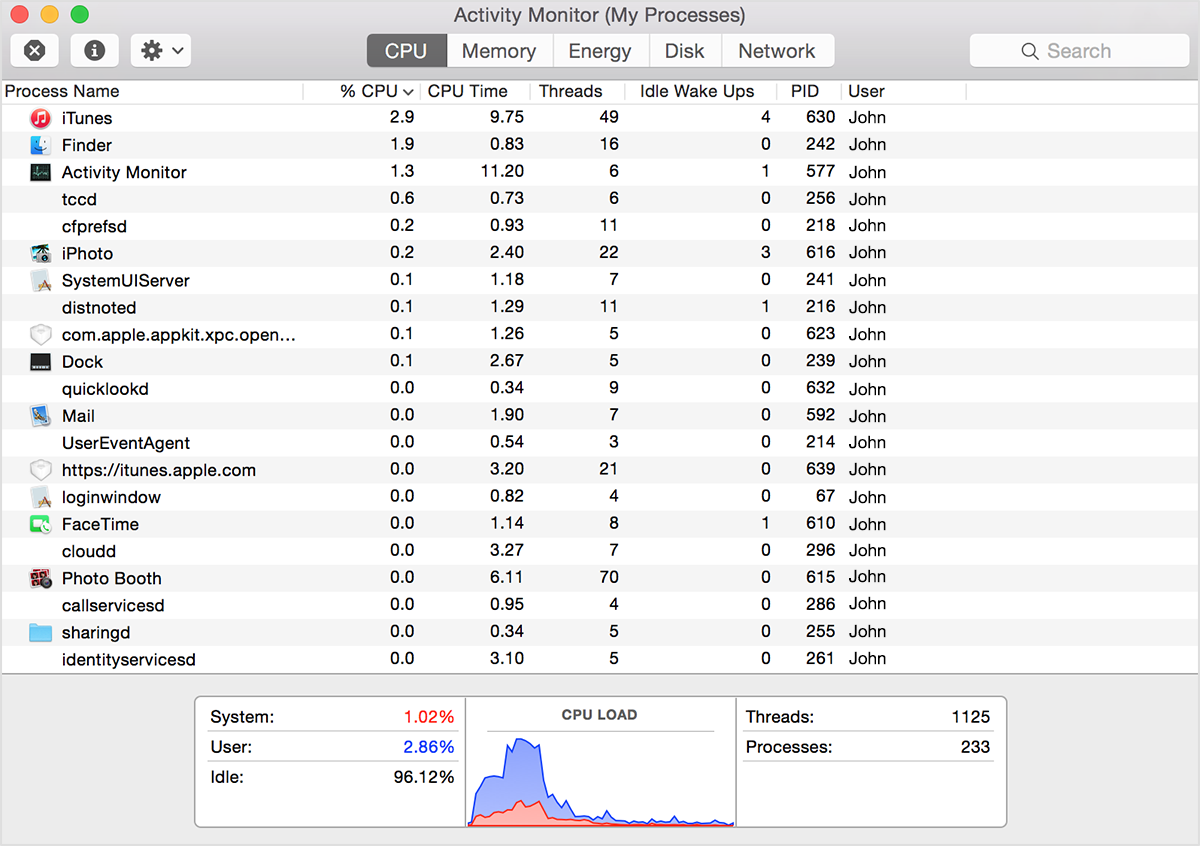
If your system is running slowly, perhaps a process is using too much CPU time and won't let other processes run smoothly. To find out which processes are taking up a lot of CPU time, you can use Apple's Activity Monitor.
The CPU pane shows how processes are affecting CPU (processor) activity:

eerne
/ makeapp.sh
Last active
November 20, 2024 19:30
— forked from demonbane/makeapp.sh
This file contains hidden or bidirectional Unicode text that may be interpreted or compiled differently than what appears below. To review, open the file in an editor that reveals hidden Unicode characters.
Learn more about bidirectional Unicode characters
| #!/bin/sh | |
| echo "What should the Application be called (no spaces allowed e.g. GCal)?" | |
| read inputline | |
| name="$inputline" | |
| echo "What is the url (e.g. https://www.google.com/calendar/render)?" | |
| read inputline | |
| url="$inputline" |