Skip to content

Instantly share code, notes, and snippets.

" Мой актуальный конфиг тут: https://github.com/alexey-goloburdin/dotfiles
@bradtraversy
bradtraversy / node_nginx_ssl.md
Last active February 24, 2026 02:10
Node app deploy with nginx & SSL

Node.js Deployment

Steps to deploy a Node.js app to DigitalOcean using PM2, NGINX as a reverse proxy and an SSL from LetsEncrypt

1. Sign up for Digital Ocean

If you use the referal link below, you get $10 free (1 or 2 months) https://m.do.co/c/5424d440c63a

2. Create a droplet and log in via ssh

I will be using the root user, but would suggest creating a new user

@bradtraversy
bradtraversy / ssh.md
Last active February 24, 2026 02:09
SSH & DevOps Crash Course Snippets

SSH Cheat Sheet

This sheet goes along with this SSH YouTube tutorial

Login via SSH with password (LOCAL SERVER)

$ ssh brad@192.168.1.29

Create folder, file, install Apache (Just messing around)

$ mkdir test

$ cd test

@SteelPangolin
SteelPangolin / robbyrussell-hostname.zsh-theme
Created October 20, 2015 21:58
Tweak robbyrussell ZSH theme to prepend hostname
local hostname="%{$fg_bold[black]%}%m"
local ret_status="%(?:%{$fg_bold[green]%}➜ :%{$fg_bold[red]%}➜ %s)"
PROMPT='${hostname} ${ret_status}%{$fg_bold[green]%}%p %{$fg[cyan]%}%c %{$fg_bold[blue]%}$(git_prompt_info)%{$fg_bold[blue]%} % %{$reset_color%}'
ZSH_THEME_GIT_PROMPT_PREFIX="git:(%{$fg[red]%}"
ZSH_THEME_GIT_PROMPT_SUFFIX="%{$reset_color%}"
ZSH_THEME_GIT_PROMPT_DIRTY="%{$fg[blue]%}) %{$fg[yellow]%}✗%{$reset_color%}"
ZSH_THEME_GIT_PROMPT_CLEAN="%{$fg[blue]%})"
@kevin-smets
kevin-smets / iterm2-solarized.md
Last active March 12, 2026 12:41
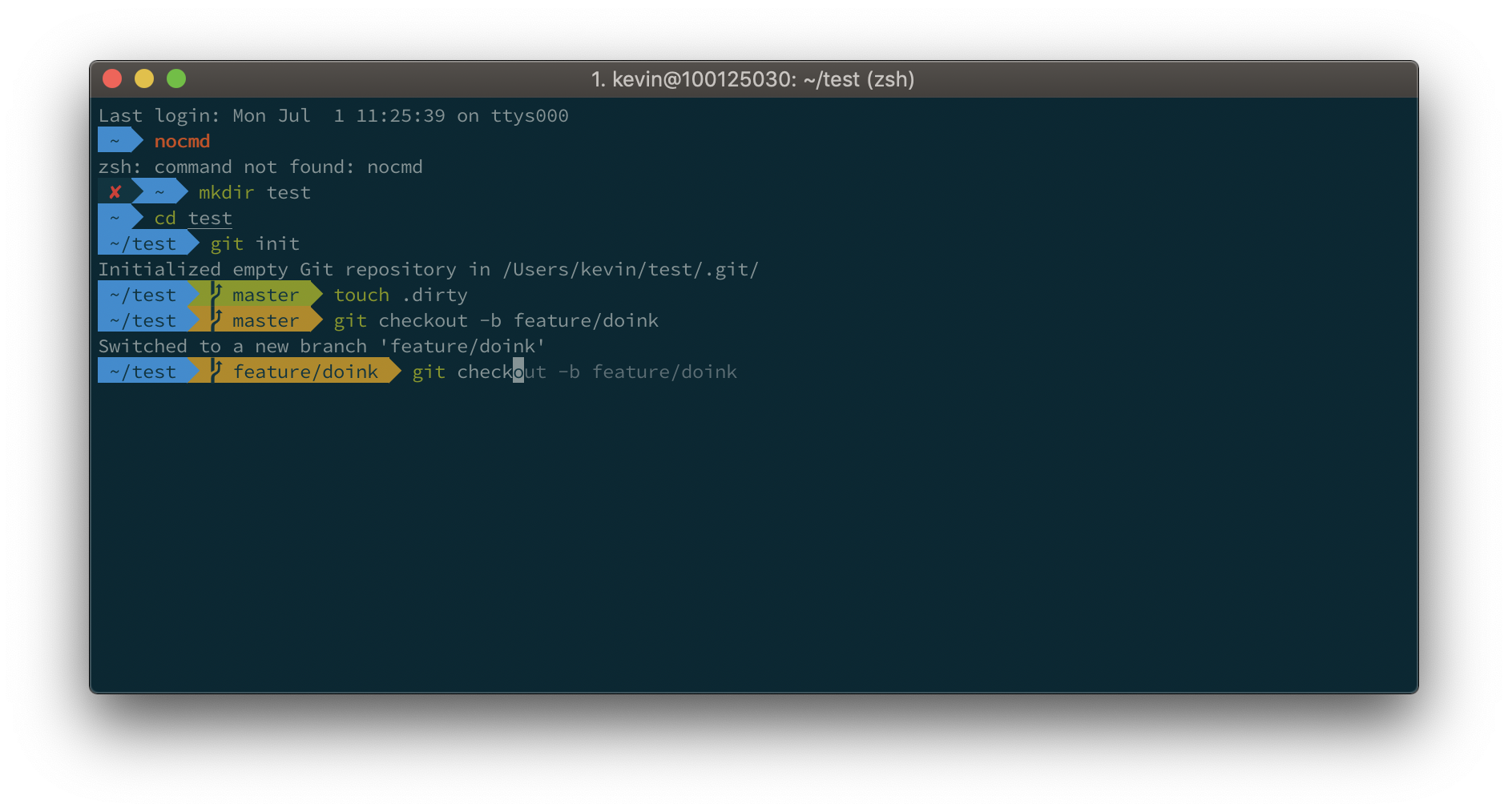
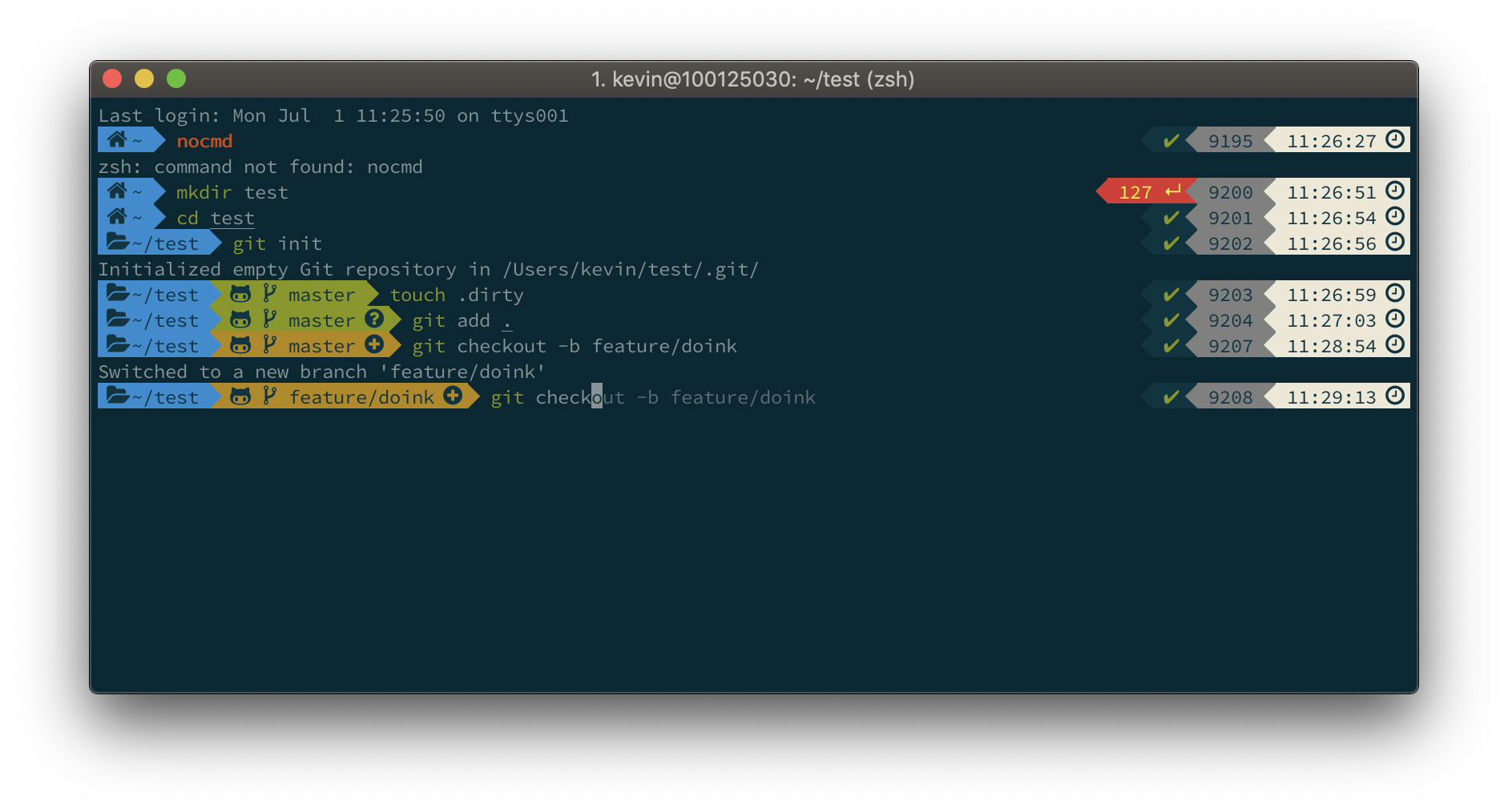
iTerm2 + Oh My Zsh + Solarized color scheme + Source Code Pro Powerline + Font Awesome + [Powerlevel10k] - (macOS)

Default

Default

Powerlevel10k

Powerlevel10k