
This file contains hidden or bidirectional Unicode text that may be interpreted or compiled differently than what appears below. To review, open the file in an editor that reveals hidden Unicode characters.
Learn more about bidirectional Unicode characters
| useEffect(() => { | |
| const sandbox = document.createElement("iframe"); | |
| sandbox.src = import.meta.env.DEV | |
| ? `http://localhost:5174/${globalConfig.SANDBOX_URL}` // globalConfig.SANDBOX_URL it's also path of your html page where will be rendering react component | |
| : chrome.runtime.getURL(globalConfig.SANDBOX_URL); // "src/pages/file-viewer/ui/components/rateConfirmation/MapSection/previewMapIframe/previewMap.html" | |
| sandbox.id = "GOOGLE_MAP"; | |
| sandbox.width = "600px"; | |
| sandbox.height = "200px"; | |
| sandbox.className = "SANDBOX_FOR_GOOGLE_SJHDHSDHSKD"; | |
| sandbox.style.position = "absolute"; |

songhee24
/ some_page.dart
Created
November 22, 2024 02:47
flutter frosted app bar (glassmorphism effect)
This file contains hidden or bidirectional Unicode text that may be interpreted or compiled differently than what appears below. To review, open the file in an editor that reveals hidden Unicode characters.
Learn more about bidirectional Unicode characters
| import 'dart:ui'; | |
| import 'package:flutter/material.dart'; | |
| class SuppliesesInnerPage extends StatelessWidget { | |
| final String suppliesId; | |
| const SuppliesesInnerPage({super.key, required this.suppliesId}); | |
| @override |
songhee24
/ docker_rus.md
Created
August 10, 2024 17:21
— forked from wtw24/docker_rus.md
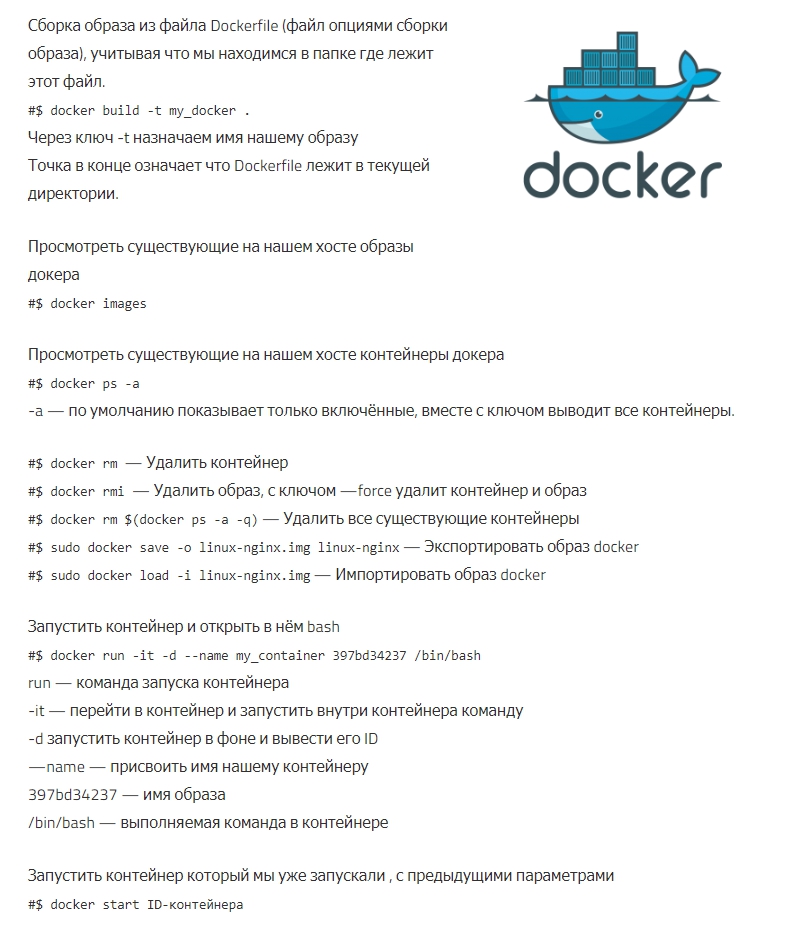
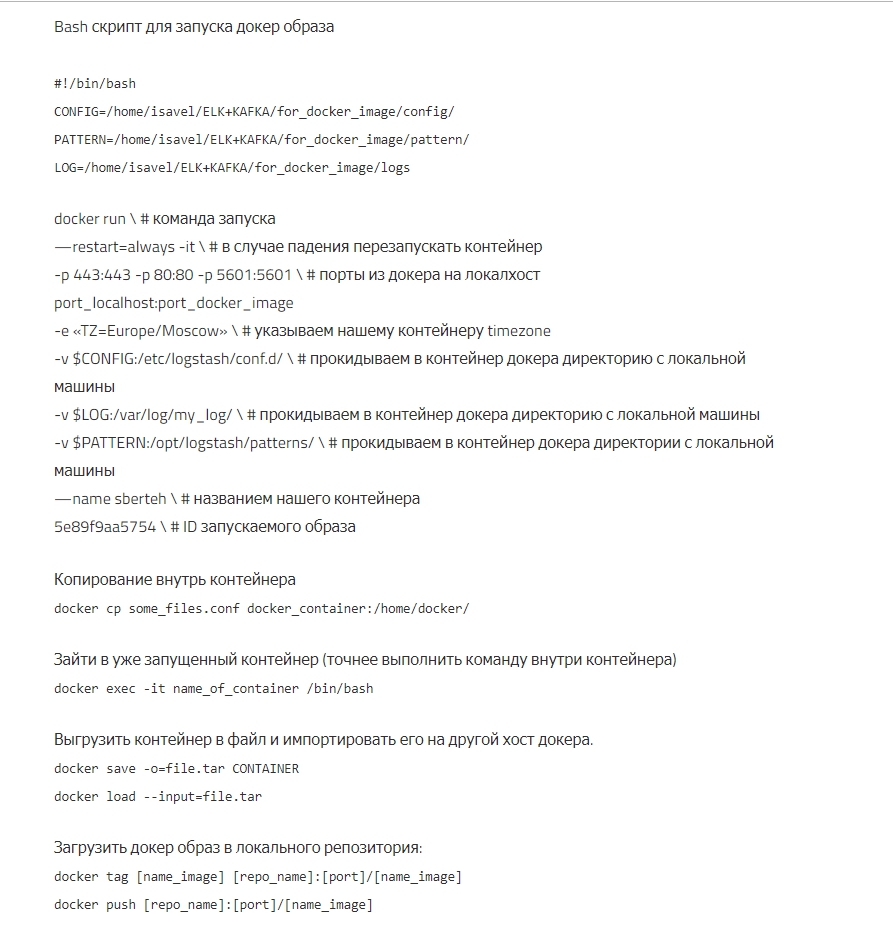
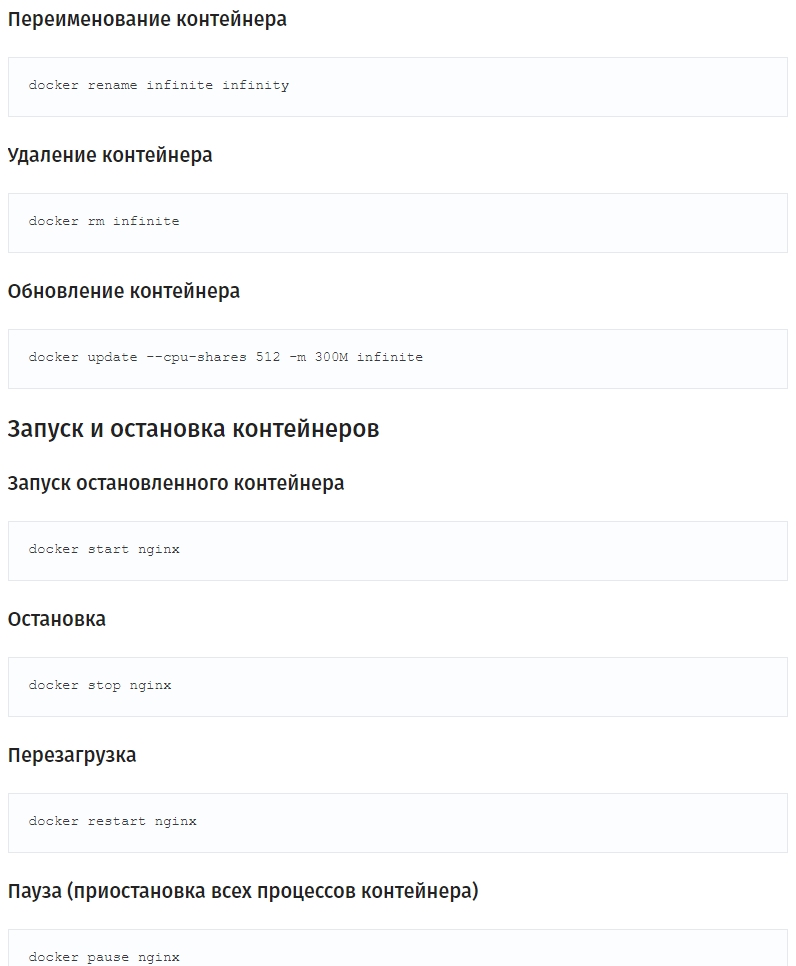
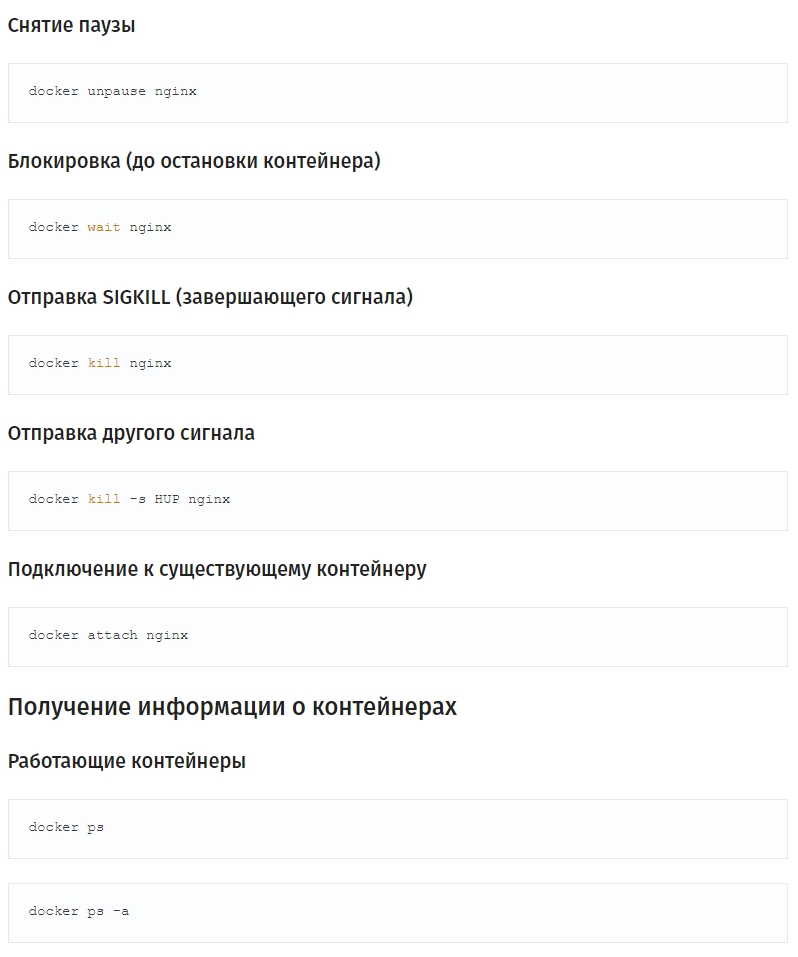
Шпаргалка с командами Docker
Шпаргалка с командами Docker



songhee24
/ dom3d.js
Created
April 17, 2024 16:15
— forked from OrionReed/dom3d.js
3D DOM viewer, copy-paste this into your console to visualise the DOM topographically.
This file contains hidden or bidirectional Unicode text that may be interpreted or compiled differently than what appears below. To review, open the file in an editor that reveals hidden Unicode characters.
Learn more about bidirectional Unicode characters
| // 3D Dom viewer, copy-paste this into your console to visualise the DOM as a stack of solid blocks. | |
| // You can also minify and save it as a bookmarklet (https://www.freecodecamp.org/news/what-are-bookmarklets/) | |
| (() => { | |
| const SHOW_SIDES = false; // color sides of DOM nodes? | |
| const COLOR_SURFACE = true; // color tops of DOM nodes? | |
| const COLOR_RANDOM = false; // randomise color? | |
| const COLOR_HUE = 190; // hue in HSL (https://hslpicker.com) | |
| const MAX_ROTATION = 180; // set to 360 to rotate all the way round | |
| const THICKNESS = 20; // thickness of layers | |
| const DISTANCE = 10000; // ¯\\_(ツ)_/¯ |
songhee24
/ _chrome-ext-auth-identity.md
Created
November 10, 2023 23:57
— forked from raineorshine/_chrome-ext-auth-identity.md
How to set up user authentication for a Chrome Extension using the Chrome Identity API
- Create a private key file, from which you can create the manifest key and Application ID, as detailed here: https://stackoverflow.com/questions/23873623/obtaining-chrome-extension-id-for-development
- Add the manifest key to "key" in manifest.json
- Create a new project in Google Developer Console https://console.developers.google.com/project
- Go to "APIs & auth > Credentials" and create new client id for a Chrome Application using the Application ID generated in step 3.
- Copy the Client ID to oauth2.client_id in the manifest.json