                                  +---------------------------------------+
+---------------------------------|-----+                                 |
|                                 |     |                                 |
|                                 |     |                                 |
|              MAIN               |     |            AP1                  |
|      +--------------------+     |     |      +------------------+       |

radiohead-lab radiohead-lab

danpawlik
/ Openwrt 802.11r + 802.11k + 802.11v + 802.11w.md
Last active
October 13, 2025 22:39

darconeous
/ rect-starlink-cable-hack.md
Last active
November 4, 2025 17:21
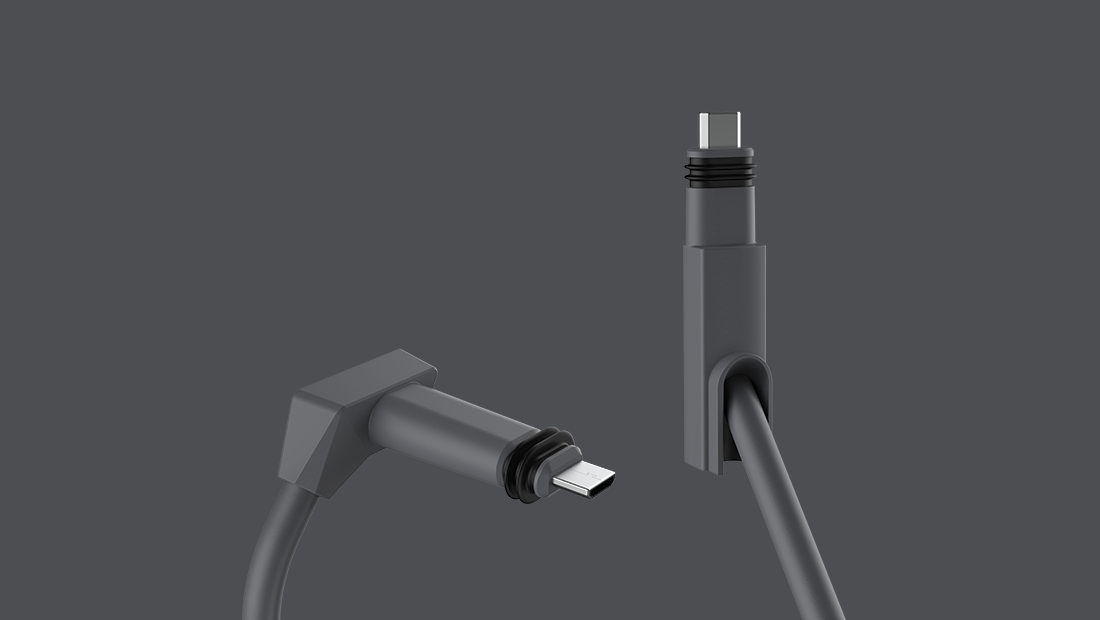
Hacking the Rectangular Starlink Dishy Cable

Jiab77
/ setup-nut-and-netdata-on-ubuntu.md
Last active
March 5, 2026 20:58
In this document, I will explain how to setup nut (Network UPS Tools) on Ubuntu 18.04 and 20.04.
In this document, I will explain how to setup nut (Network UPS Tools) on Ubuntu 18.04 and 20.04.
It is basically the next chapter of my previous gist, Upgrade nut on Ubuntu 18.04.
I'll only document USB connected UPS and not the other supported connection modes.

alissone
/ discord_last_messages.py
Created
August 22, 2020 12:20
Get last N messages from Discord using discord.py
This file contains hidden or bidirectional Unicode text that may be interpreted or compiled differently than what appears below. To review, open the file in an editor that reveals hidden Unicode characters.
Learn more about bidirectional Unicode characters
| import discord | |
| import time | |
| import asyncio | |
| last_messages = 5 | |
| token = "YOUR TOKEN HERE" | |
| client = discord.Client() | |
| @client.event |


Juul
/ lte_mbim_from_scratch.md
Last active
September 28, 2025 02:05
How to use 4G LTE modems like the MC7455 on both Debian/Ubuntu and OpenWRT using MBIM
The purpose of this document is to get you familiar with the concepts and command line tools involved with connecting to the internet using modern 4G LTE modems on both Debian/Ubuntu and OpenWRT.
This writeup is based on my experiences with the Sierra Wireless AirPrime MC7455 modem and a Calyx (Sprint) SIM card, but it should apply to most modern 4G LTE modems.
These are the steps required:
- Physically connect antennas

lukpueh
/ say_lte.py
Created
May 24, 2018 10:38
Script to help me position my `Alcatel Linkhub HH40v` LTE modem for the best signal strength
This file contains hidden or bidirectional Unicode text that may be interpreted or compiled differently than what appears below. To review, open the file in an editor that reveals hidden Unicode characters.
Learn more about bidirectional Unicode characters
| #!/usr/bin/env python | |
| """ | |
| <Program Name> | |
| say_lte.py | |
| <Author> | |
| Lukas Puehringer <luk.puehringer@gmail.com> | |
| <Purpose> | |
| Script to help me position my `Alcatel Linkhub HH40v` LTE modem for the |

emmafaye
/ run_ifttt_recipe.bat
Created
December 22, 2017 09:16
Run an IFTTT recipe using Curl for Windows
This file contains hidden or bidirectional Unicode text that may be interpreted or compiled differently than what appears below. To review, open the file in an editor that reveals hidden Unicode characters.
Learn more about bidirectional Unicode characters
| @echo off | |
| REM #1 Download Curl for Windows https://curl.haxx.se/download.html#Win64 | |
| REM #2 Download the certificate file (cacert.pem) from https://curl.haxx.se/docs/caextract.html | |
| REM #3 Put both curl.exe and cacert.pem into c:/curl directory | |
| REM #4 Add Webhooks as a service https://ifttt.com/maker_webhooks | |
| REM #5 Create a recipe with Webhooks (give it an event name) for starting action and set it to trigger your desired outcome | |
| REM #6 Replace {{event_name}} below with the name you used along with the {{api_key}} which can be found on the documentation page | |
| c:\curl\curl.exe --cacert c:\curl\cacert.pem -X POST https://maker.ifttt.com/trigger/{{event_name}}/with/key/{{api_key}} |

dryliketoast
/ ubuntu minimal gui
Last active
February 28, 2025 19:57
This file contains hidden or bidirectional Unicode text that may be interpreted or compiled differently than what appears below. To review, open the file in an editor that reveals hidden Unicode characters.
Learn more about bidirectional Unicode characters
| Written by Thanos Apostolou | |
| http://askubuntu.com/questions/53822/how-do-you-run-ubuntu-server-with-a-gui | |
| Some more info can be found here https://help.ubuntu.com/community/ServerGUI. I assume you start with a clean install of Ubuntu Server 16.04 (some modifications may be needed for older versions of Ubuntu). Depending on your needs you can do these: | |
| Minimal GUI: | |
| sudo apt install xorg | |
| sudo apt install --no-install-recommends openbox | |
| Run the command startx and openbox will start (you can open a terminal there and run any application you want) |

The repository for the assignment is public and Github does not allow the creation of private forks for public repositories.
The correct way of creating a private frok by duplicating the repo is documented here.
For this assignment the commands are:
- Create a bare clone of the repository.
(This is temporary and will be removed so just do it wherever.)
git clone --bare git@github.com:usi-systems/easytrace.git
NewerOlder