
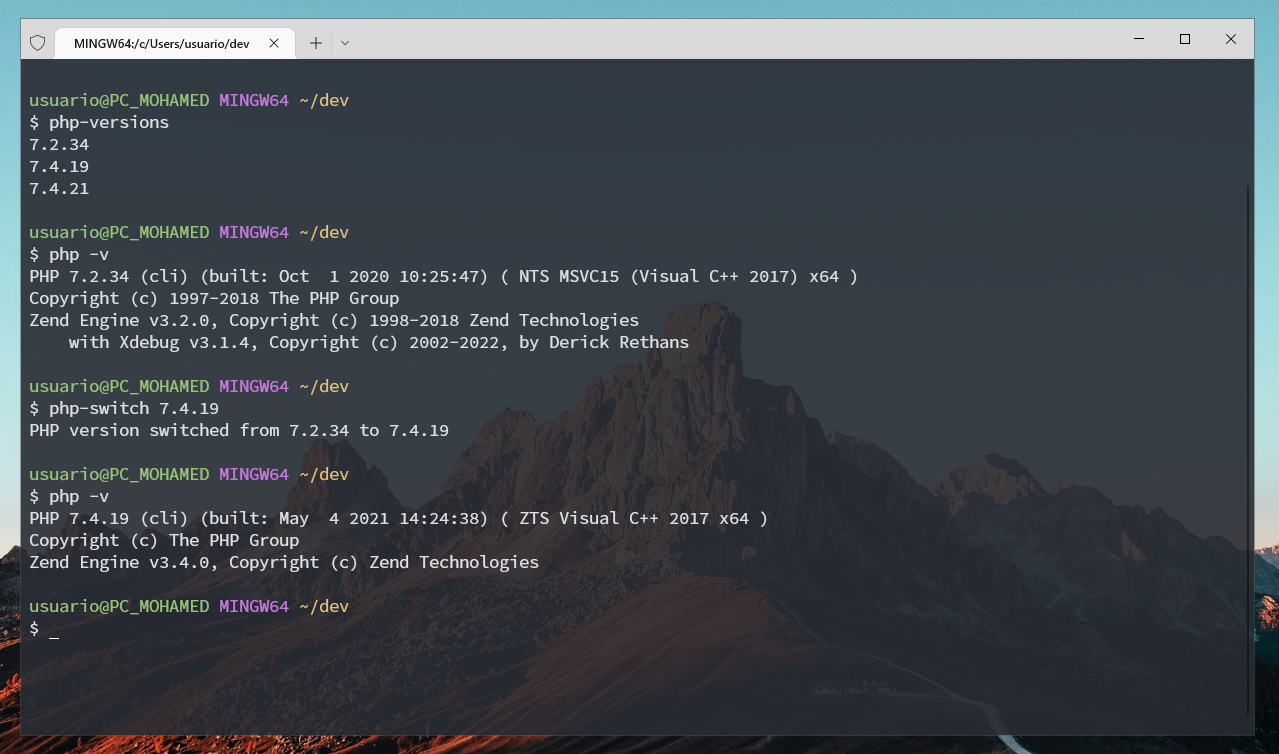
php-versions # Find all installed php versions in laragon folder (configurable)php-switch <version> # Switch to a php version changing env variables ($PATH)
Put this on your .bashrc (NOTE: This script is made to use in Windows with Git Bash)
# The folder where you have all the PHP versions
PHP_FOLDER="/c/laragon/bin/php"

# List all PHP versions
alias php-versions="ls -1 $PHP_FOLDER | cut -d'-' -f2 | sort -u"

# Switch PHP version
php-switch() {
   if [ -z "$1" ]; then
      echo "Usage: php-switch <version>"
      return
   fi

   previous=$(php -v | head -n 1 | cut -d' ' -f2)
   version=$1

   # Check if PHP version is already that version
   if [ "$version" = "$previous" ]; then
      echo "PHP version $version is already active"
      return
   fi

   # Check if the new version exists
   PHP_FILE=$(ls -1 /c/laragon/bin/php | grep $version | head -n 1)
   if [ -z "$PHP_FILE" ]; then
      echo "PHP version $version not found"
      return
   fi

   # Get previous PHP path
   PHP_PREV_FILE=$(ls -1 /c/laragon/bin/php | grep $previous | head -n 1)

   # Change PHP version in env path
   export PATH="/c/laragon/bin/php/$PHP_FILE:$PATH"

   echo "PHP version switched from $previous to $version"
}
Not working inside vscode terminal, idk why, I am not a bash programmer btw, copilot made the most part