Skip to content

Instantly share code, notes, and snippets.

@mplibunao
Last active June 25, 2021 03:15
Show Gist options
  • Select an option

  • Save mplibunao/33195ec0be6b6f4e385a03a31ca9cdde to your computer and use it in GitHub Desktop.

Select an option

Save mplibunao/33195ec0be6b6f4e385a03a31ca9cdde to your computer and use it in GitHub Desktop.

How to add APIs and Scopes to a Google Cloud Project

  • From the dashboard page of your project, click Enable APIs and Services
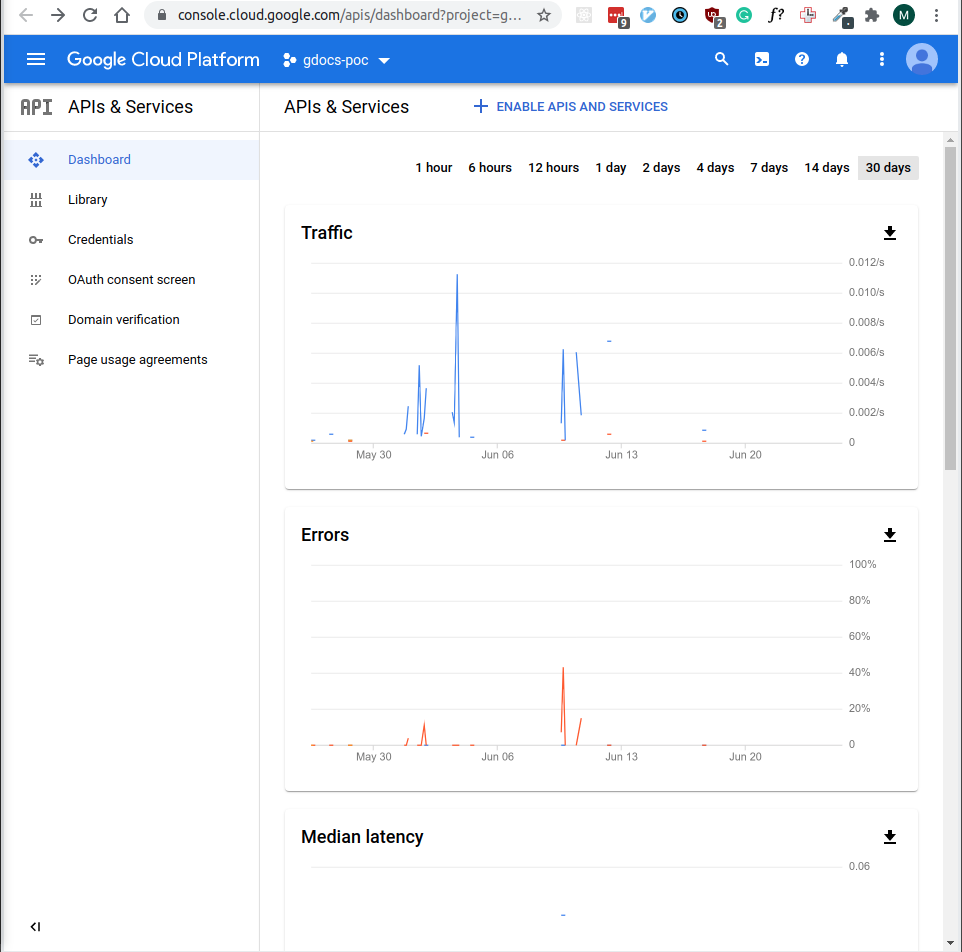
Screenshot from 2021-06-25 10-48-07

  • It should redirect you to the API Library page
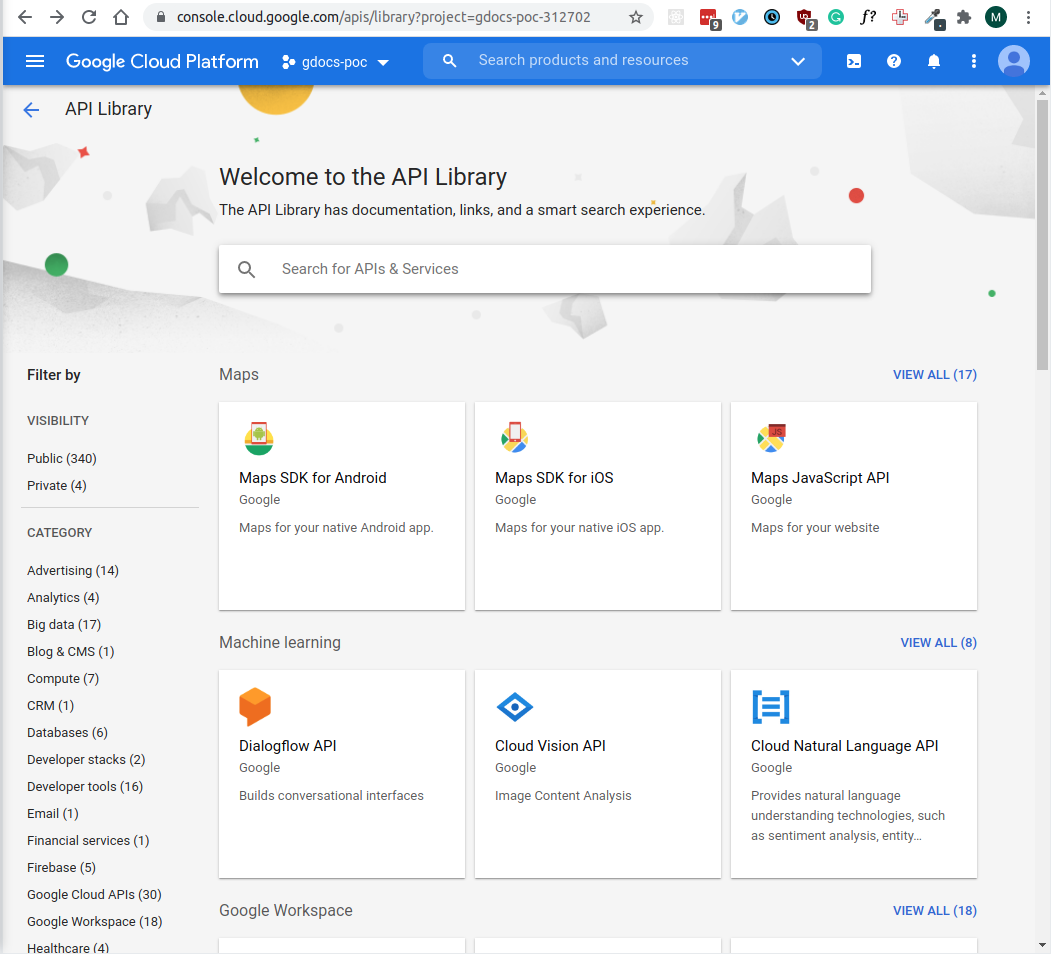
Screenshot from 2021-06-25 10-49-36

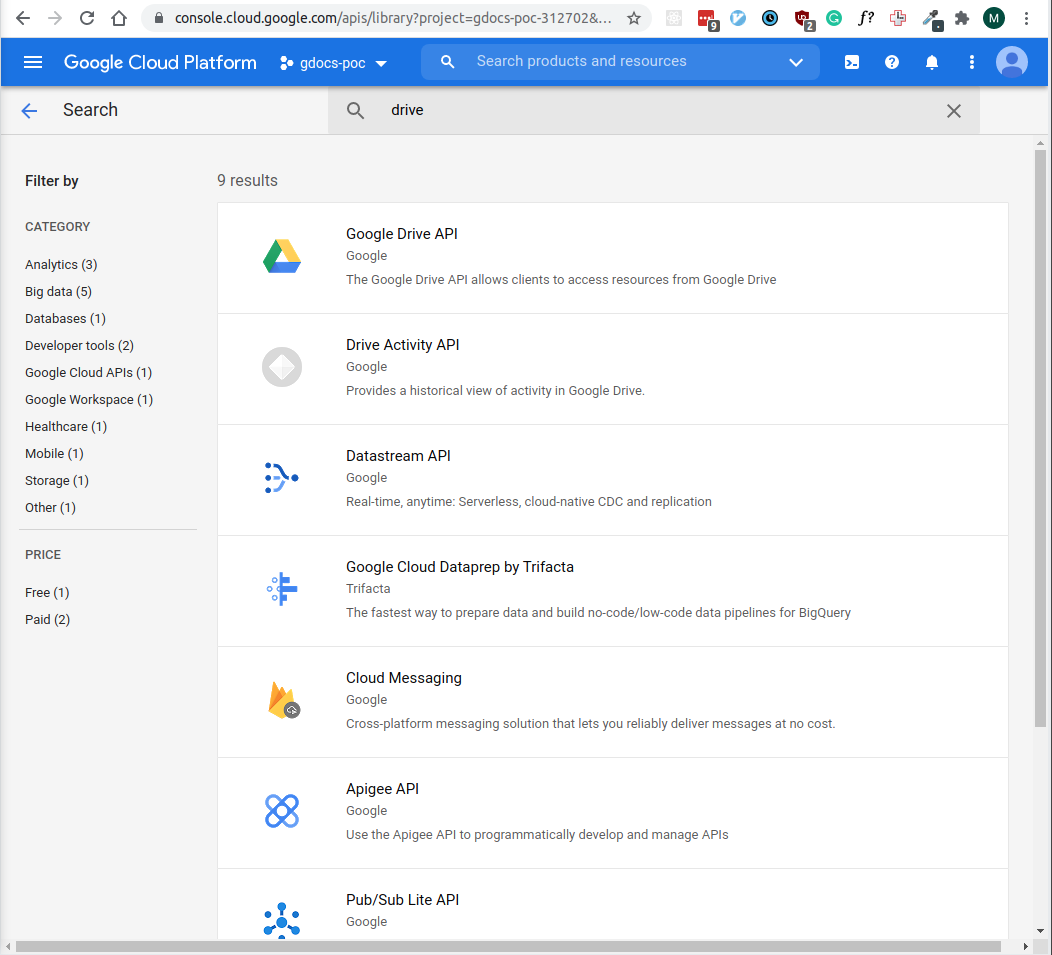
  • Search for the APIs you want to enable (in this case google drive and docs api)
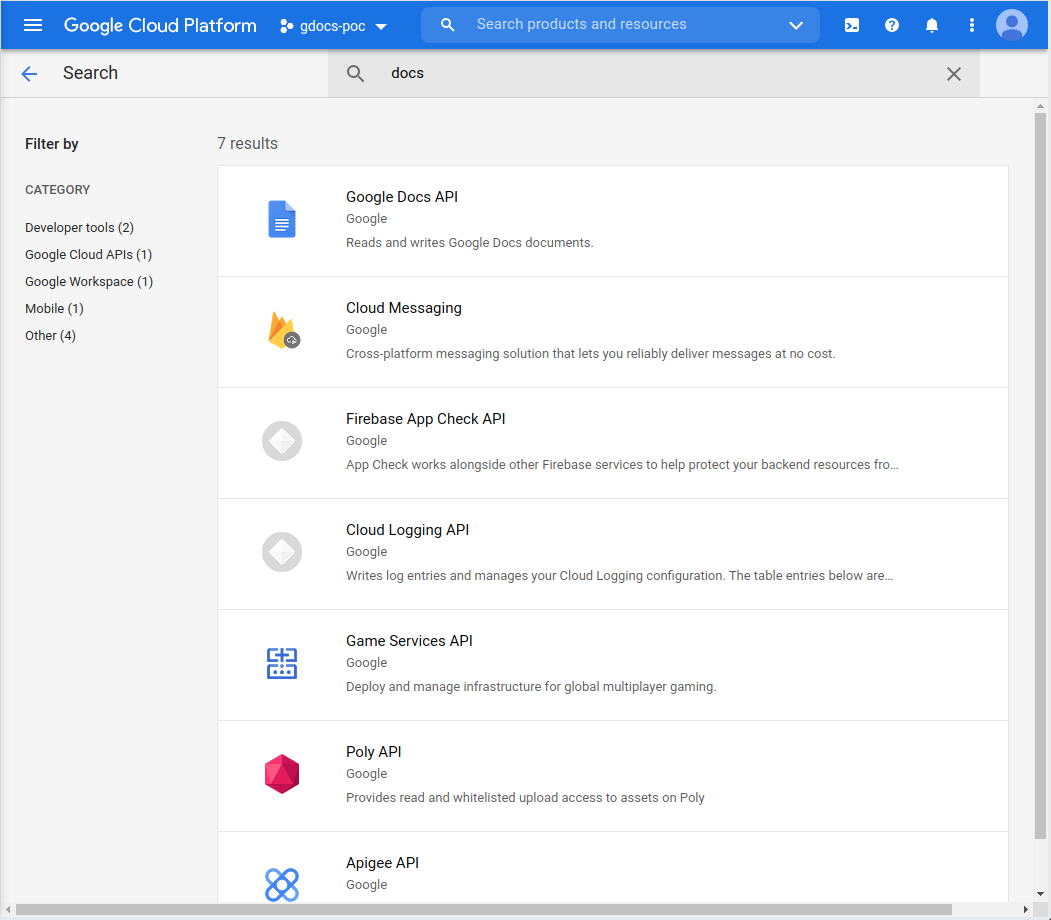
Screenshot from 2021-06-25 10-50-21 Screenshot from 2021-06-25 10-50-05

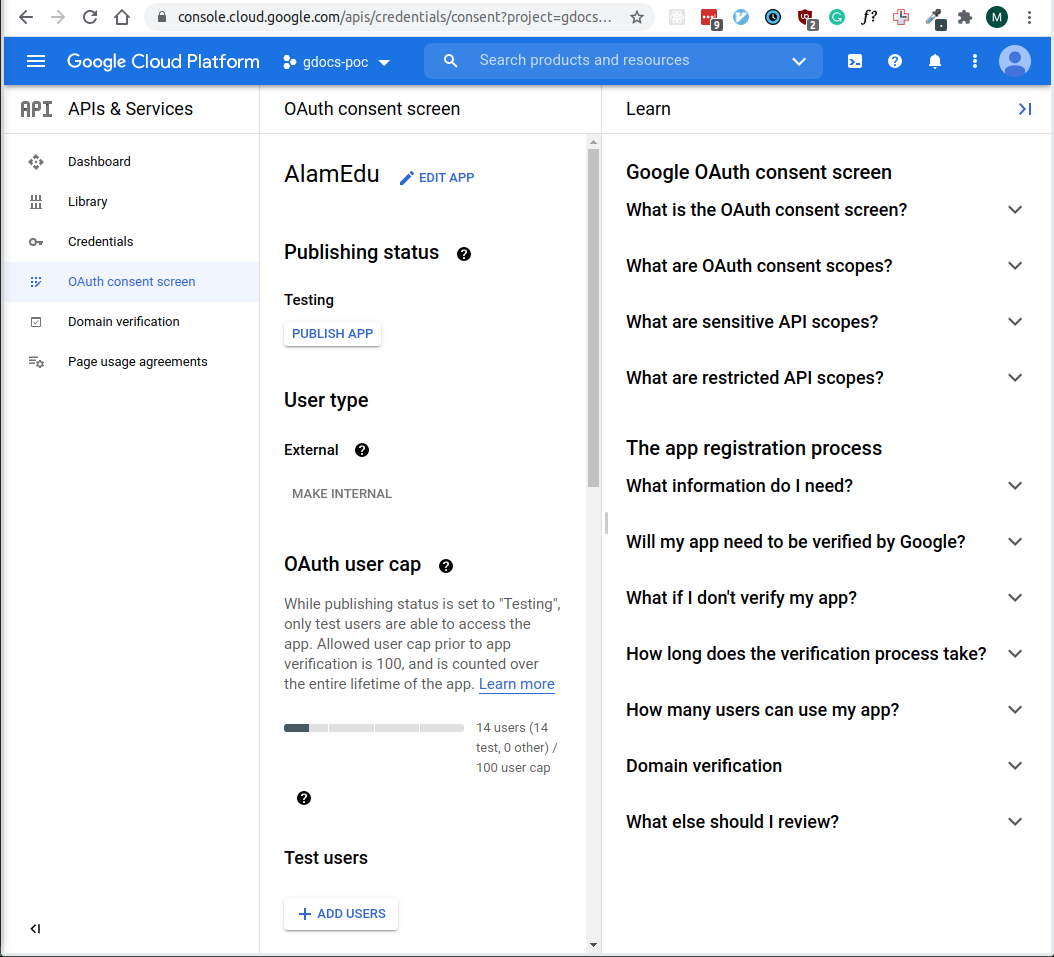
  • From project sidebar, click Oauth consent screen and click Edit App

Screenshot from 2021-06-25 10-51-21

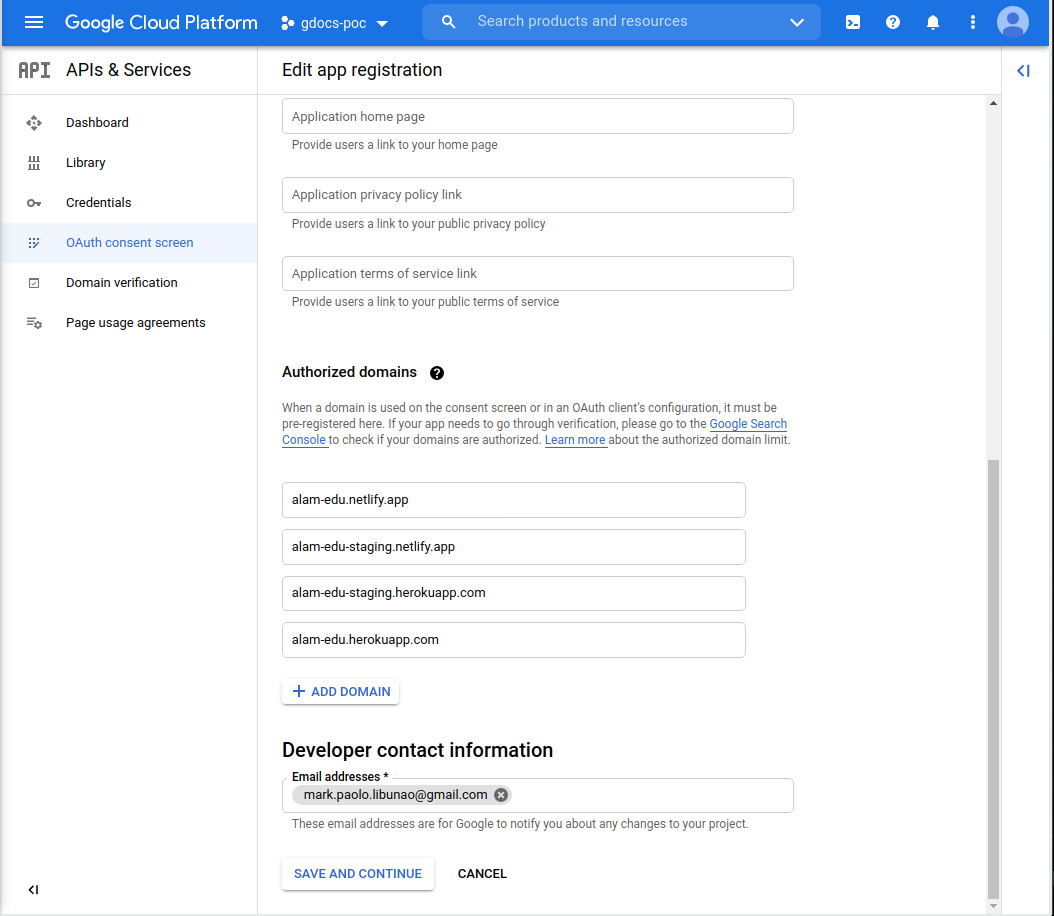
  • You are redirected to the first step of the wizard. Scroll down and press Save and Continue
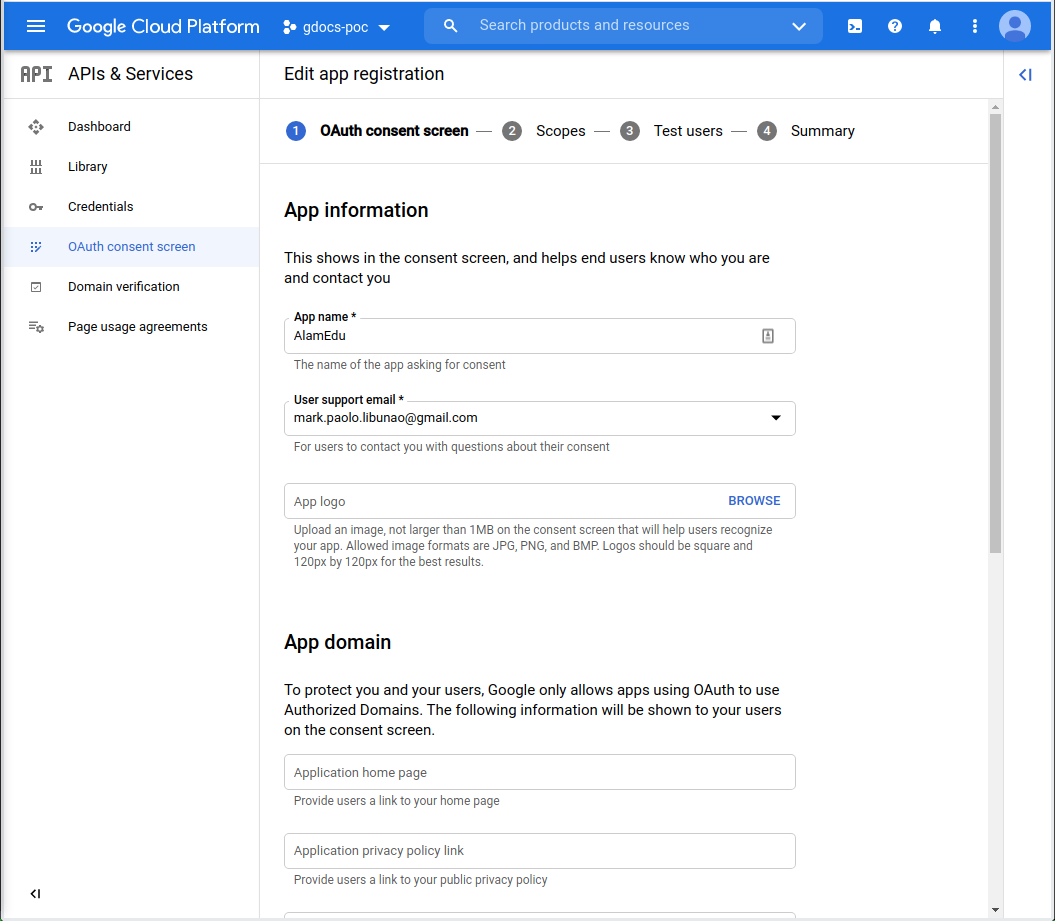
Screenshot from 2021-06-25 10-51-47 Screenshot from 2021-06-25 10-51-59

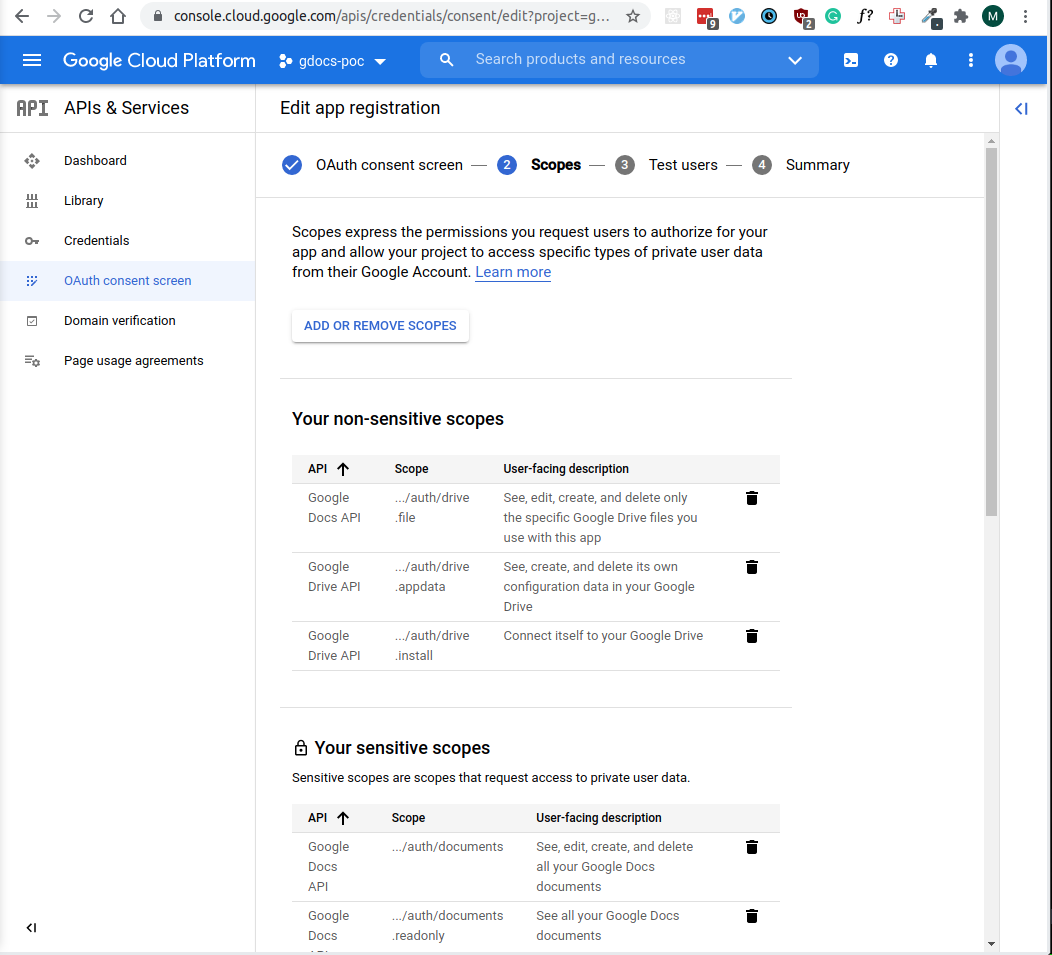
  • You are redirected to the Scopes page. Here you can see the scopes your API uses and add/remove additional ones
  • Click Add or remove scopes

Screenshot from 2021-06-25 10-52-21

  • Add the scopes you need for your application
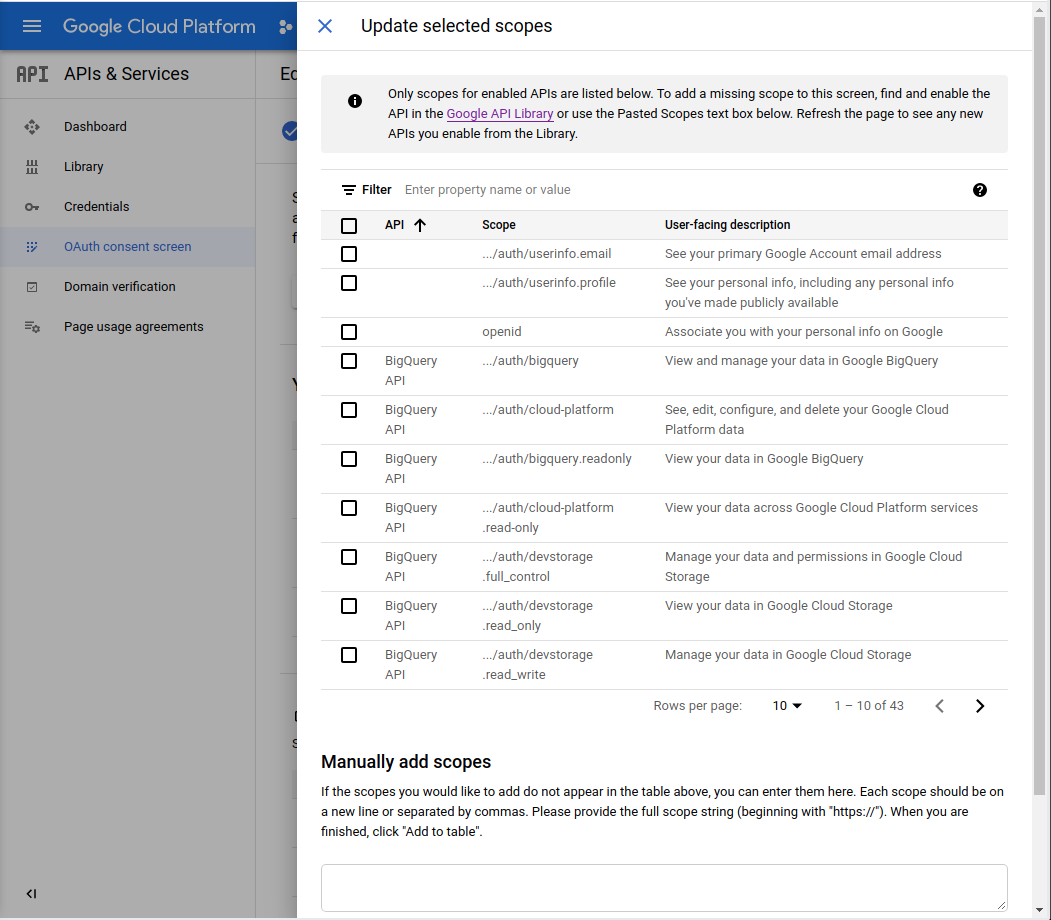
Screenshot from 2021-06-25 10-53-13

  • Example scopes for google drive/docs api
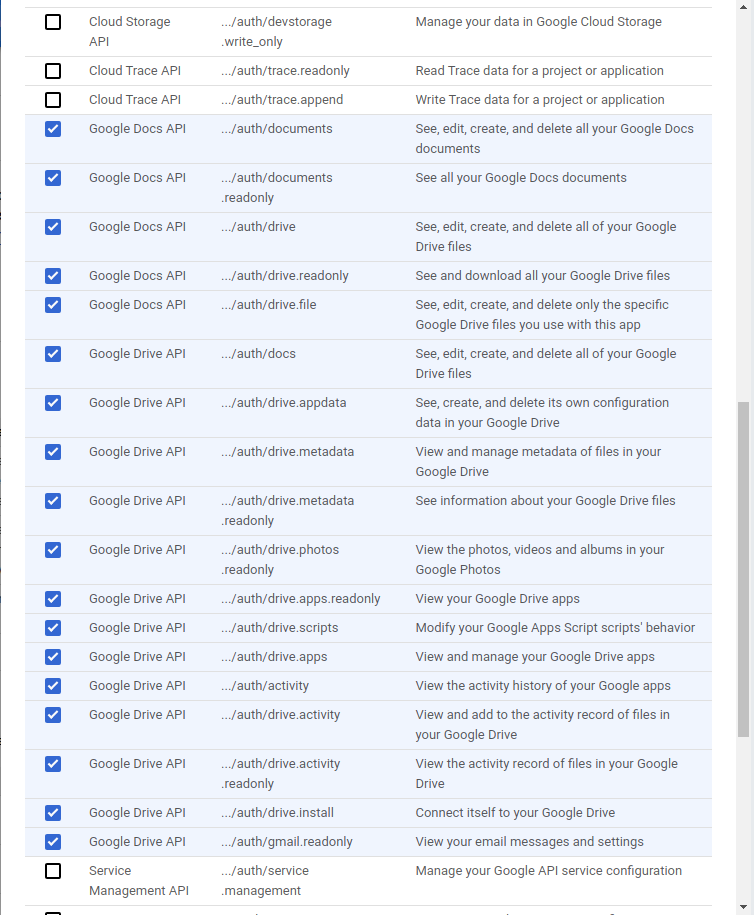
Screenshot from 2021-06-25 11-13-03

@mplibunao
Copy link
Author

mplibunao commented Jun 25, 2021

Screenshot from 2021-06-25 10-48-07

Screenshot from 2021-06-25 10-49-36

Screenshot from 2021-06-25 10-50-21
Screenshot from 2021-06-25 10-50-05

Screenshot from 2021-06-25 10-51-21

Screenshot from 2021-06-25 10-51-59
Screenshot from 2021-06-25 10-51-47

Screenshot from 2021-06-25 10-52-21

Screenshot from 2021-06-25 10-53-13

Screenshot from 2021-06-25 11-13-03

Sign up for free to join this conversation on GitHub. Already have an account? Sign in to comment