pip install nested_dict
>>> from nested_dict import nested_dict
>>> nd= nested_dict()
>>> nd["one"] = "1"
>>> nd[1]["two"] = "1 / 2"
>>> nd["uno"][2]["three"] = "1 / 2 / 3"
>>>
... for keys_as_tuple, value in nd.items_flat():
...    print ("%-20s == %r" % (keys_as_tuple, value))
...
('one',)             == '1'
(1, 'two')           == '1 / 2'
('uno', 2, 'three')  == '1 / 2 / 3'
pip install nesteddict
>>> from nesteddict import NestedDict

>>> a=NestedDict()

>>> a['x.y.z']=1
>>> a
{'x': {'y': {'z': 1}}}
>>> a['x.y']
{'z': 1}
>>> import itertools
>>> myList = ["a","x","p","d","g"]
>>> length = 3
>>> for comb in itertools.combinations(myList, length):
...     print(comb)
...
('a', 'x', 'p')
('a', 'x', 'd')
('a', 'x', 'g')
('a', 'p', 'd')
('a', 'p', 'g')
('a', 'd', 'g')
('x', 'p', 'd')
('x', 'p', 'g')
('x', 'd', 'g')
('p', 'd', 'g')
- https://github.com/huge-success/sanic/tree/master/examples
- https://github.com/huge-success/sanic
- https://sanic.readthedocs.io/en/latest/sanic/getting_started.html
- https://sanic.readthedocs.io/en/latest/sanic/deploying.html#running-via-gunicorn
- http://docs.gunicorn.org/en/latest/install.html#async-workers
- https://www.fullstackpython.com/sanic.html
- https://gunicorn.org/#quickstart
- https://github.com/miguelgrinberg/Flask-SocketIO
- https://secdevops.ai/weekend-project-part-2-turning-flask-into-a-real-time-websocket-server-using-flask-socketio-ab6b45f1d896
- https://www.youtube.com/watch?v=RdSrkkrj3l4
- https://www.youtube.com/watch?v=FIBgDYA-Fas
- https://www.youtube.com/watch?v=mX7hPZidPPY
INSERT IGNORE INTO table (id, name, age) VALUES (1, "A", 19);
INSERT INTO TABLE (id, name, age) VALUES(1, "A", 19) ON DUPLICATE KEY UPDATE NAME = "A", AGE = 19;
REPLACE INTO table (id, name, age) VALUES(1, "A", 19);
import threading
import time

class ThreadingExample(object):
    """ Threading example class

    The run() method will be started and it will run in the background
    until the application exits.
    """

    def __init__(self, interval=1):
        """ Constructor

        :type interval: int
        :param interval: Check interval, in seconds
        """
        self.interval = interval

        thread = threading.Thread(target=self.run, args=())
        thread.daemon = True                            # Daemonize thread
        thread.start()                                  # Start the execution

    def run(self):
        """ Method that runs forever """
        while True:
            # Do something
            print('Doing something imporant in the background')

            time.sleep(self.interval)

example = ThreadingExample()
time.sleep(3)
print('Checkpoint')
time.sleep(2)
print('Bye')
For Strings:

>>> n = '4'
>>> print(n.zfill(3))
004
For Numbers:

>>> n = 4
>>> print(f'{n:03}') # Preferred method, python >= 3.6
004
>>> print('%03d' % n)
004
>>> print(format(n, '03')) # python >= 2.6
004
>>> print('{0:03d}'.format(n))  # python >= 2.6 + python 3
004
>>> print('{foo:03d}'.format(foo=n))  # python >= 2.6 + python 3
004
>>> print('{:03d}'.format(n))  # python >= 2.7 + python3
004
import smtplib
from email.message import EmailMessage
def send_mail(to_email, subject, message, server='smtp.example.cn',
              from_email='xx@example.com'):
    # import smtplib
    msg = EmailMessage()
    msg['Subject'] = subject
    msg['From'] = from_email
    msg['To'] = ', '.join(to_email)
    msg.set_content(message)
    print(msg)
    server = smtplib.SMTP(server)
    server.set_debuglevel(1)
    server.login(from_email, 'password')  # user & password
    server.send_message(msg)
    server.quit()
    print('successfully sent the mail.')
sudo pip3 install nested_dict

import nested_dict as nd

nest = nd.nested_dict()

nest['outer1']['inner1'] = 'v11'
nest['outer1']['inner2'] = 'v12'
nest['outer2'] = [1,2,3]

nest.to_dict()

{'outer1': {'inner1': 'v11', 'inner2': 'v12'}, 'outer2': [1, 2, 3]}
python3.8 -m pip install --upgrade pip

python2.7 -m pip install --upgrade pip
Fire HTTP Request with verify=False
resp = requests.get('https://IP/url'),verify=False)
Warning
/usr/local/lib/python3.6/site-packages/urllib3/connectionpool.py:858: InsecureRequestWarning: Unverified HTTPS request is being made. Adding certificate verification is strongly advised. See: https://urllib3.readthedocs.io/en/latest/advanced-usage.html#ssl-warnings
  InsecureRequestWarning)
Fix
import requests
from requests.packages.urllib3.exceptions import InsecureRequestWarning
requests.packages.urllib3.disable_warnings(InsecureRequestWarning)
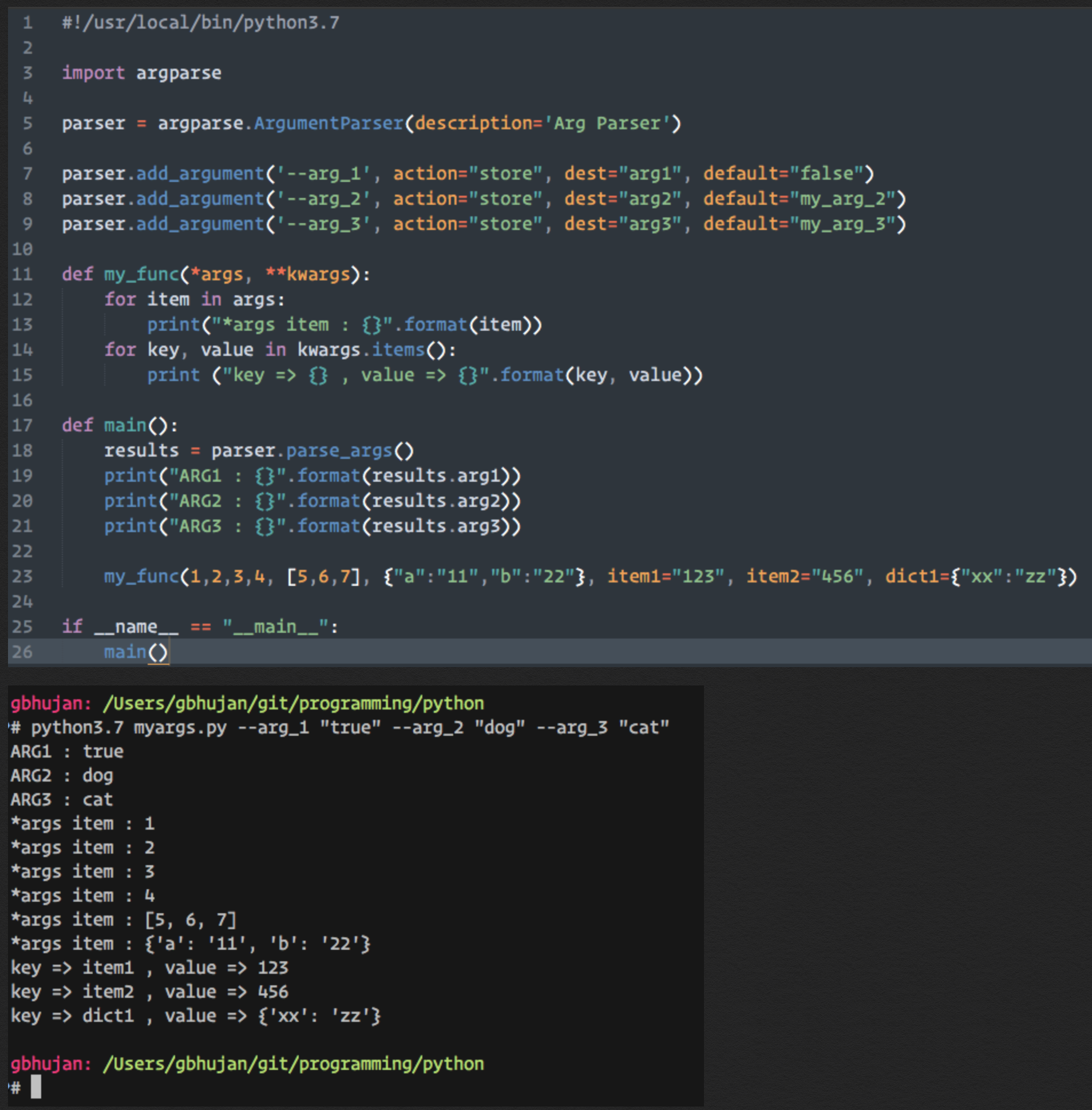
#!/usr/local/bin/python3.7

import argparse

parser = argparse.ArgumentParser(description='Arg Parser')

parser.add_argument('--arg_1', action="store", dest="arg1", default="false")
parser.add_argument('--arg_2', action="store", dest="arg2", default="my_arg_2")
parser.add_argument('--arg_3', action="store", dest="arg3", default="my_arg_3")

def main():
    results = parser.parse_args()
    print("ARG1 : {}".format(results.arg1))
    print("ARG2 : {}".format(results.arg2))
    print("ARG3 : {}".format(results.arg3))

if __name__ == "__main__":
    main()
# python3.7 myargs.py -h

usage: myargs.py [-h] [--arg_1 ARG1] [--arg_2 ARG2] [--arg_3 ARG3]

Arg Parser

optional arguments:
  -h, --help    show this help message and exit
  --arg_1 ARG1
  --arg_2 ARG2
  --arg_3 ARG3
# python3.7 myargs.py --arg_1 "true" --arg_2 "dog" --arg_3 "cat"

ARG1 : true
ARG2 : dog
ARG3 : cat
Python 2.x

>>> import binascii
>>> bin(int(binascii.hexlify('hello'), 16))
'0b110100001100101011011000110110001101111'

Reverse:

>>> n = int('0b110100001100101011011000110110001101111', 2)
>>> binascii.unhexlify('%x' % n)
'hello'
Python 3.x

>>> bin(int.from_bytes('hello'.encode(), 'big'))
'0b110100001100101011011000110110001101111'

Reverse:

>>> n = int('0b110100001100101011011000110110001101111', 2)
>>> n.to_bytes((n.bit_length() + 7) // 8, 'big').decode()
'hello'
import binascii

def text_to_bits(text, encoding='utf-8', errors='surrogatepass'):
    bits = bin(int(binascii.hexlify(text.encode(encoding, errors)), 16))[2:]
    return bits.zfill(8 * ((len(bits) + 7) // 8))

def text_from_bits(bits, encoding='utf-8', errors='surrogatepass'):
    n = int(bits, 2)
    return int2bytes(n).decode(encoding, errors)

def int2bytes(i):
    hex_string = '%x' % i
    n = len(hex_string)
    return binascii.unhexlify(hex_string.zfill(n + (n & 1)))
>>> text_to_bits('hello')
'0110100001100101011011000110110001101111'
>>> text_from_bits('110100001100101011011000110110001101111') == u'hello'
True
>>> import socket
>>> from pprint import pprint
>>> pprint(socket.getaddrinfo('www.google.com', 80))
[(2, 1, 6, '', ('74.125.230.83', 80)),
 (2, 2, 17, '', ('74.125.230.83', 80)),
 (2, 3, 0, '', ('74.125.230.83', 80)),
 (2, 1, 6, '', ('74.125.230.80', 80)),
 (2, 2, 17, '', ('74.125.230.80', 80)),
 (2, 3, 0, '', ('74.125.230.80', 80)),
 (2, 1, 6, '', ('74.125.230.81', 80)),
 (2, 2, 17, '', ('74.125.230.81', 80)),
 (2, 3, 0, '', ('74.125.230.81', 80)),
 (2, 1, 6, '', ('74.125.230.84', 80)),
 (2, 2, 17, '', ('74.125.230.84', 80)),
 (2, 3, 0, '', ('74.125.230.84', 80)),
 (2, 1, 6, '', ('74.125.230.82', 80)),
 (2, 2, 17, '', ('74.125.230.82', 80)),
 (2, 3, 0, '', ('74.125.230.82', 80))]
article = re.sub(r'(?is)</html>.+', '</html>', article)

text_after = re.sub(regex_search_term, regex_replacement, text_before)
>>> import re
>>> re.sub(r'a', 'b', 'banana')
'bbnbnb'

>>> re.sub(r'/\d+', '/{id}', '/andre/23/abobora/43435')
'/andre/{id}/abobora/{id}'
import re

line = re.sub(
           r"(?i)^.*interfaceOpDataFile.*$",
           "interfaceOpDataFile %s" % fileIn,
           line
       )
import re

regex = re.compile(r"^.*interfaceOpDataFile.*$", re.IGNORECASE)
for line in some_file:
    line = regex.sub("interfaceOpDataFile %s" % fileIn, line)
    # do something with the updated line
>>> s = 'she sells sea shells by the sea shore'

>>> # Use hashlib
>>> import hashlib
>>> int(hashlib.sha1(s).hexdigest(), 16) % (10 ** 8)
58097614L

>>> # Use hash()
>>> abs(hash(s)) % (10 ** 8)
82148974

>>> ws_list
['ws-6xDrV2R3fnhL3vmH', 'ws-a2vHSyC7ttoMy2FT']

>>> ws_list_str = ''.join(ws_list)

>>> ws_list_str
'ws-6xDrV2R3fnhL3vmHws-a2vHSyC7ttoMy2FT'

>>> abs(hash(ws_list_str)) % (10 ** 8)
70384642

>>> ws_list = ["ws-a2vHSyC7ttoMy2FT","ws-6xDrV2R3fnhL3vmH","ws-6xDrV2R3fnhL3xxx"]

>>> ws_list.sort()

>>> abs(hash(''.join(ws_list))) % (10 ** 8)
35885815
sudo pip --proxy http://web-proxy.mydomain.com install youtube-dl requests
>>> from netaddr import IPNetwork
>>> for ip in IPNetwork('192.0.2.0/23'):
...    print '%s' % ip
...
192.0.2.0
192.0.2.1
192.0.2.2
192.0.2.3
...
192.0.3.252
192.0.3.253
192.0.3.254
192.0.3.255
Python 3.x

>>> import ipaddress
>>> [str(ip) for ip in ipaddress.IPv4Network('192.0.2.0/28')]
['192.0.2.0', '192.0.2.1', '192.0.2.2',
'192.0.2.3', '192.0.2.4', '192.0.2.5',
'192.0.2.6', '192.0.2.7', '192.0.2.8',
'192.0.2.9', '192.0.2.10', '192.0.2.11',
'192.0.2.12', '192.0.2.13', '192.0.2.14',
'192.0.2.15']
from urllib import request, parse
data = parse.urlencode(<your data dict>).encode()
req =  request.Request(<your url>, data=data) # this will make the method "POST"
resp = request.urlopen(req)
from urllib import request, parse
import json

# Data dict
data = { 'test1': 10, 'test2': 20 }

# Dict to Json
# Difference is { "test":10, "test2":20 }
data = json.dumps(data)

# Convert to String
data = str(data)

# Convert string to byte
data = data.encode('utf-8')

# Post Method is invoked if data != None
req =  request.Request(<your url>, data=data)

# Response
resp = request.urlopen(req)
from urllib import request, parse

url = "http://www.example.com/page"

data = {'test1': 10, 'test2': 20}
data = parse.urlencode(data).encode()

req = request.Request(url, data=data)
response = request.urlopen(req)

print (response.read())
url = 'http://myserver/post_service'
data = urllib.urlencode({'name' : 'joe', 'age'  : '10'})
req = urllib2.Request(url, data)
response = urllib2.urlopen(req)
print response.read()
http_proxy  = "http://10.10.1.10:3128"
https_proxy = "https://10.10.1.11:1080"
ftp_proxy   = "ftp://10.10.1.10:3128"

proxyDict = {
              "http"  : http_proxy,
              "https" : https_proxy,
              "ftp"   : ftp_proxy
            }

r = requests.get(url, headers=headers, proxies=proxyDict)
import requests

proxies = {
    'http': 'http://user:pass@10.10.1.0:3128',
    'https': 'https://user:pass@10.10.1.0:3128',
}

# Create the session and set the proxies.
s = requests.Session()
s.proxies = proxies

# Make the HTTP request through the session.
r = s.get('http://www.showmemyip.com/')
import os
import requests

os.environ['HTTP_PROXY'] = os.environ['http_proxy'] = 'http://http-connect-proxy:3128/'
os.environ['HTTPS_PROXY'] = os.environ['https_proxy'] = 'http://http-connect-proxy:3128/'
os.environ['NO_PROXY'] = os.environ['no_proxy'] = '127.0.0.1,localhost,.local'

r = requests.get('https://example.com')  # , verify=False
from multiprocessing import Pool

def f(x):
    return x*x

if __name__ == '__main__':
    pool = Pool(processes=1) # Start a worker processes.
    result = pool.apply_async(f, [10], callback) # Evaluate "f(10)" asynchronously calling callback when finished.
import random
''.join(random.choice('0123456789ABCDEF') for i in range(6))
import random
import time
import hashlib
from multiprocessing import Pool
from multiprocessing import Process
from multiprocessing.dummy import Pool as ThreadPool
import pprint

def get_list_of_items():
    my_list = []
    for x in range(25):
        random_string = ''.join(random.choice('0123456789ABCDEF') for i in range(6))
        my_list.append(random_string)
    return my_list

def my_function(data):
    time.sleep(1)
    encoded_value = "{}".format(data).encode("utf-8")
    hash_value = hashlib.md5(encoded_value).hexdigest()
    return hash_value

def run_worker_pool():
    return_dict = {}
    my_item_list = get_list_of_items()
    pool = ThreadPool(3)
    results = pool.map(my_function, my_item_list)
    return_dict = dict(zip(my_item_list, results))
    pool.close()
    pool.join()
    return return_dict

def main():
    data = run_worker_pool()
    pprint.pprint(data)

if __name__ == "__main__":
    main()
import re

def is_valid_hostname(hostname):
    if len(hostname) > 255:
        return False
    if hostname[-1] == ".":
        hostname = hostname[:-1] # strip exactly one dot from the right, if present
    allowed = re.compile("(?!-)[A-Z\d-]{1,63}(?<!-)$", re.IGNORECASE)
    return all(allowed.match(x) for x in hostname.split("."))
import random

>>> random.sample(range(0,10),10)
[3, 2, 7, 4, 6, 0, 5, 1, 8, 9]

>>> random.sample(range(10,100),10)
[16, 47, 76, 46, 87, 30, 45, 14, 41, 25]
>>> import json
>>> from nested_dict import nested_dict
>>> nd = nested_dict()
>>> nd["x"] = "a"
>>> nd["y"] = {"x":[1,2,3]}
>>> nd["z"] = {"xx":"yy"}
>>>
>>> nd.to_dict()
{'x': 'a', 'y': {'x': [1, 2, 3]}, 'z': {'xx': 'yy'}}
>>>
>>> my_dict = nd.to_dict()

>>> print(json.dumps(my_dict, indent=4, sort_keys=True))
{
    "x": "a",
    "y": {
        "x": [
            1,
            2,
            3
        ]
    },
    "z": {
        "xx": "yy"
    }
}
pip install retry-decorator

#!/usr/bin/env python

from __future__ import print_function
from retry_decorator import *

@retry(Exception, tries = 3, timeout_secs = 0.1)
def test_retry():
    import sys
    print('hello', file = sys.stderr)
    raise Exception('Testing retry')

if __name__ == '__main__':
    try:
        test_retry()
    except Exception as e:
        print('Received the last exception')
pip install retry

def retry(exceptions=Exception, tries=-1, delay=0, max_delay=None, backoff=1, jitter=0, logger=logging_logger):
    """Return a retry decorator.

    :param exceptions: an exception or a tuple of exceptions to catch. default: Exception.
    :param tries: the maximum number of attempts. default: -1 (infinite).
    :param delay: initial delay between attempts. default: 0.
    :param max_delay: the maximum value of delay. default: None (no limit).
    :param backoff: multiplier applied to delay between attempts. default: 1 (no backoff).
    :param jitter: extra seconds added to delay between attempts. default: 0.
                   fixed if a number, random if a range tuple (min, max)
    :param logger: logger.warning(fmt, error, delay) will be called on failed attempts.
                   default: retry.logging_logger. if None, logging is disabled.
    """

from retry import retry

@retry()
def make_trouble():
    '''Retry until succeed'''

@retry(ZeroDivisionError, tries=3, delay=2)
def make_trouble():
    '''Retry on ZeroDivisionError, raise error after 3 attempts, sleep 2 seconds between attempts.'''

@retry((ValueError, TypeError), delay=1, backoff=2)
def make_trouble():
    '''Retry on ValueError or TypeError, sleep 1, 2, 4, 8, ... seconds between attempts.'''

@retry((ValueError, TypeError), delay=1, backoff=2, max_delay=4)
def make_trouble():
    '''Retry on ValueError or TypeError, sleep 1, 2, 4, 4, ... seconds between attempts.'''

@retry(ValueError, delay=1, jitter=1)
def make_trouble():
    '''Retry on ValueError, sleep 1, 2, 3, 4, ... seconds between attempts.'''

# If you enable logging, you can get warnings like 'ValueError, retrying in
# 1 seconds'
if __name__ == '__main__':
    import logging
    logging.basicConfig()
    make_trouble()
Python multiprocessing.Pool: Difference between map, apply, map_async, apply_async
multiprocessing.Pool  is cool to do parallel jobs in Python.
But some tutorials only take Pool.map  for example,
in which they used special cases of function accepting single argument.
There are four choices to mapping jobs to process. Here are the differences:
             Multi-args   Concurrence    Blocking     Ordered-results
map          no           yes            yes          yes
apply        yes          no             yes          no
map_async    no           yes            no           yes
apply_async  yes          yes            no           no

In Python 3, a new function starmap can accept multiple arguments.

Note that map and map_async are called for a list of jobs in one time,
but apply and apply_async  can only called for one job. However, apply_async
execute a job in background therefore in parallel. See examples:

# map
results = pool.map(worker, [1, 2, 3])

# apply
for x, y in [[1, 1], [2, 2]]:
    results.append(pool.apply(worker, (x, y)))

def collect_result(result):
    results.append(result)

# map_async
pool.map_async(worker, jobs, callback=collect_result)

# apply_async
for x, y in [[1, 1], [2, 2]]:
    pool.apply_async(worker, (x, y), callback=collect_result)
from importlib import reload;import mymodule;reload(mymodule);from mymodule import *;
my_json = [
  {
    "_id": "5ff39bfd232922367f0d1f83",
    "index": 0,
    "guid": "3f468b4d-7d89-45b7-a95b-7d4341ab4d54",
    "isActive": False,
    "balance": "$2,412.35"
  },
  {
    "_id": "5ff39bfd88989e4affd1528b",
    "index": 1,
    "guid": "1ba657a7-fec6-4cbf-9c84-2b0ffb6e664d",
    "isActive": True,
    "balance": "$1,566.21"
  },
  {
    "_id": "5ff39bfd43b9f2d9468eba48",
    "index": 2,
    "guid": "68f04e15-d687-4a47-8f67-dcc1f99d09f0",
    "isActive": False,
    "balance": "$1,340.44"
  },
  {
    "_id": "5ff39bfdb466377807bf529a",
    "index": 3,
    "guid": "21cd02a7-e67b-43a1-8f6c-c27f41d62e7e",
    "isActive": False,
    "balance": "$2,070.95"
  },
  {
    "_id": "5ff39bfda32acd975bfe566b",
    "index": 4,
    "guid": "d903e767-a958-4770-8ab5-b6b4876bf8fa",
    "isActive": False,
    "balance": "$2,848.27"
  },
  {
    "_id": "5ff39bfdc2af770a63289f6b",
    "index": 5,
    "guid": "0c338aef-4ff7-4a4c-90ec-d3b07dfdeb6c",
    "isActive": True,
    "balance": "$3,919.74"
  },
  {
    "_id": "5ff39bfda8fb968a5f5dcc5e",
    "index": 6,
    "guid": "88eb0cac-ee70-47fe-8f2e-4e7abc27e59d",
    "isActive": False,
    "balance": "$1,145.19"
  }
]
Sort Based on "guid"
>>> pprint.pprint( sorted(my_json, key=lambda k: k["guid"]) )

[{'_id': '5ff39bfdc2af770a63289f6b',
  'balance': '$3,919.74',
  'guid': '0c338aef-4ff7-4a4c-90ec-d3b07dfdeb6c',
  'index': 5,
  'isActive': True},
 {'_id': '5ff39bfd88989e4affd1528b',
  'balance': '$1,566.21',
  'guid': '1ba657a7-fec6-4cbf-9c84-2b0ffb6e664d',
  'index': 1,
  'isActive': True},
 {'_id': '5ff39bfdb466377807bf529a',
  'balance': '$2,070.95',
  'guid': '21cd02a7-e67b-43a1-8f6c-c27f41d62e7e',
  'index': 3,
  'isActive': False},
 {'_id': '5ff39bfd232922367f0d1f83',
  'balance': '$2,412.35',
  'guid': '3f468b4d-7d89-45b7-a95b-7d4341ab4d54',
  'index': 0,
  'isActive': False},
 {'_id': '5ff39bfd43b9f2d9468eba48',
  'balance': '$1,340.44',
  'guid': '68f04e15-d687-4a47-8f67-dcc1f99d09f0',
  'index': 2,
  'isActive': False},
 {'_id': '5ff39bfda8fb968a5f5dcc5e',
  'balance': '$1,145.19',
  'guid': '88eb0cac-ee70-47fe-8f2e-4e7abc27e59d',
  'index': 6,
  'isActive': False},
 {'_id': '5ff39bfda32acd975bfe566b',
  'balance': '$2,848.27',
  'guid': 'd903e767-a958-4770-8ab5-b6b4876bf8fa',
  'index': 4,
  'isActive': False}]
>>>
In [9]: import sys

In [8]: sys.modules.keys()

In [16]: sorted(list(sys.modules.keys()))

Out[16]:
['IPython',
'IPython.core',
'IPython.core.alias',
'IPython.core.application',
'IPython.core.autocall',
'IPython.core.builtin_trap',
...
...
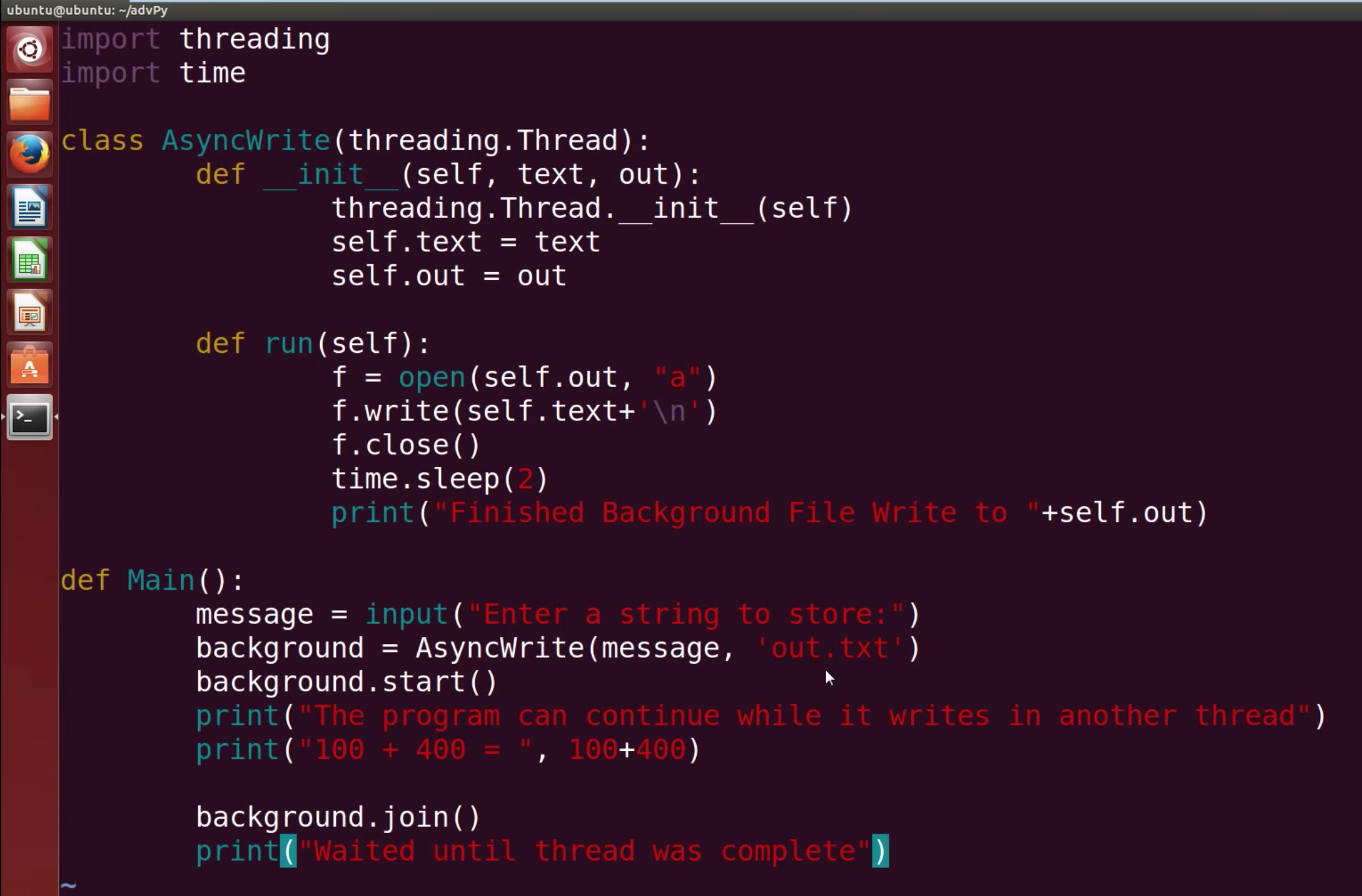
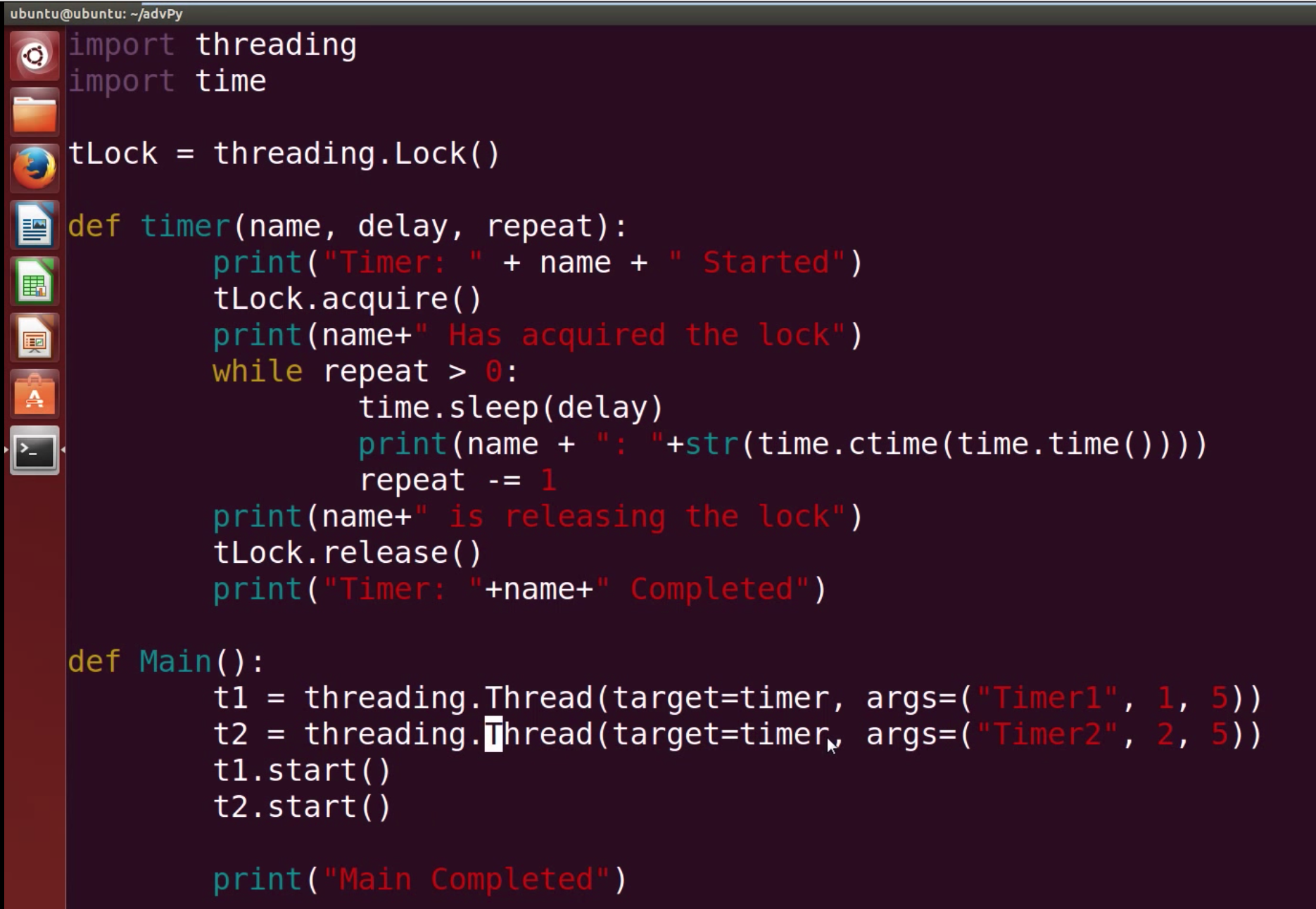

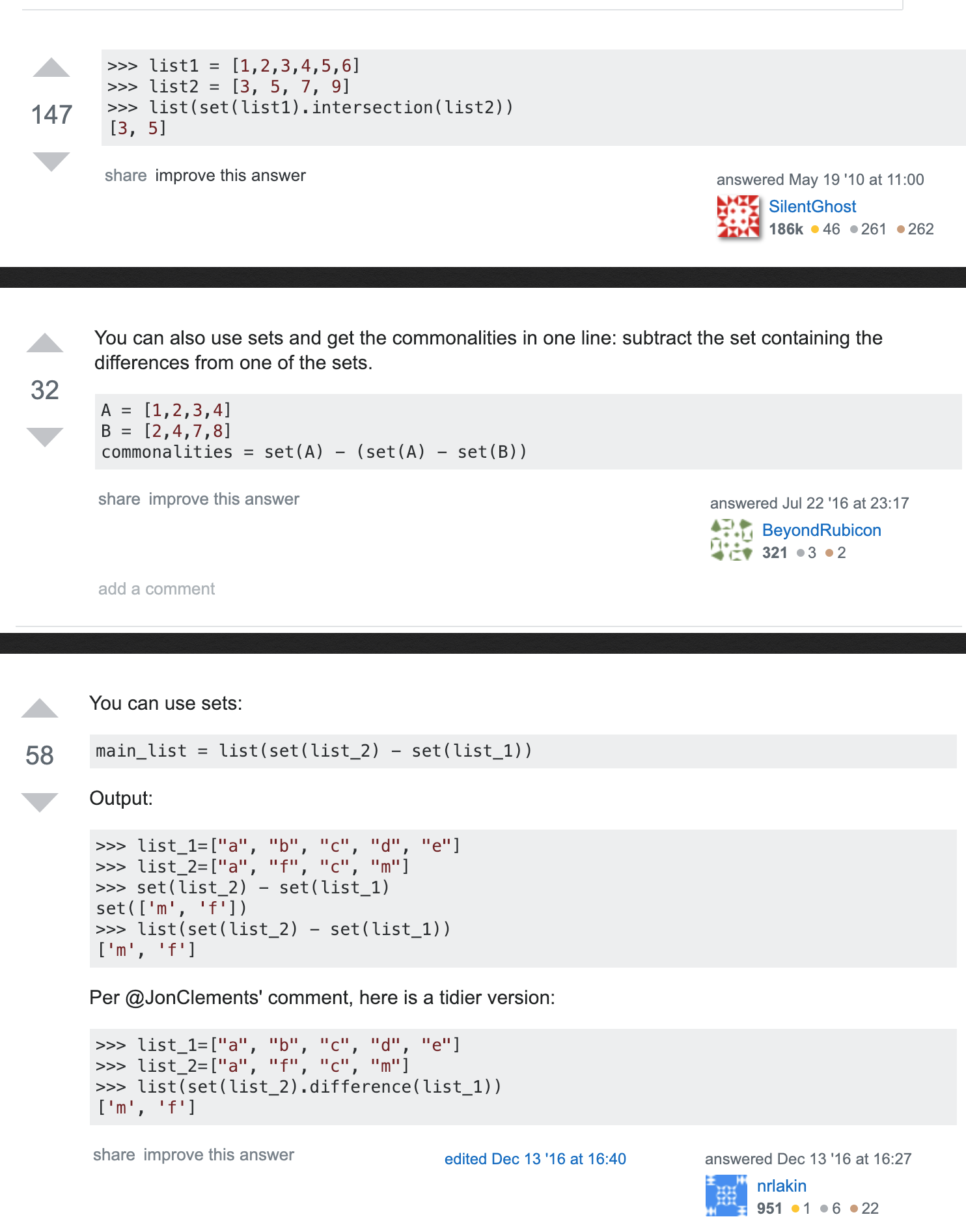
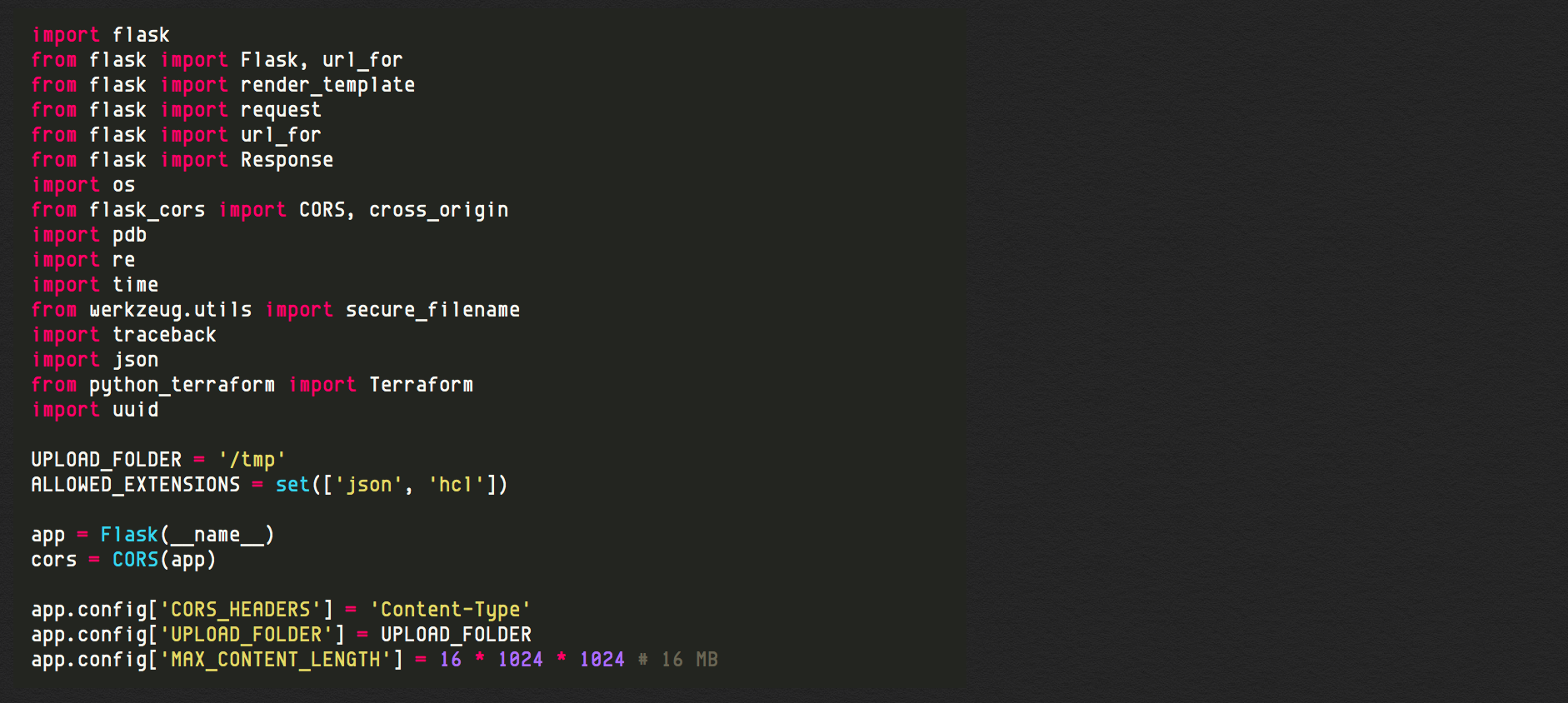
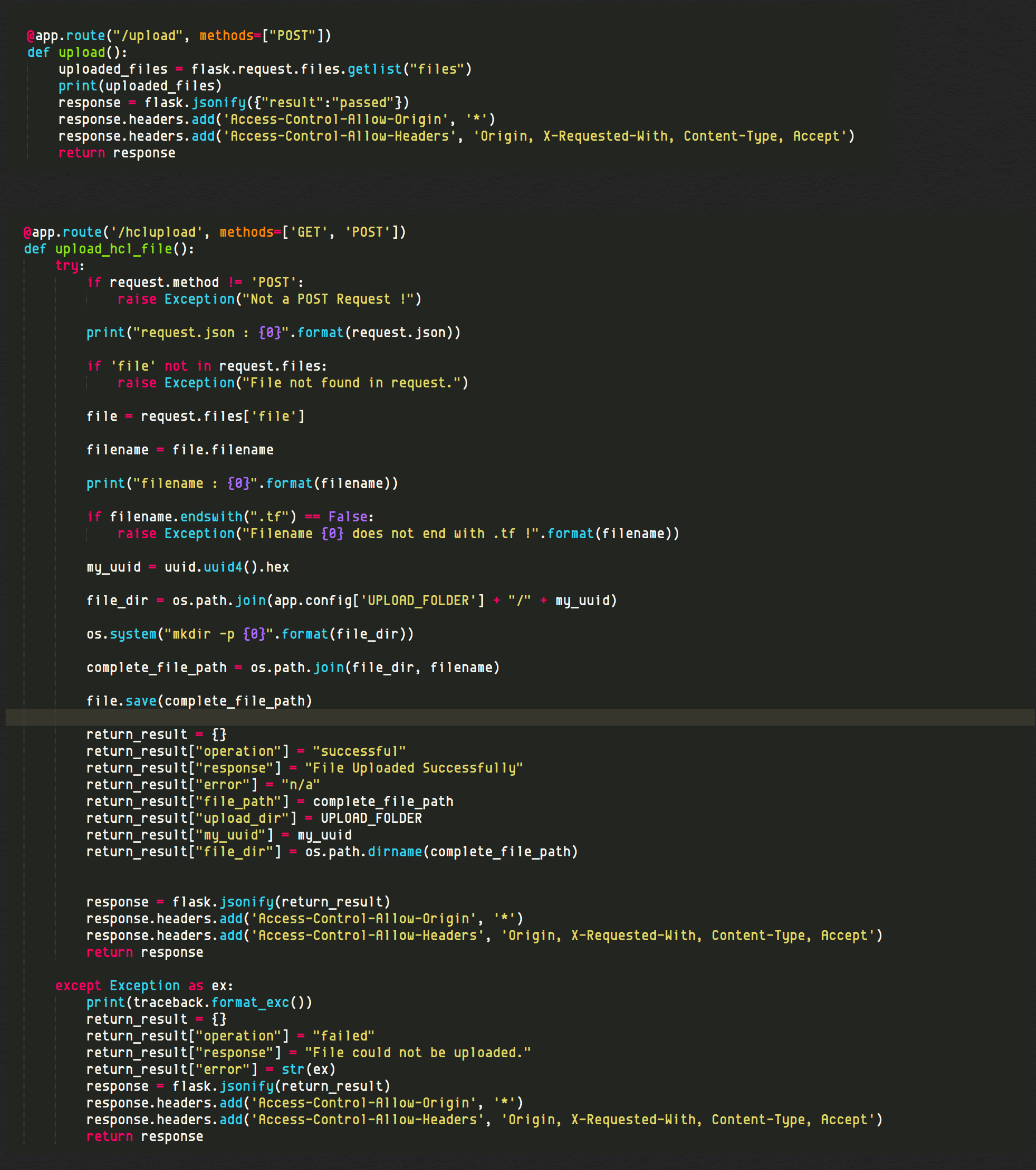
sudo pip3 install --trusted-host files.pythonhosted.org flask-cors

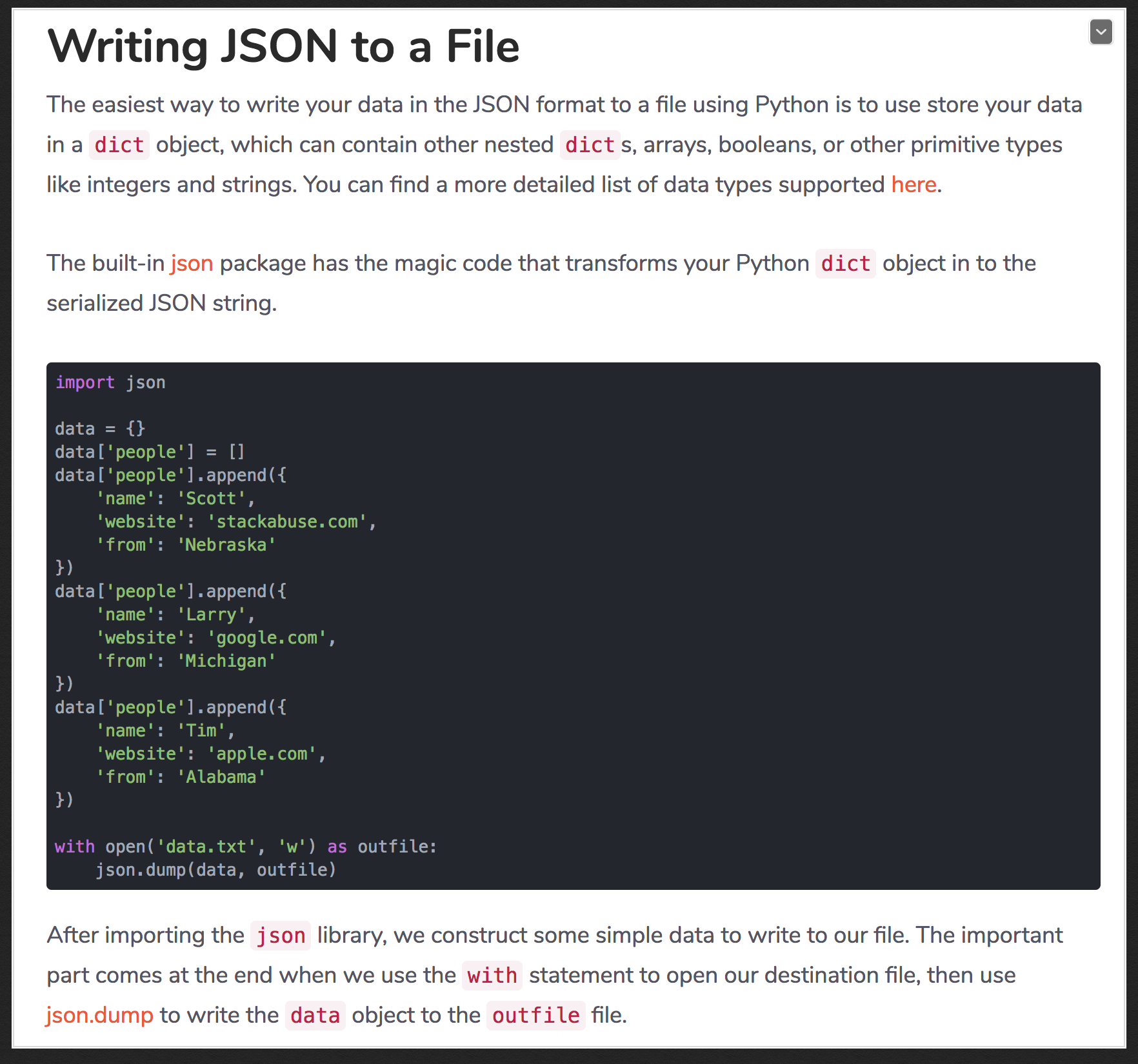
pip3 uninstall crypto
pip3 uninstall pycrypto
pip3 install pycrypto
from Crypto.Cipher import AES
import base64

MASTER_KEY="Some-long-base-key-to-use-as-encryption-key"

def encrypt_val(clear_text):
    enc_secret = AES.new(MASTER_KEY[:32])
    tag_string = (str(clear_text) +
                  (AES.block_size -
                   len(str(clear_text)) % AES.block_size) * "\0")
    cipher_text = base64.b64encode(enc_secret.encrypt(tag_string))
    return cipher_text

def decrypt_val(cipher_text):
    dec_secret = AES.new(MASTER_KEY[:32])
    raw_decrypted = dec_secret.decrypt(base64.b64decode(cipher_text))
    clear_val = raw_decrypted.decode().rstrip("\0")
    return clear_val
import re_compile
py_compile.compile("file.py)
umask 0022 && chmod -R a+rX . && python setup.py sdist upload
import a_module
print(a_module.__file__)

import os
path = os.path.dirname(a_module.__file__)
path = os.path.abspath(a_module.__file__)
import uuid
x = uuid.uuid4()
print(str(x))