
Last active
February 19, 2025 14:48
-
-
Save emmanuelnk/818a810e5a65de1c77025df4c0ae88f2 to your computer and use it in GitHub Desktop.
Revisions
-
emmanuelnk revised this gist
Feb 15, 2025 . No changes.There are no files selected for viewing
-
Feb 15, 2025 . 2 changed files with 26 additions and 19 deletions.There are no files selected for viewing
This file contains hidden or bidirectional Unicode text that may be interpreted or compiled differently than what appears below. To review, open the file in an editor that reveals hidden Unicode characters. Learn more about bidirectional Unicode charactersOriginal file line number Diff line number Diff line change @@ -1,19 +0,0 @@ This file contains hidden or bidirectional Unicode text that may be interpreted or compiled differently than what appears below. To review, open the file in an editor that reveals hidden Unicode characters. Learn more about bidirectional Unicode charactersOriginal file line number Diff line number Diff line change @@ -0,0 +1,26 @@ # Interactive Git Recent Menu An interactive alias using [fzf](https://junegunn.github.io/fzf) that shows most recent branches and gives you the ability to scroll and checkout the one you want (using `Enter`) or `Esc` to exit: - First install `fzf` ```bash brew install fzf ``` - Then add the alias to `.gitconfig` ``` [alias] recent = "!f() { branch=$(git for-each-ref --sort=-committerdate refs/heads --format='%(HEAD)%(refname:short)%09%(color:yellow)%(committerdate:relative)%09%(color:blue)%(subject)%09%(color:magenta)%(authorname)%(color:reset)' --color=always | column -ts$'\t' | fzf --ansi --delimiter=$'\t' --height=40% --reverse --prompt='Checkout> ' | cut -f1 | sed 's/^[* ]*//'); if [ -n \"$branch\" ]; then git checkout \"${branch%%[[:space:]]*}\"; fi; }; ``` Now you can just run `git recent`, and scroll through recent refs using arrow keys, `Enter` to checkout the branch or `Esc` to exit the menu 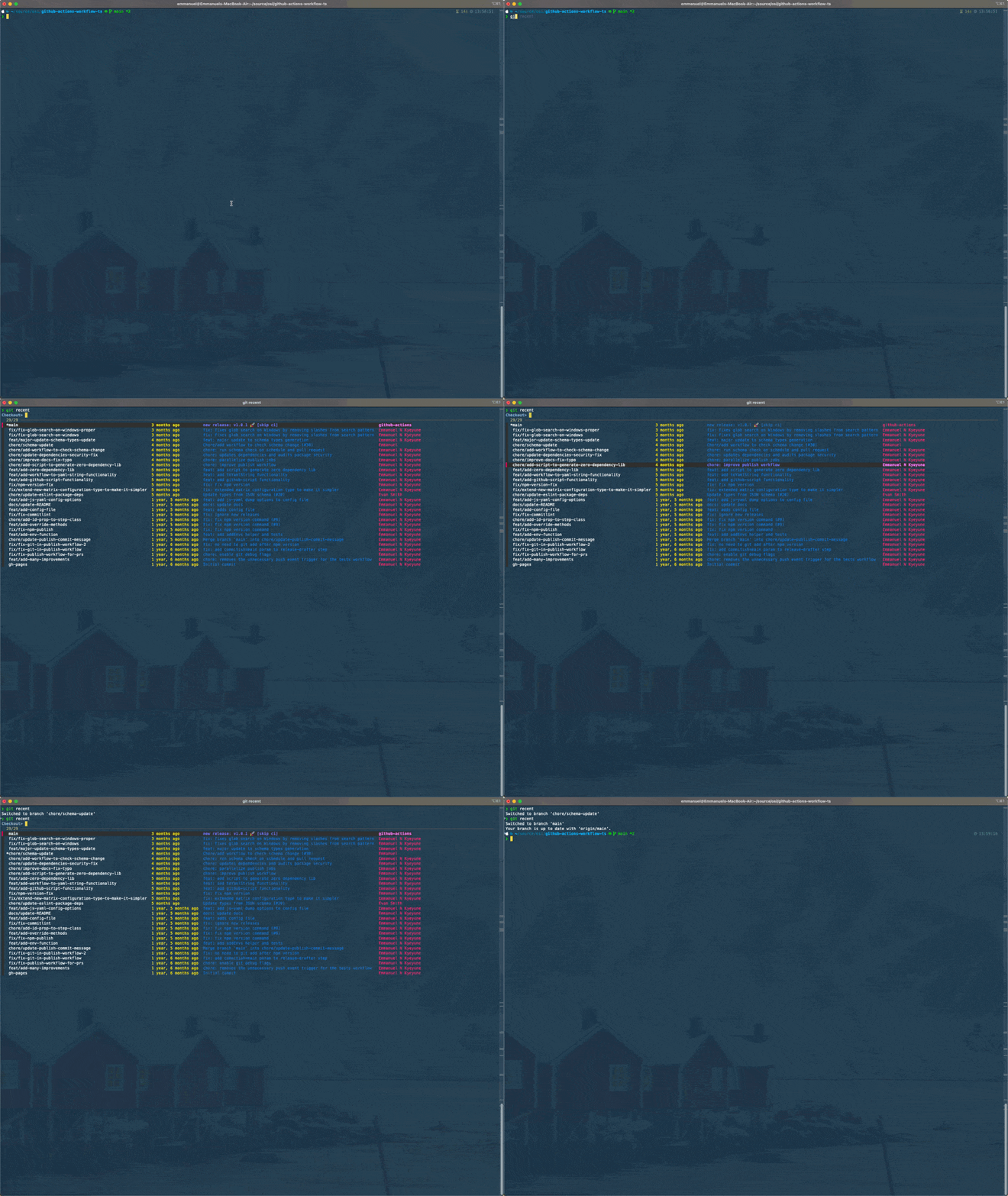 ## Modifications - Column formatting is controlled by ``` --format='%(HEAD)%(refname:short)%09%(color:yellow)%(committerdate:relative)%09%(color:blue)%(subject)%09%(color:magenta)%(authorname)%(color:reset)' --color=always ``` Here you can change colors, the way the committerdate is displayed etc -
Feb 15, 2025 . 1 changed file with 1 addition and 1 deletion.There are no files selected for viewing
This file contains hidden or bidirectional Unicode text that may be interpreted or compiled differently than what appears below. To review, open the file in an editor that reveals hidden Unicode characters. Learn more about bidirectional Unicode charactersOriginal file line number Diff line number Diff line change @@ -13,7 +13,7 @@ recent = "!f() { branch=$(git for-each-ref --sort=-committerdate refs/heads --fo Now you can just run `git recent`, and scroll through recent refs using arrow keys, `Enter` to checkout the branch or `Esc` to exit the menu  [1]: https://junegunn.github.io/fzf/ -
Feb 15, 2025 .There are no files selected for viewing
This file contains hidden or bidirectional Unicode text that may be interpreted or compiled differently than what appears below. To review, open the file in an editor that reveals hidden Unicode characters. Learn more about bidirectional Unicode charactersOriginal file line number Diff line number Diff line change @@ -0,0 +1,19 @@ An interactive version using [fzf][1]: - First install `fzf` ```bash brew install fzf ``` - Then add the alias to `.gitconfig` ``` recent = "!f() { branch=$(git for-each-ref --sort=-committerdate refs/heads --format='%(HEAD)%(refname:short)%09%(color:yellow)%(committerdate:relative)%09%(color:blue)%(subject)%09%(color:magenta)%(authorname)%(color:reset)' --color=always | column -ts$'\t' | fzf --ansi --delimiter=$'\t' --height=40% --reverse --prompt='Checkout> ' | cut -f1 | sed 's/^[* ]*//'); if [ -n \"$branch\" ]; then git checkout \"${branch%%[[:space:]]*}\"; fi; }; ``` Now you can just run `git recent`, and scroll through recent refs using arrow keys, `Enter` to checkout the branch or `Esc` to exit the menu  [1]: https://junegunn.github.io/fzf/