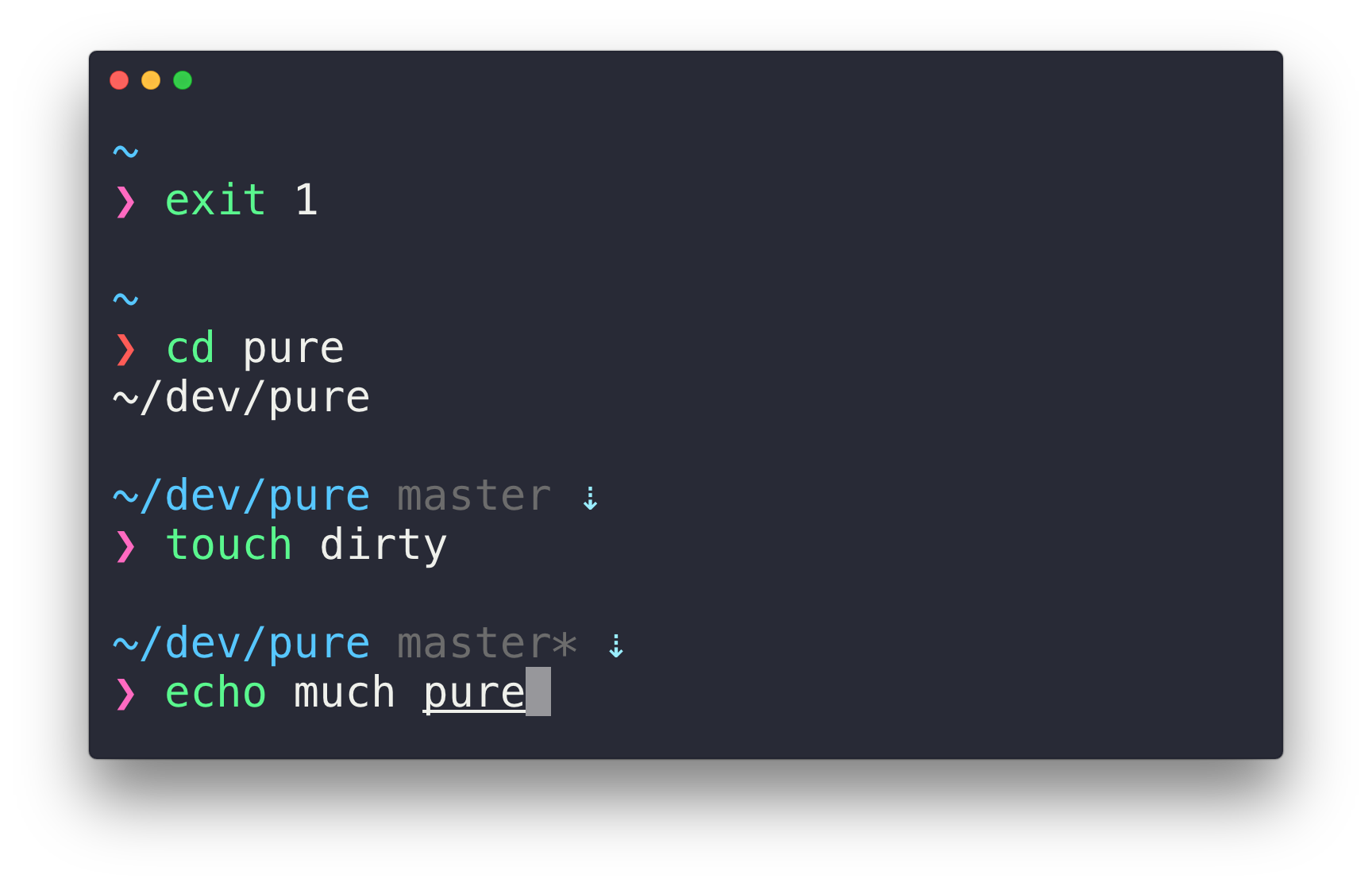
Powerlevel10k can generate the same prompt as Pure.
git clone https://github.com/romkatv/powerlevel10k.git ~/powerlevel10k
echo 'source ~/powerlevel10k/powerlevel10k.zsh-theme' >>! ~/.zshrc

| -- Run the following cmd to make Transmit marry iterm2 as its Terminal partner: | |
| -- defaults write com.panic.Transmit OpenTerminalScriptPath ~/transmit-iterm-patch.applescript | |
| on openTerminal(location, remoteHost, serverPort) | |
| -- Prepare sshCmd and cmd: | |
| set sshCmd to "" | |
| set cmd to "cd \"" & location & "\"" | |
| if ((count of remoteHost) is greater than 0) then | |
| set sshCmd to "ssh " & remoteHost |

Powerlevel10k can generate the same prompt as Pure.
git clone https://github.com/romkatv/powerlevel10k.git ~/powerlevel10k
echo 'source ~/powerlevel10k/powerlevel10k.zsh-theme' >>! ~/.zshrc
| Apple removed colored sub-pixel antialiasing in MacOS Mojave | |
| (https://developer.apple.com/videos/play/wwdc2018/209/ starting from ~28min) | |
| To make fonts look normal in Sublime Text, add to Preferences: | |
| // For the editor | |
| "font_options": [ "gray_antialias" ], | |
| // For the sidebar / other elements | |
| "theme_font_options": [ "gray_antialias" ], |


| on openTerminal(location, remoteHost, serverPort) | |
| tell application "System Events" | |
| -- some versions might identify as "iTerm2" instead of "iTerm" | |
| set isRunning to (exists (processes where name is "iTerm")) or (exists (processes where name is "iTerm2")) | |
| end tell | |
| tell application "iTerm" | |
| activate | |
| set targetTab to "" |

| sudo rm -rfv /Library/Caches/com.apple.iconservices.store; sudo find /private/var/folders/ \( -name com.apple.dock.iconcache -or -name com.apple.iconservices \) -exec rm -rfv {} \; ; sleep 3;sudo touch /Applications/* ; killall Dock; killall Finder |

| /* | |
| This .scss loop will create "margin helpers" and "padding helpers" for use in your web projects. | |
| It will generate several classes such as: | |
| .m-r-10 which gives margin-right 10 pixels. | |
| .m-r-15 gives MARGIN to the RIGHT 15 pixels. | |
| .m-t-15 gives MARGIN to the TOP 15 pixels and so on. | |
| .p-b-5 gives PADDING to the BOTTOM of 5 pixels | |
| .p-l-40 gives PADDING to the LEFT of 40 pixels |

In the below keyboard shortcuts, I use the capital letters for reading clarity but this does not imply shift, if shift is needed, I will say shift. So ⌘ + D does not mean hold shift. ⌘ + Shift + D does of course.
| Function | Shortcut |
|---|---|
| New Tab | ⌘ + T |
| Close Tab or Window | ⌘ + W (same as many mac apps) |
| Go to Tab | ⌘ + Number Key (ie: ⌘2 is 2nd tab) |
| Go to Split Pane by Direction | ⌘ + Option + Arrow Key |