
What is this?
Raspberry Pi OS (Raspbian) install apcupsd Installation guide
What is apcupsd?
apcupsd is a open source UPS mangement and controlling software, it allows the computer to interact with APC UPSes.
First, install apcupsd utility, and the dynamic web page monitor.
sudo apt-get -y install apcupsd apcupsd-cgiThen backup the configuration file.
sudo cp /etc/apcupsd/apcupsd.conf /etc/apcupsd/apcupsd.orig
sudo cd /etc/apcupsd/
Using vim editor to editing the configuration file.
sudo vim apcupsd.confIf you are using APC BN650M1 series, and connect to raspberry by USB cable, the configuration file will be like this:
## apcupsd.conf v1.1 ##
UPSNAME BN650M1-TW

# UPSCABLE <cable>
UPSCABLE usb

# UPSTYPE
UPSTYPE usb
DEVICE

# POLLTIME <int>
#POLLTIME 60

# LOCKFILE <path to lockfile>
LOCKFILE /var/lock

# SCRIPTDIR <path to script directory>
SCRIPTDIR /etc/apcupsd

# PWRFAILDIR <path to powerfail directory>
PWRFAILDIR /etc/apcupsd

# NOLOGINDIR <path to nologin directory>
NOLOGINDIR /etc

# During power failures
ONBATTERYDELAY 6
BATTERYLEVEL 15

MINUTES 10
TIMEOUT 0

ANNOY 60
ANNOYDELAY 60

# NOLOGON <string> [ disable | timeout | percent | minutes | always ]
NOLOGON disable
# KILLDELAY <seconds>  0 disables
KILLDELAY 0

# Network Information Server
# NETSERVER [ on | off ] on enables, off disables the network
NETSERVER on

# NISIP <dotted notation ip address>
NISIP 0.0.0.0

# NISPORT <port> IANA
NISPORT 3551

EVENTSFILE /var/log/apcupsd.events
EVENTSFILEMAX 10

# Configuration statements used if sharing
# UPSCLASS
UPSCLASS standalone

# UPSMODE
UPSMODE disable
After saving the configuration file, start (or restart) apcupsd service.
sudo service apcupsd startRunning commond, if everything goes right, you will saw the UPS status.
apcaccessIf you want to monitoring your UPS online (via LAN network), please follow the instructions below.
Install Apache 2.4.
sudo apt-get -y install apache2
Then backup the configuration file.
sudo cp /etc/apache2/apache2.conf /etc/apache2/apache2.orig
sudo cp /etc/apache2/sites-available/000-default.conf /etc/apache2/sites-available/000-default.orig
Using vim editor to editing the website configuration file.
sudo cd /etc/apache2/conf-available/
sudo touch apcupsd-cgi.conf
sudo vim apcupsd-cgi.conf
The configuration file section at apcupsd-cgi.conf will be like this:
# apcupsd-cgi
ScriptAlias /apcupsd/ /usr/lib/cgi-bin/apcupsd/
<Directory "/usr/lib/cgi-bin/apcupsd">
	DirectoryIndex multimon.cgi
	Options +FollowSymLinks +ExecCGI
	AddHandler cgi-script .cgi
	DirectoryIndex upsstats.cgi
	Require all granted
</Directory>
Enable the CGI module and CGI config
sudo a2enconf apcupsd-cgi
sudo a2enmod cgi
After saving the configuration file, running configtest to check syntax errors, if everything goes right, you will saw Syntax OK
pi@raspberry:/etc/apache2 $ sudo apache2ctl configtest
Syntax OK
If you saw this error, please follow the instructions below.
pi@raspberry:/etc/apache2 $ sudo apache2ctl configtest
apache2: Could not reliably determine the server's fully qualified domain name, using 127.0.1.1 for ServerName
Syntax OK
Go back to apache configuration file.
sudo cd /etc/apache2/
sudo vim apache2.conf
Add this section
ServerName localhostAfter saving the configuration file, start (or restart) apcupsd service.
sudo service apache2 startsudo service apache2 reloadNow you can check the CGI monitor
http://your.server.address/apcupsd/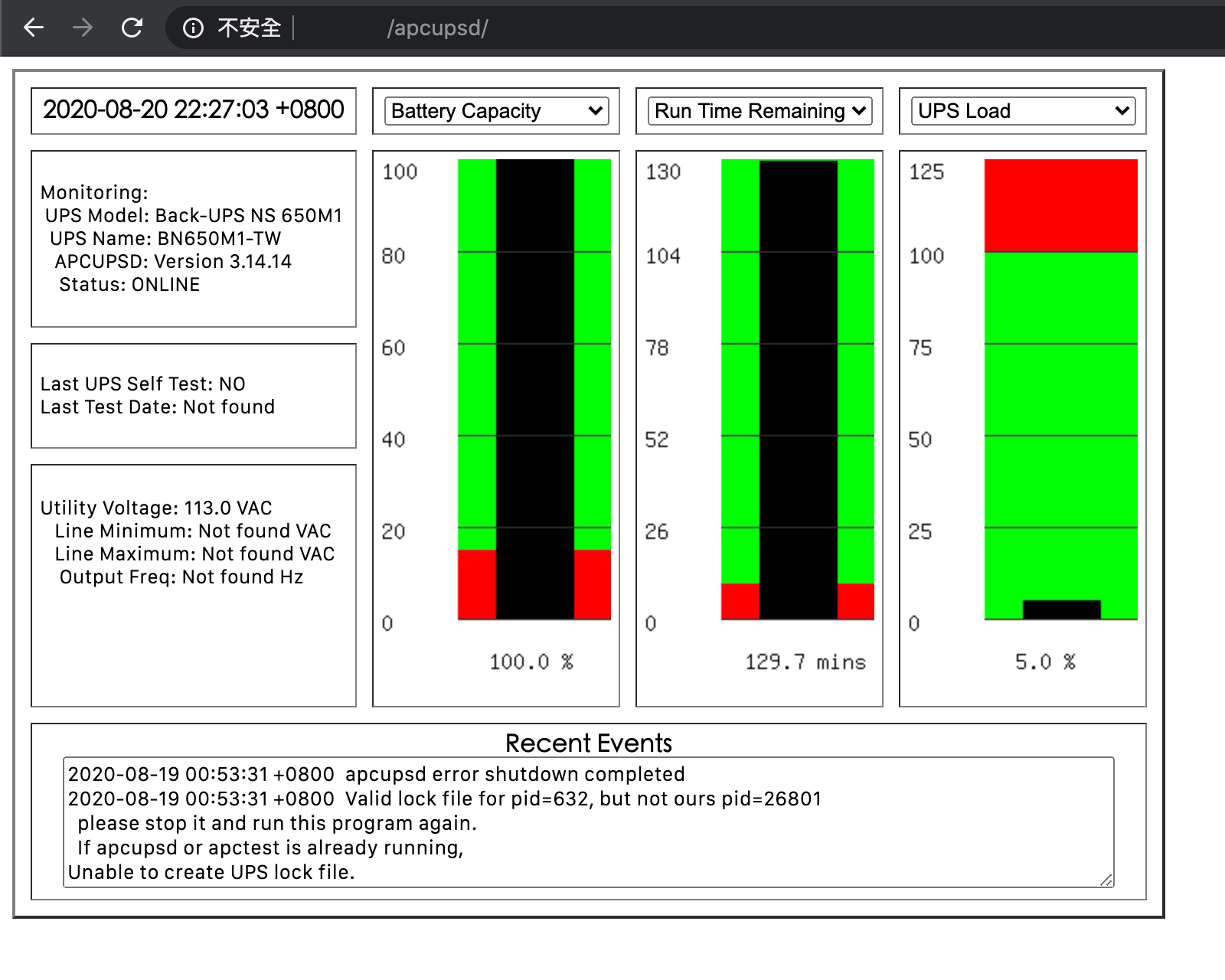
If you have multi-APC UPSes which can broadcasting data, then you can choice multimon function into index as default.
Please modify the section below
DirectoryIndex upsstats.cgiinto
DirectoryIndex multimon.cgiThe multimon.cgi will be like this
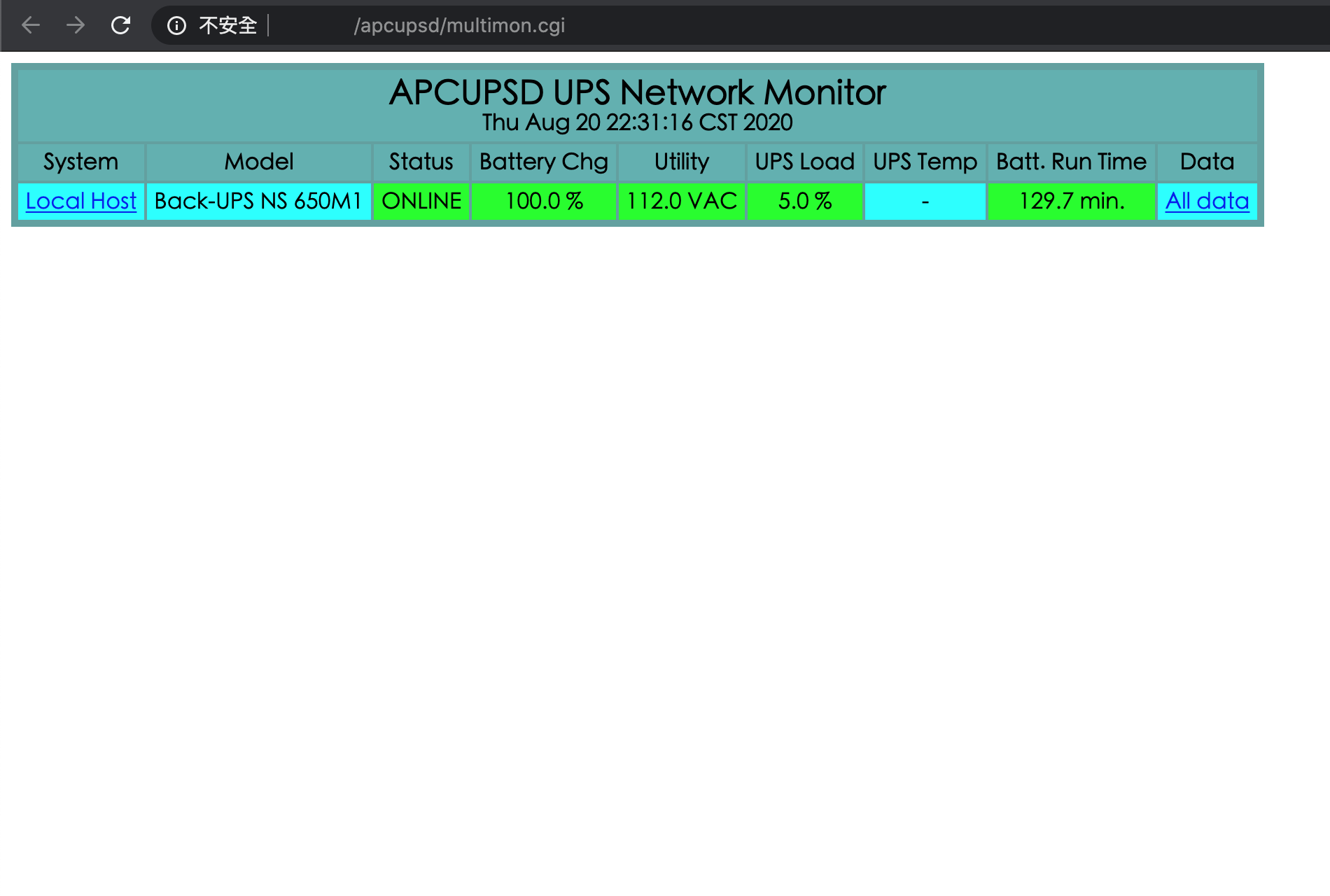
You can also modify the apache default index page, let you easier to access different function.
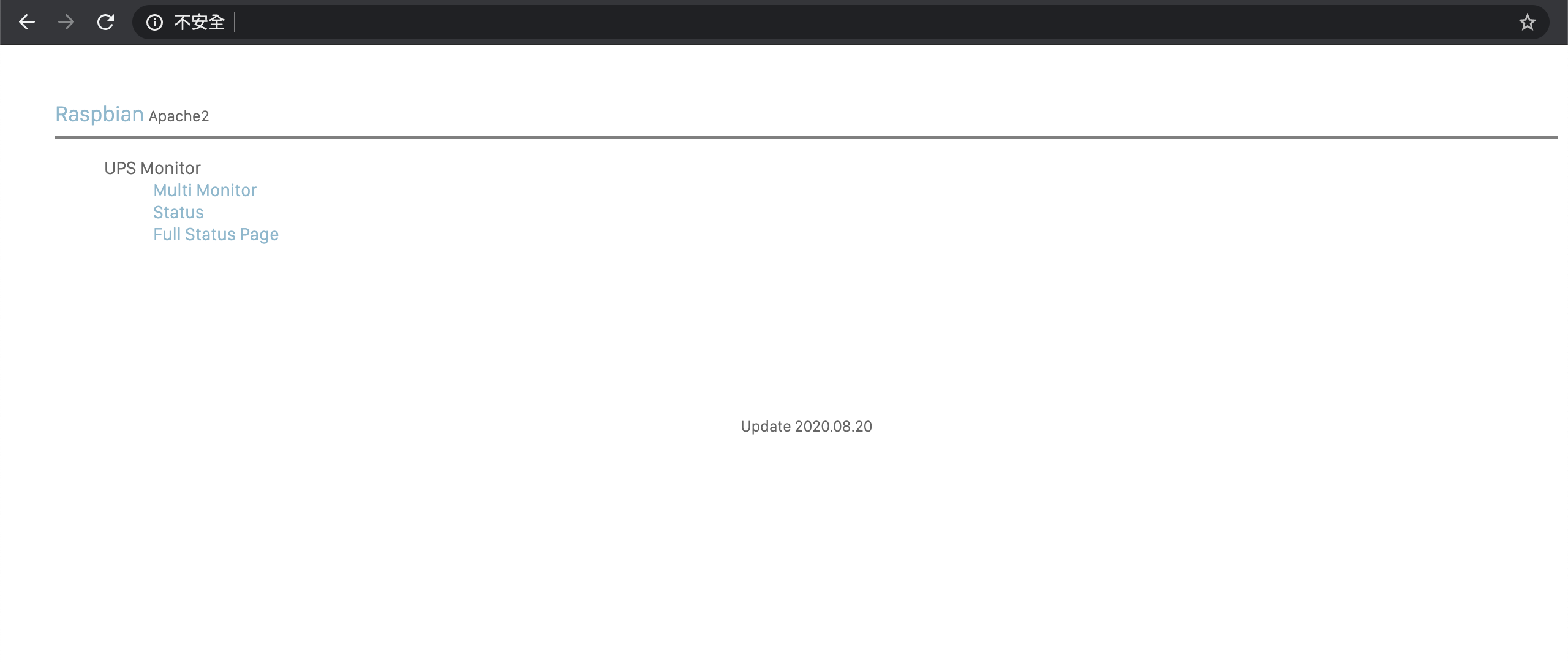
If apache server default folder (/var/www/html) show Permission denied alert, using the command below
sudo chown -R $USER:$USER /var/www
Hi guys, this is author update:
I have switch into Network UPS Tools (NUT) since 2025 Nov, switching reason is apcupsd configuration with multi-ups is kind pain in the a*s.
However, before remove APCUPSD and it's CGI application, I made a last testing run, verified that you only need to create
apcupsd-cgi.confunder/etc/apache2/conf-available/, then usinga2enconf apcupsd-cgito active configuration,a2enmod cgito active CGI, that is it, if your APCUPSD configuration is correct, apcupsd-cgi will work perfectly.Also, for reader who facing APCUPSD connect issue, the solution provided by lochstar also applicable to NUT, most likely some of the APC UPS with USB-B to USB-A cable is running at APCsmart protocol by default (God knows how this works.... my guess is those cable including URAT-USB bridge chip.
So, your APCUPSD won't recognize APCUPS while config at
USBmode, please changeUPSTYPEvalue intoapcsmart, and using:listing all device, find the
/dev/ttyUSBones, fit intoDEVICE, this will mostly fix it.