Skip to content

Instantly share code, notes, and snippets.

@Roytangrb
Roytangrb / hexgame.cpp
Last active December 14, 2020 14:01
Hex Game with C++ 11 STL
/**
* Hex game implementation (use g++ -std=c++11 hexgame.cpp)
* By RT
* 12th Dec, 2020
*/
#include <iostream>
#include <iomanip>
#include <string>
#include <tuple>
@seanh
seanh / html_tags_you_can_use_on_github.md
Last active January 24, 2026 03:23
HTML Tags You Can Use on GitHub

HTML Tags You Can Use on GitHub

Wherever HTML is rendered on GitHub (gists, README files in repos, comments on issues and pull requests, ...) you can use any of the HTML elements that GitHub Flavored Markdown (GFM) provides syntactic sugar for. You can either use the syntactic sugar that GFM (or other GitHub-supported markup language you're using) provides or, since Markdown can contain raw HTML, you can enter the HTML tags manually.

But GitHub also allows you to use a few HTML elements beyond what Markdown provides by entering the tags manually, and some of them are styled with CSS. Most raw HTML tags get stripped before rendering the HTML. Those tags that can be generated by GFM syntactic sugar, plus a few more, are whitelisted. These aren't documented anywhere that I can find. Here's what I've discovered so far:

<details> and <summary>

A `<detai

@grimzy
grimzy / git-pull-all
Created September 15, 2017 02:15
Git pull all remote branches
#!/usr/bin/env bash
git branch -r | grep -v '\->' | while read remote; do git branch --track "${remote#origin/}" "$remote"; done
git fetch --all
git pull --all
@joshbuchea
joshbuchea / semantic-commit-messages.md
Last active March 16, 2026 18:53
Semantic Commit Messages

Semantic Commit Messages

See how a minor change to your commit message style can make you a better programmer.

Format: <type>(<scope>): <subject>

<scope> is optional

Example

@javilobo8
javilobo8 / download-file.js
Last active May 13, 2025 05:55
Download files with AJAX (axios)
axios({
url: 'http://localhost:5000/static/example.pdf',
method: 'GET',
responseType: 'blob', // important
}).then((response) => {
const url = window.URL.createObjectURL(new Blob([response.data]));
const link = document.createElement('a');
link.href = url;
link.setAttribute('download', 'file.pdf');
document.body.appendChild(link);
@lukas-h
lukas-h / license-badges.md
Last active March 15, 2026 12:21
Markdown License Badges for your Project

Markdown License badges

Collection of License badges for your Project's README file.
This list includes the most common open source and open data licenses.
Easily copy and paste the code under the badges into your Markdown files.

Notes

  • The badges do not fully replace the license informations for your projects, they are only emblems for the README, that the user can see the License at first glance.

Translations: (No guarantee that the translations are up-to-date)

@julz
julz / main.go
Created November 20, 2015 12:39
containersched minicontainer
package main
import (
"fmt"
"os"
"os/exec"
"syscall"
)
func main() {
@ygotthilf
ygotthilf / jwtRS256.sh
Last active February 10, 2026 20:17
How to generate JWT RS256 key
ssh-keygen -t rsa -b 4096 -m PEM -f jwtRS256.key
# Don't add passphrase
openssl rsa -in jwtRS256.key -pubout -outform PEM -out jwtRS256.key.pub
cat jwtRS256.key
cat jwtRS256.key.pub
@Kartones
Kartones / postgres-cheatsheet.md
Last active March 13, 2026 05:30
PostgreSQL command line cheatsheet

PSQL

Magic words:

psql -U postgres

Some interesting flags (to see all, use -h or --help depending on your psql version):

  • -E: will describe the underlaying queries of the \ commands (cool for learning!)
  • -l: psql will list all databases and then exit (useful if the user you connect with doesn't has a default database, like at AWS RDS)
@kevin-smets
kevin-smets / iterm2-solarized.md
Last active March 12, 2026 12:41
iTerm2 + Oh My Zsh + Solarized color scheme + Source Code Pro Powerline + Font Awesome + [Powerlevel10k] - (macOS)

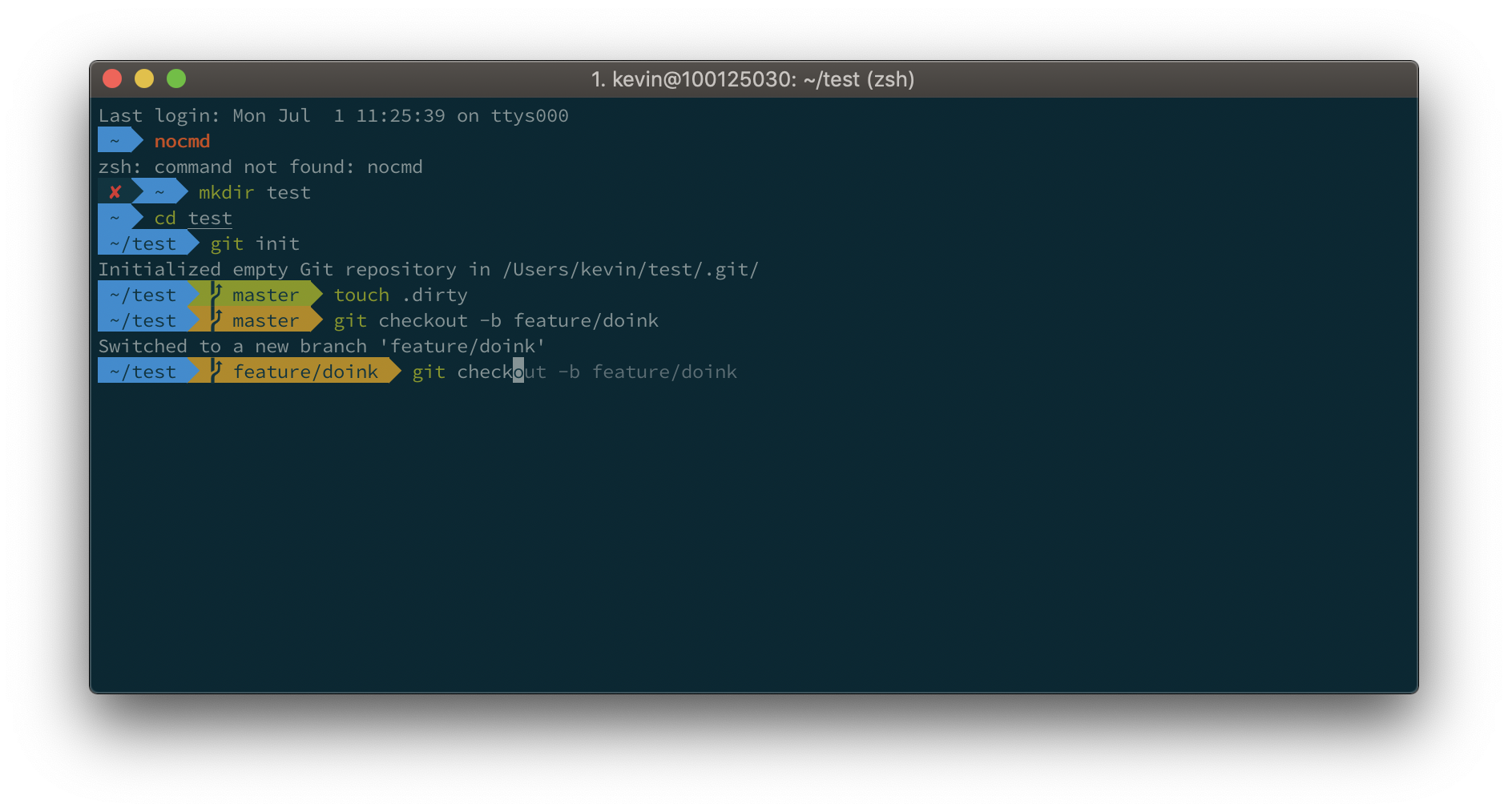
Default

Default

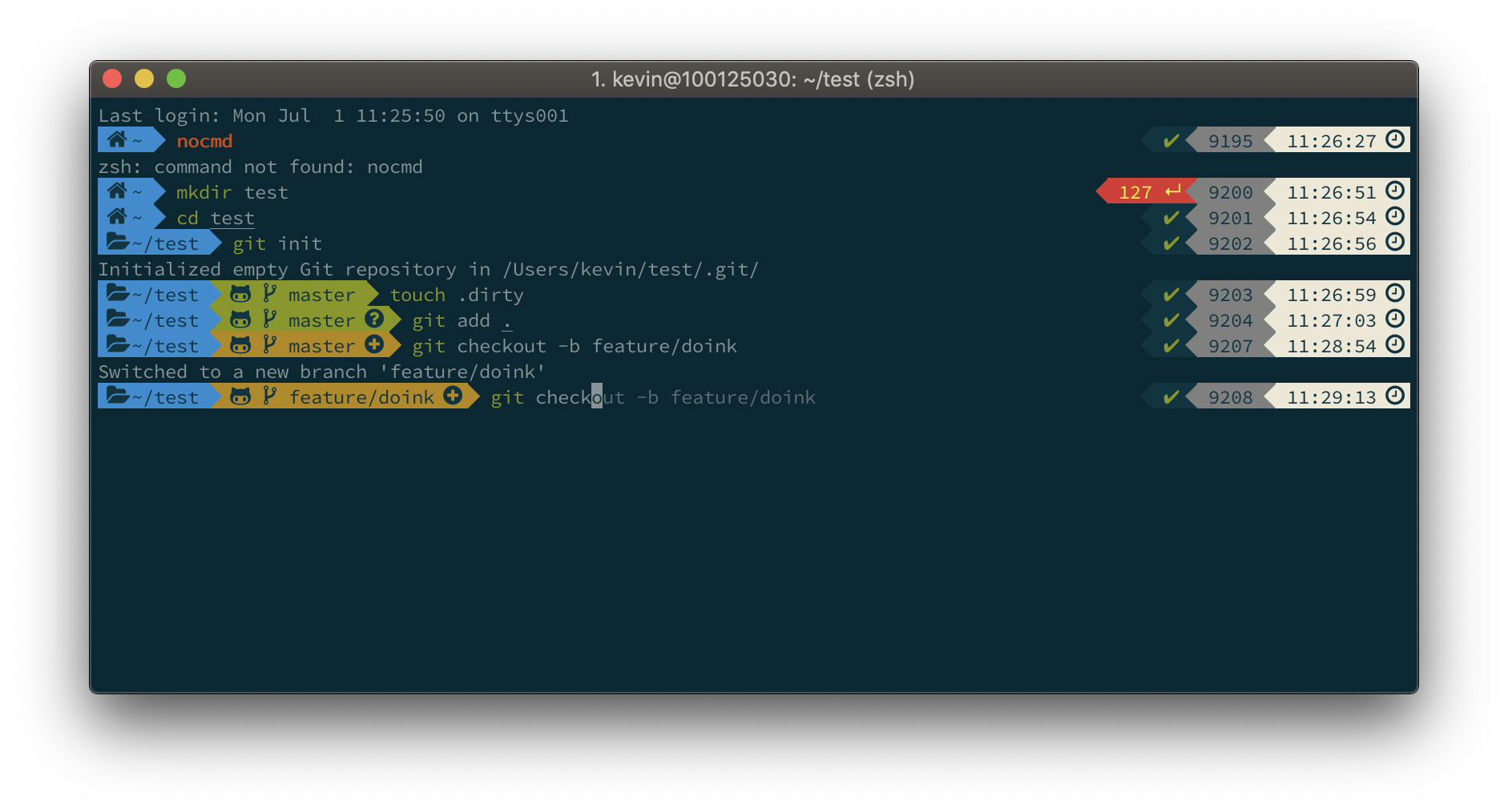
Powerlevel10k

Powerlevel10k