Skip to content

Instantly share code, notes, and snippets.

View Oleiva's full-sized avatar
🏠
Working from home

Oleg Ivashko Oleiva

🏠
Working from home
View GitHub Profile
@Oleiva
Oleiva / letsencrypt_2020.md
Created January 3, 2022 03:22 — forked from cecilemuller/letsencrypt_2020.md
How to setup Let's Encrypt for Nginx on Ubuntu 18.04 (including IPv6, HTTP/2 and A+ SSL rating)

How to setup Let's Encrypt for Nginx on Ubuntu 18.04 (including IPv6, HTTP/2 and A+ SLL rating)


Virtual hosts

Let's say you want to host domains first.com and second.com.

Create folders for their files:

@Oleiva
Oleiva / _nginx_docker_config.md
Created January 3, 2022 00:28 — forked from KostyaEsmukov/_nginx_docker_config.md
Nginx configuration sample for docker

Nginx production configuration sample

This config assumes that nginx is run from docker image _/nginx.

docker commands

docker network create nginx

mkdir -p /etc/myproject/nginx

cd /etc/myproject/nginx

@Oleiva
Oleiva / Readme.md
Created December 19, 2019 21:12 — forked from Dmitriy-8-Kireev/Readme.md
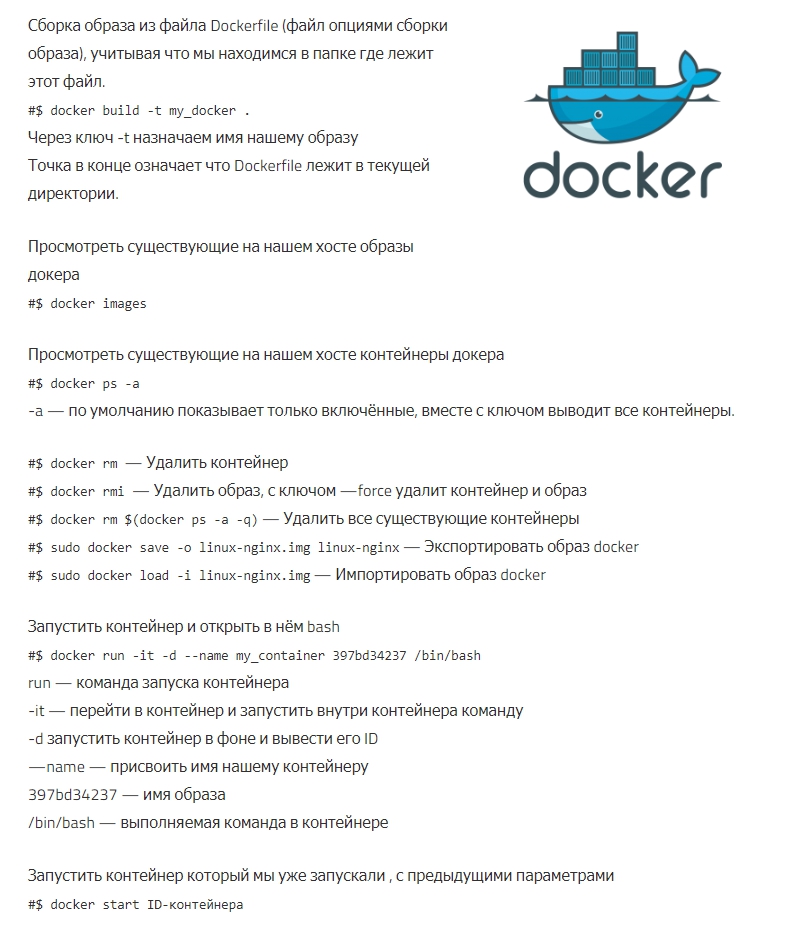
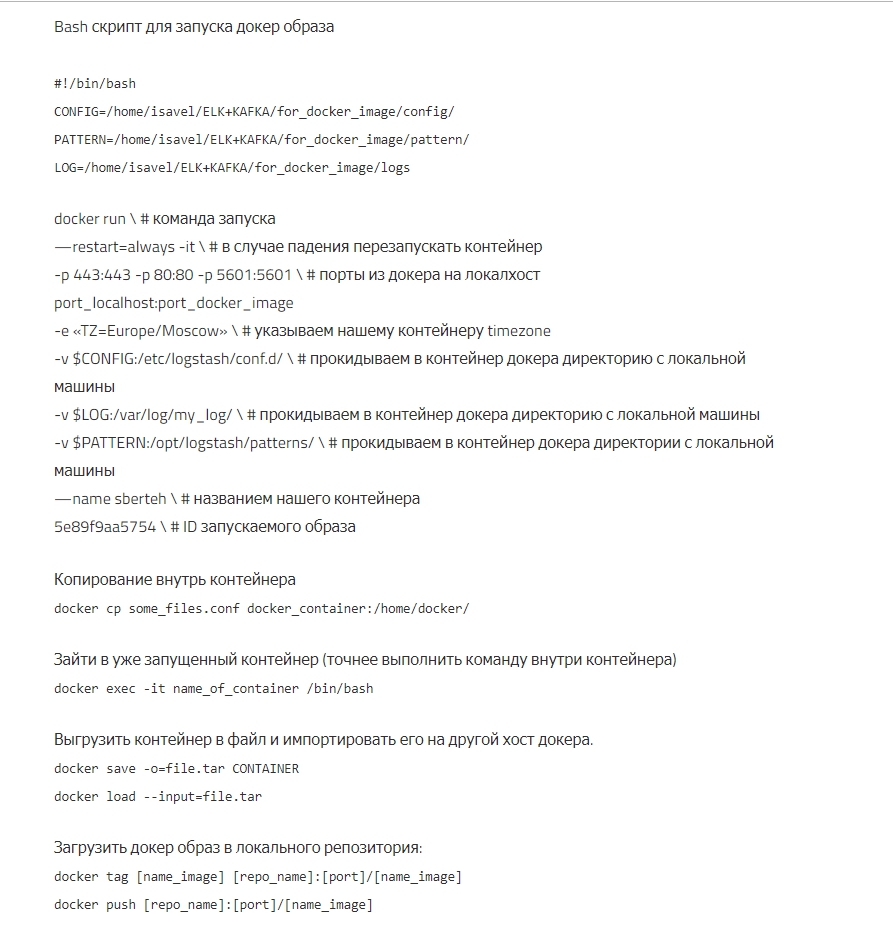
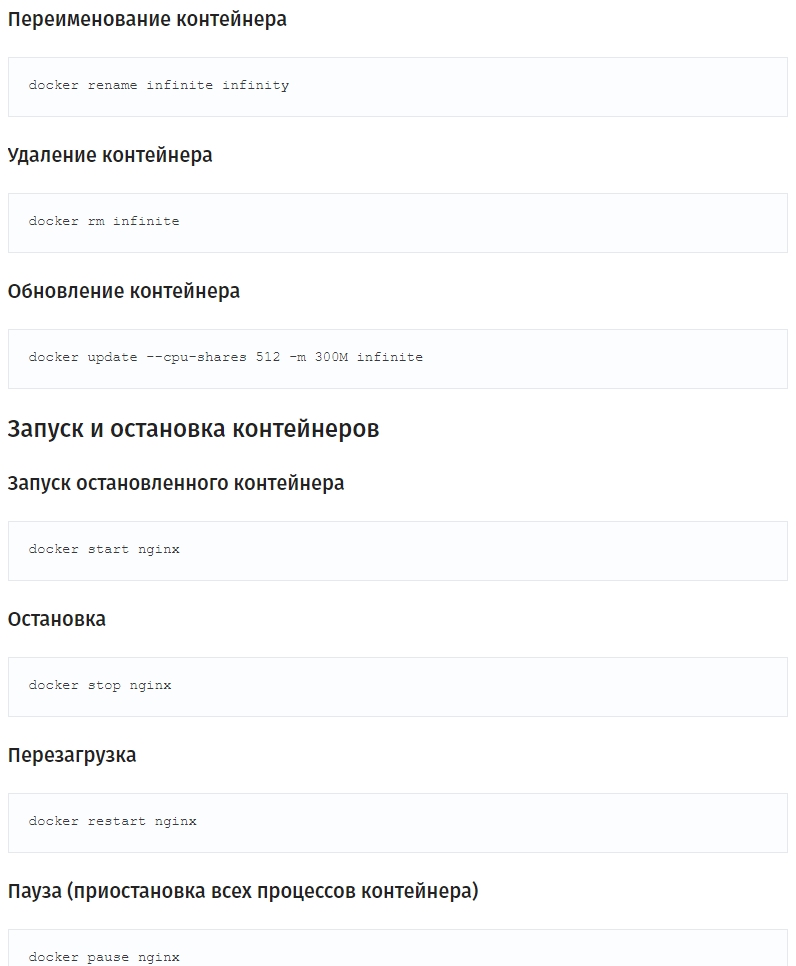
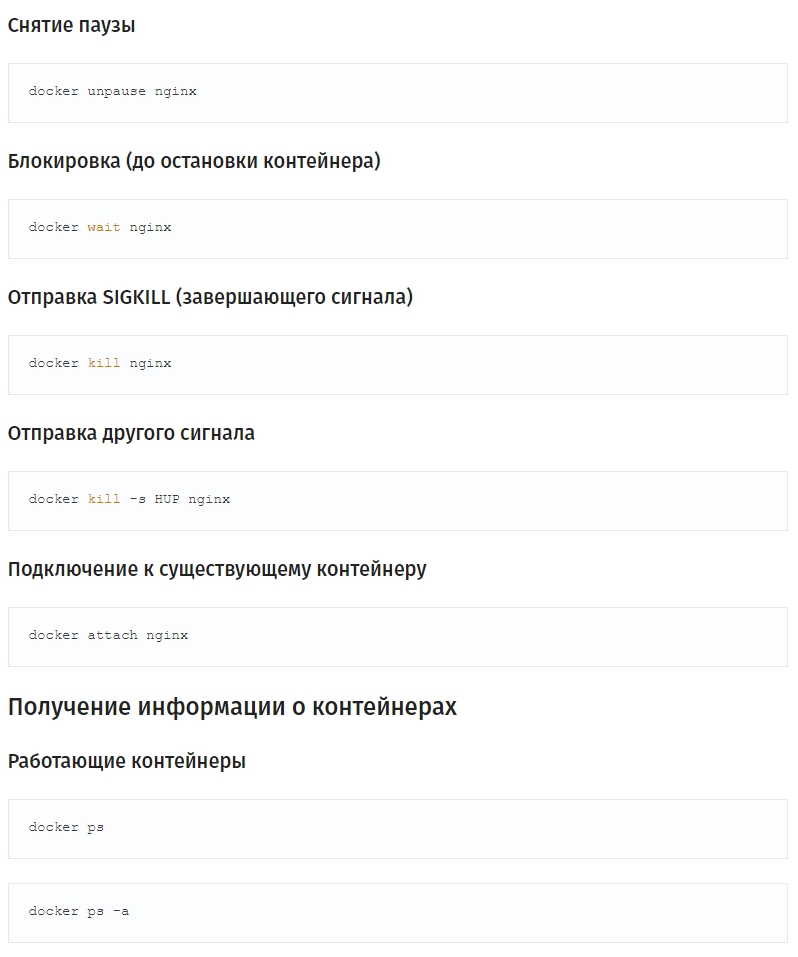
Docker Шпаргалка
#!/usr/bin/env lua
local socket = require("socket")
local use_ssl, ssl = pcall(require, "ssl")
local Blynk = require("blynk.socket")
local Timer = require("timer")
assert(#arg >= 1, "Please specify Auth Token")
local auth = arg[1]
@Oleiva
Oleiva / longPolling.js
Created September 14, 2018 16:12 — forked from jasdeepkhalsa/longPolling.js
Simple Long Polling Example with JavaScript and jQuery by Tian Davis (@tiandavis) from Techoctave.com (http://techoctave.com/c7/posts/60-simple-long-polling-example-with-javascript-and-jquery)
// Long Polling (Recommened Technique - Creates An Open Connection To Server ∴ Fast)
(function poll(){
$.ajax({ url: "server", success: function(data){
//Update your dashboard gauge
salesGauge.setValue(data.value);
}, dataType: "json", complete: poll, timeout: 30000 });
})();
@Oleiva
Oleiva / curl.md
Created August 1, 2018 12:19 — forked from subfuzion/curl.md
curl POST examples

Common Options

-#, --progress-bar Make curl display a simple progress bar instead of the more informational standard meter.

-b, --cookie <name=data> Supply cookie with request. If no =, then specifies the cookie file to use (see -c).

-c, --cookie-jar <file name> File to save response cookies to.

@Oleiva
Oleiva / sublime-command-line.md
Created November 9, 2017 14:38 — forked from adrianorsouza/sublime-command-line.md
launch sublime text from the command line

Launch Sublime Text from the command line on OSX

Sublime Text includes a command line tool, subl, to work with files on the command line. This can be used to open files and projects in Sublime Text, as well working as an EDITOR for unix tools, such as git and subversion.

Requirements

  • Sublime text 2 or 3 installed in your system within Applications folder

Setup

@Oleiva
Oleiva / setup-elementary.sh
Last active July 24, 2018 08:47 — forked from IronistM/setup-elementary.sh
Things to do after installing elementary OS Loki 0.4
#Start with a dist upgrade
# sudo apt dist-upgrade
# Get chrome
wget https://dl.google.com/linux/direct/google-chrome-stable_current_amd64.deb
sudo dpkg -i ./google-chrome*.deb
sudo apt-get install -f
# dev (php, docker, git, node, bower, electron, composer)
# sudo apt install -y \

Step by step to install Scala + Play Framework in Ubuntu 14.04 with Activator.

Install Scala

sudo apt-get remove scala-library scala
wget http://www.scala-lang.org/files/archive/scala-2.11.6.deb
sudo dpkg -i scala-2.11.6.deb
sudo apt-get update
sudo apt-get install scala