
Created
March 12, 2016 20:16
-
-
Save Leandros/9eae69ba027b1c83a9a7 to your computer and use it in GitHub Desktop.
Debugging Messages in no$gmb and BGB
This file contains hidden or bidirectional Unicode text that may be interpreted or compiled differently than what appears below. To review, open the file in an editor that reveals hidden Unicode characters.
Learn more about bidirectional Unicode characters
| IF !DEF(DEBUG_INC) | |
| DEBUG_INC SET 1 | |
| ; Prints a message to the no$gmb / bgb debugger | |
| ; Accepts a string as input, see emulator doc for support | |
| DBGMSG: MACRO | |
| ld d, d | |
| jr .end\@ | |
| DW $6464 | |
| DW $0000 | |
| DB \1 | |
| .end\@: | |
| ENDM | |
| ENDC ; DEBUG_INC |


@konsumer If you're using gbdk-2020 then you can just #include <gb/bgb_emu.h> and use BGB_MESSAGE.
However, I did forget a couple backslashes. That should be fixed.
That works great. Thanks so much!!! I didn't realize they have their own header for this. works perfectly.
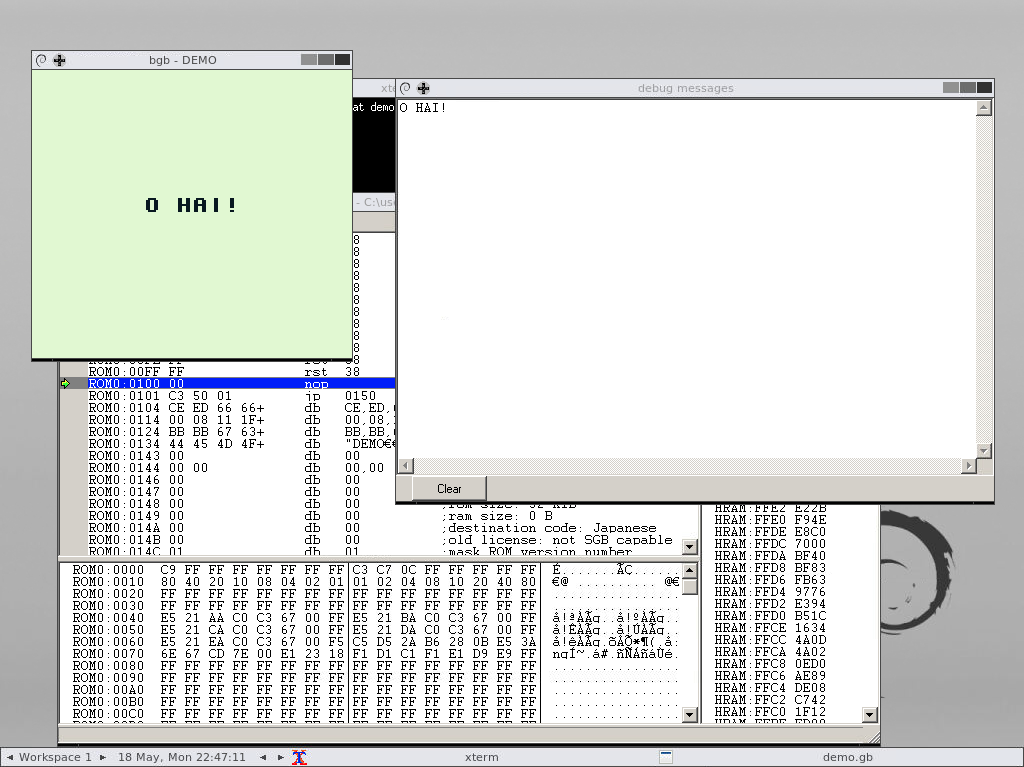
#include <gb/gb.h>
#include <gb/drawing.h>
#include <gb/bgb_emu.h>

void main () {
    gotogxy(7, 8);
    gprintf("O HAI!");
    BGB_MESSAGE("O HAI!");
}
Sign up for free
to join this conversation on GitHub.
Already have an account?
Sign in to comment
I tried this:
and go this error:
I am using gbdk-2020.