
- scalable vector graphics
- crisp on any display
- less requests to handle
- easily scalable for responsive
- less file size for performance
- easy to animate. has a navigable DOM
- easy to make accessible
- well supported across browsers
- great for loaders
- we can use the stablility of svg for page transitions
- think of it as drawing on the points of a graph paper
- viewBox
- a lot of things in the DOM have the pattern of: x-coordinate y-coordinate width height
<svg viewBox="0 0 450 100"></svg> svg {width:450px;} - preserveAspectRatio
- Polyline - very similar to Polygon.
- Space seperated X,Y values
-
g in svg is like a group(div) - used to group mulitple objects
-
use groups to move multiple things at once
-
you can add classes to groups
<g fill="none" stroke="#000"></g> -
- a 'z' at the path is what closes a path
-
always has 'M' for moveTo
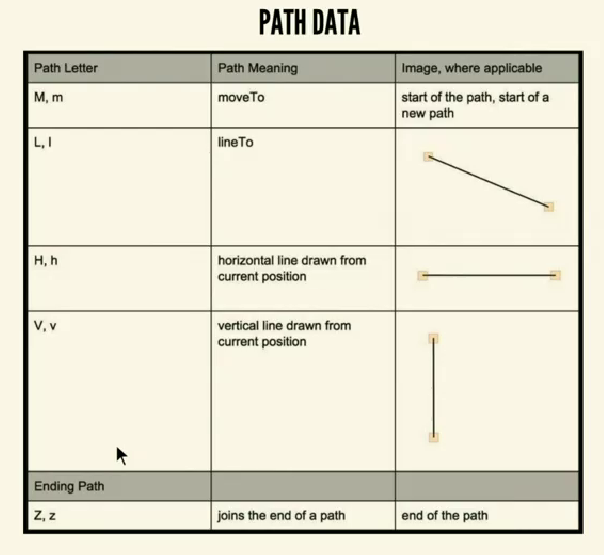 Capital letter is for absolute position
Small letter is for relative position (e.g. 30 units relative to a particular point)
Capital letter is for absolute position
Small letter is for relative position (e.g. 30 units relative to a particular point)
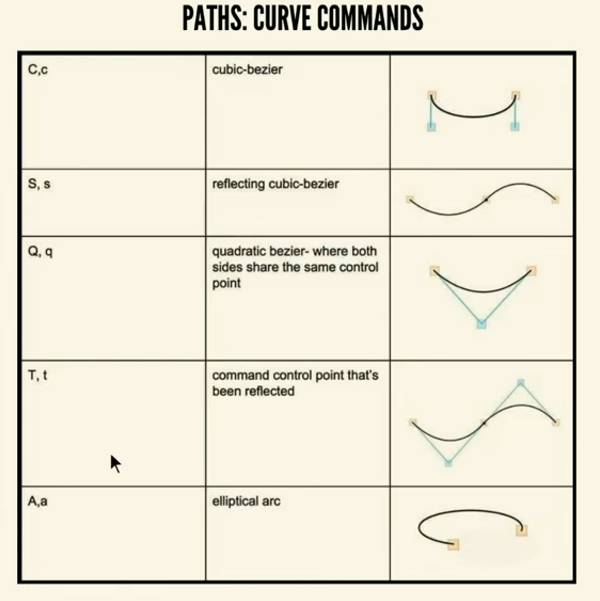
-
Limitations of cubic bezier: only has 2 control points
-
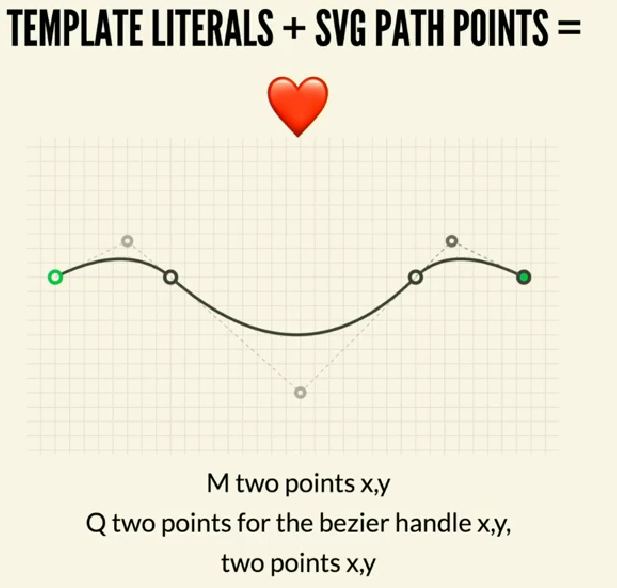
Template Literals + SVG Path Points = ❤
 Accessibility
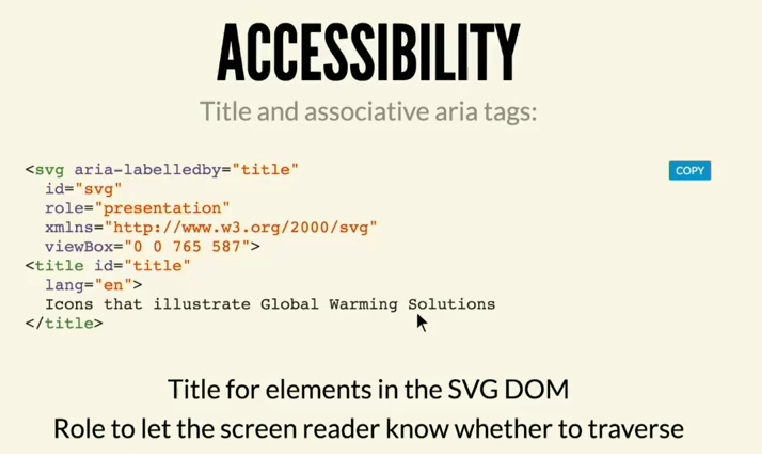
role="presentation"orrole="image"if you don't want the screen reader to read it cause it's juist for visual purposes
- use SVG filter in place of drop shadows