
Bootstrap knowledge of LLMs ASAP. With a bias/focus to GPT.
Avoid being a link dump. Try to provide only valuable well tuned information.
Neural network links before starting with transformers.


This is intended to answer a question Casey Muratori had on twitter about why would anyone choose Unity over Unreal. The short answer is, I have no clue. Well, I kinda do know why you WOULDN'T choose it, so maybe I'll tackle it that way, pros/cons. Read on.
There's a few pros I could think for Unity:
Their text-based asset serialization which makes collobration work and resolving conflicts much easier. Unreal's assets are all binary and it's really built well for Perforce, if you're more than a handful of people working together not using Perforce (e.g. git) you'll have a less of an idea time.
Their undo/redo system I found is a lot more graceful/lightweight than Unreal's. Undoing in Unreal sometimes doesn't work reliably or go back a dozen entries in history, and just reverts back your selection state and is a bit intrusive (not sure if that was imporved in UE5)
Their animation editor (for me as a non-animator) I found was friendlier and easier to work with
The profiler is nice and very easy to us

WARNING: Article moved to separate repo to allow users contributions: https://github.com/raysan5/custom_game_engines
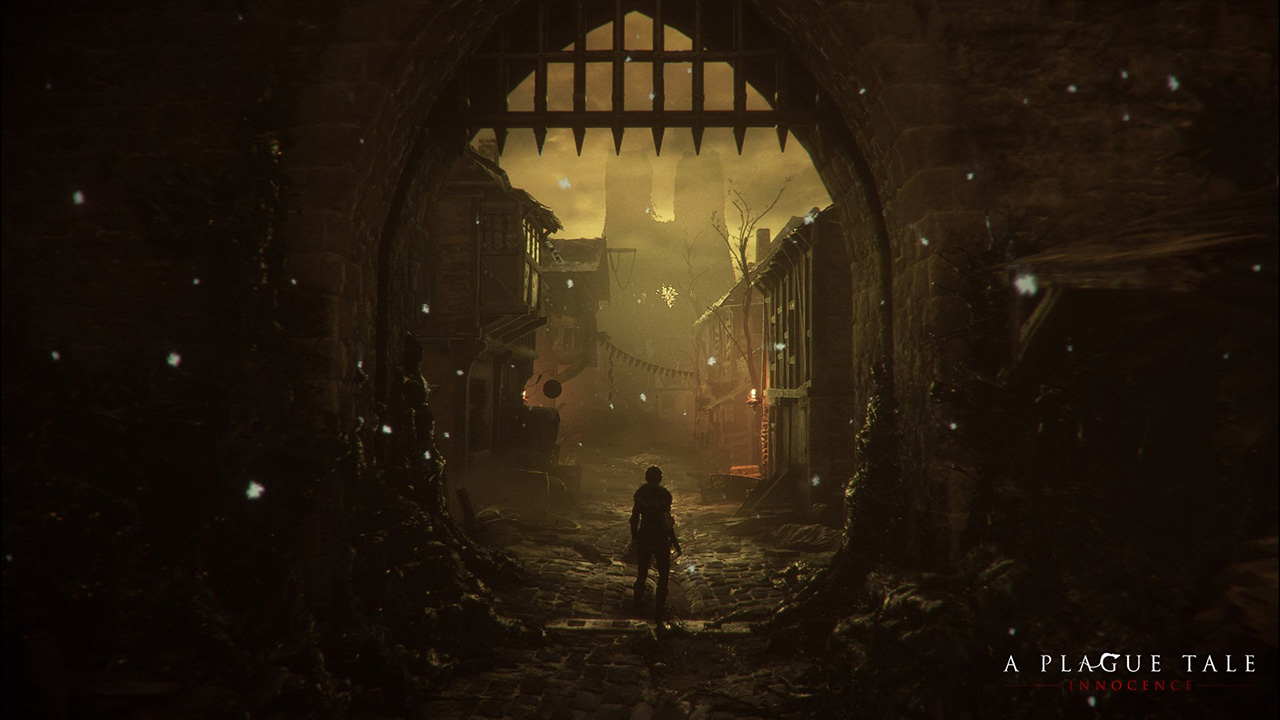
A couple of weeks ago I played (and finished) A Plague Tale, a game by Asobo Studio. I was really captivated by the game, not only by the beautiful graphics but also by the story and the locations in the game. I decided to investigate a bit about the game tech and I was surprised to see it was developed with a custom engine by a relatively small studio. I know there are some companies using custom engines but it's very difficult to find a detailed market study with that kind of information curated and updated. So this article.
Nowadays lots of companies choose engines like [Unreal](https:

| using System; | |
| using System.Collections.Concurrent; | |
| using System.Collections.Generic; | |
| using System.Reflection; | |
| using System.Runtime.InteropServices; | |
| using Unity.Collections.LowLevel.Unsafe; | |
| using UnityEditor; | |
| using UnityEditor.IMGUI.Controls; | |
| using UnityEngine; | |
| using Unity.Entities; |

It's now here, in The Programmer's Compendium. The content is the same as before, but being part of the compendium means that it's actively maintained.

| /// @creator: Slipp Douglas Thompson | |
| /// @license: Public Domain per The Unlicense. See <http://unlicense.org/>. | |
| /// @purpose: A UnityEngine.UI.Graphic subclass that provides only raycast targeting, skipping all drawing. | |
| /// @why: Because this functionality should be built-into Unity. | |
| /// @usage: Add a `NonDrawingGraphic` component to the GameObject you want clickable, but without its own image/graphics. | |
| /// @intended project path: Assets/Plugins/UnityEngine UI Extensions/NonDrawingGraphic.cs | |
| /// @interwebsouce: https://gist.github.com/capnslipp/349c18283f2fea316369 | |
| using UnityEngine; | |
| using UnityEngine.UI; |

| /* | |
| MIT License | |
| Copyright (c) 2016 Jesse Ringrose | |
| Permission is hereby granted, free of charge, to any person obtaining a copy | |
| of this software and associated documentation files (the "Software"), to deal | |
| in the Software without restriction, including without limitation the rights | |
| to use, copy, modify, merge, publish, distribute, sublicense, and/or sell | |
| copies of the Software, and to permit persons to whom the Software is |

Unity has built-in support for hotswapping, which is a huge productivity booster. This feature works not only with graphics assets like bitmaps and meshes, but also with code: if you edit the source and save it, the editor will save the state of the running game, compile and load the new code, then load the saved state and continue where it left off. Unfortunately, this feature is very easy to break, and most available 3rd party plugins have little regard for it.
It looks like there’s a lot of confusion about hotswapping in Unity, and many developers are not even aware of its existence – which is no wonder if their only experience is seeing lots of errors on the console when they forget to stop the game before recompiling... This document is an attempt to clear up some of this confusion.
Nota bene, I’m not a Unity developer, so everything below is based on blog posts and experimentation. Corrections are most welcome!

Let's solve the following physics problem using Symbolism, a computer algebra library for C#.
One strategy in a snowball fight is to throw a first snowball at a high angle over level ground. While your opponent is watching the first one, you throw a second one at a low angle and timed to arrive at your opponent before or at the same time as the first one.
Assume both snowballs are thrown with a speed of 25.0 m/s.
The first one is thrown at an angle of 70.0° with respect to the horizontal.

| // Just before switching jobs: | |
| // Add one of these. | |
| // Preferably into the same commit where you do a large merge. | |
| // | |
| // This started as a tweet with a joke of "C++ pro-tip: #define private public", | |
| // and then it quickly escalated into more and more evil suggestions. | |
| // I've tried to capture interesting suggestions here. | |
| // | |
| // Contributors: @r2d2rigo, @joeldevahl, @msinilo, @_Humus_, | |
| // @YuriyODonnell, @rygorous, @cmuratori, @mike_acton, @grumpygiant, |