.

Last active
September 12, 2022 20:03
-
-
Save MithunArunan/8e7a3df05862cbf6647ad3bde8ce884e to your computer and use it in GitHub Desktop.
Building a great product
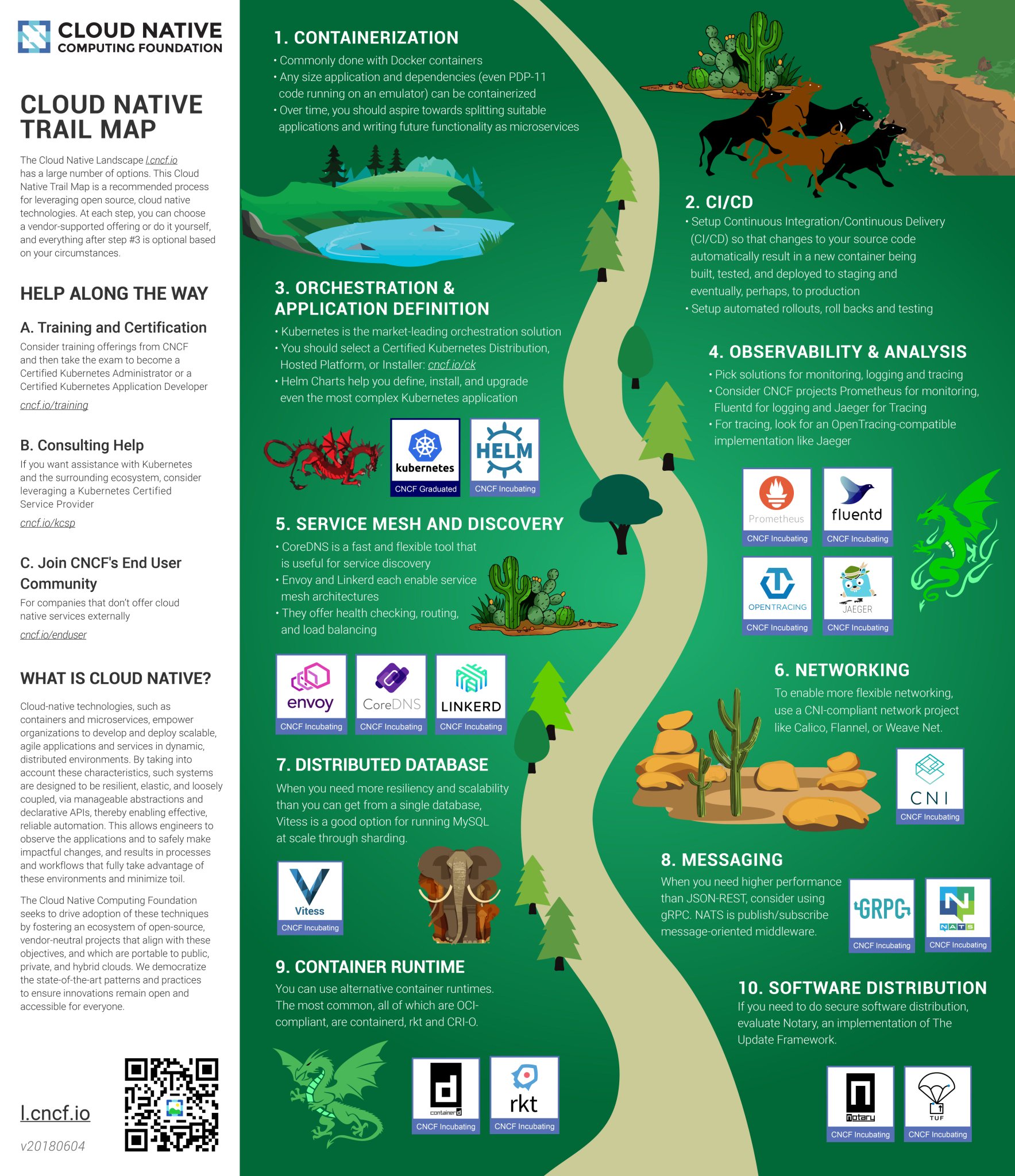
Certain set of standards for creating images /home/ /vol/data /vol/models - AI models
Before deploying any image let’s create another tag, preferably not with latest. :master
<image-name>:<version>
<image-name>:<version>-<commit-id-7chars>

curl -Lo kops https://github.com/kubernetes/kops/releases/download/$(curl -s https://api.github.com/repos/kubernetes/kops/releases/latest | grep tag_name | cut -d '"' -f 4)/kops-darwin-amd64
chmod +x ./kops
sudo mv ./kops /usr/local/bin/aws iam create-group --group-name kops
aws iam attach-group-policy --policy-arn arn:aws:iam::aws:policy/AmazonEC2FullAccess --group-name kops
aws iam attach-group-policy --policy-arn arn:aws:iam::aws:policy/AmazonRoute53FullAccess --group-name kops
aws iam attach-group-policy --policy-arn arn:aws:iam::aws:policy/AmazonS3FullAccess --group-name kops
aws iam attach-group-policy --policy-arn arn:aws:iam::aws:policy/IAMFullAccess --group-name kops
aws iam attach-group-policy --policy-arn arn:aws:iam::aws:policy/AmazonVPCFullAccess --group-name kops
aws iam create-user --user-name kops
aws iam add-user-to-group --user-name kops --group-name kops
aws iam create-access-key --user-name kops
export AWS_ACCESS_KEY_ID=$(aws configure get aws_access_key_id)
export AWS_SECRET_ACCESS_KEY=$(aws configure get aws_secret_access_key)aws s3api create-bucket \
--bucket product-example-com-state-store \
--region us-west-2 \
--create-bucket-configuration LocationConstraint=us-west-2export NAME=product.k8s.local
export KOPS_STATE_STORE=s3://product-example-com-state-storeaws ec2 describe-availability-zones --region us-west-2
kops create cluster \
--zones us-west-2a \
${NAME}
kops edit cluster ${NAME}
kops update cluster ${NAME} --yes
kops get nodes
kops validate cluster
kops delete cluster --name ${NAME}
kops delete cluster --name ${NAME} --yeskubectl apply -f https://raw.githubusercontent.com/kubernetes/dashboard/master/src/deploy/recommended/kubernetes-dashboard.yaml
kops get secrets kube --type secret -oplaintexthttps://kubernetes.io/docs/getting-started-guides/scratch/
https://github.com/kubernetes/kops
https://github.com/kubernetes/kops/blob/master/docs/aws.md
https://kubernetes.io/docs/getting-started-guides/kops/
https://kubernetes.io/docs/getting-started-guides/aws/
https://kubernetes.io/docs/getting-started-guides/kubespray/
openssl genrsa -out mithun.key 2048
openssl req -new -key mithun.key -out mithun.csr -subj "/CN=mithun/O=admin"
openssl x509 -req -in mithun.csr -CA /etc/kubernetes/pki/ca.crt -CAkey CA_LOCATION/ca.key -CAcreateserial -out employee.crt -days 500
kubectl config set-cluster <cluster_name> --server=https://<master-node-ip>:<master-node-port> --insecure-skip-tls-verify=true
kubectl config get-clusters
kubectl config set-credentials <cluster_name> --client-certificate= --client-key= --cluster=<cluster_name>
kubectl config set-credentials <cluster_name> --username=<username> --password=<password> --cluster=<cluster_name>
kubectl config set-context <cluster_name> --user=<cluster_name> --cluster=<cluster_name>
kubectl config use-context <cluster_name>
kubectl config view
kubectl get pods
Grouping all the kubernetes and docker configurations in one place k8s-configs dockerfiles - base docker images
Vault (for storing secrets) Vault-ui Kube-ops-view All other microservices
Create a label ‘app’ for grouping pods
Use ClusterIP for exposing the services internally, let’s create ingress when we would like to expose them to public.

ClusterIP - Exposes the service on a cluster-internal IP. Choosing this value makes the service only reachable from within the cluster. This is the default ServiceType
LoadBalancer - Exposes the service externally using a cloud provider’s load balancer
NodePort - Exposes the service on each Node’s IP at a static port (the NodePort)
kubectl apply -f k8s-spec-directory/ → kubectl apply -f juno/
telepresence --swap-deployment voice-worker --docker-run -it -v $PWD:/home/voice-worker gcr.io/vernacular-tools/voice-services/voice-worker:1
docker pull vault docker pull consul docker pull djenriquez/vault-ui
docker run --cap-add=IPC_LOCK -p 8200:8200 -e 'VAULT_DEV_ROOT_TOKEN_ID=roottoken' -e 'VAULT_DEV_LISTEN_ADDRESS=0.0.0.0:8200' -d --name=vault vault docker run -d -p 8201:8201 -e PORT=8201 -e VAULT_URL_DEFAULT=http://192.168.12.155:8200 -e VAULT_AUTH_DEFAULT=GITHUB --name vault-ui djenriquez/vault-ui
-
Telepresence
-
Dockers for development
-
Helm
Kubernetes - Design principles
Kubernetes configuration examples
Collector - FluentD/Beats (Filebeat/Metricbeat)
Backend store - ES
Visualization - Kibana

- Collect stdout/stderr logs using fluentd in kubernetes cluster as DaemonSet.
- Add kubernetes metadata to the logs
- Logrotate and Backup all the raw logs to s3 with kubernetes metadata (if needed to use other than ES as a backend store)
- Store all the logs in elastic search backend in a parsed format
- Backup all the elastic search index periodically
- Connect Kibana dashboard to ES backend and query the logs
fluent-plugin-kubernetes_metadata_filter
- Environment specific log encoding - JSON (production), console(development) JSON for machine consumption and the console output for humans
- Configuration to specify the mandatory parameters to be taken from thread variables
{
 "level": "info",
 "ip": "127.0.0.1",
 "log": "raw log from source",
 "request_id": "abcdefg",
 "xxx_metadata": {
 },
 "payload": {
 },
}- Flexibility to add new variables
- Strict type checking
Platform/Framework
Service essentials
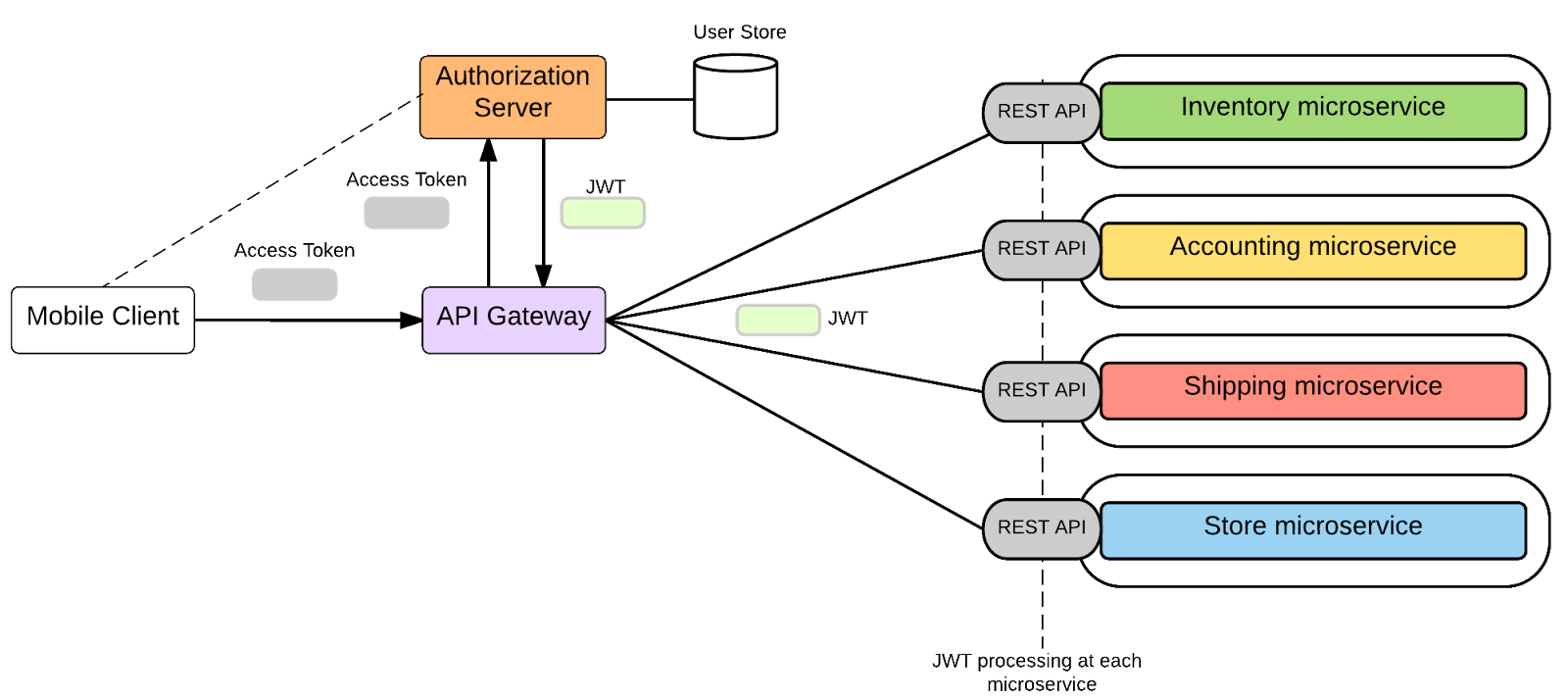
- Independently Developed & Deployed
- Private Data Ownership
If changes to a shared library require all services be updated simultaneously, then you have a point of tight coupling across services. Carefully understand the implications of any shared library you're introducing.
https://www.youtube.com/watch?v=X0tjziAQfNQ
https://dzone.com/articles/microservices-in-practice-1
https://eng.uber.com/building-tincup/
https://eng.uber.com/tech-stack-part-one/
https://konghq.com/webinars-success-service-mesh-architecture-monoliths-microservices-beyond/
For each microservice, track the folowing
- Overall CPU utilization
- Overall Memory utilization
- Overall Disk utilization
- Latency per API (50%, 95th percentile, 99th percentile)
- Throughput per API (max throughput, avg throughput)
- Newrelic
- Elastic.co APM
- Prometheus & Grafana
https://www.elastic.co/solutions/apm
https://github.com/kubernetes/heapster
https://github.com/coreos/prometheus-operator/tree/master/contrib/kube-prometheus
SPDY was an experimental protocol, developed at Google and announced in mid 2009, whose primary goal was to try to reduce the load latency of web pages by addressing some of the well-known performance limitations of HTTP/1.1.
HTTP/2 reduces latency by enabling full request and response multiplexing, minimize protocol overhead via efficient compression of HTTP header fields, support for request prioritization, allows multiple concurrent exchanges on the same connection and server push.
RFC 7540 (HTTP/2) and RFC 7541 (HPACK)
HTTP/0.9 was a one-line protocol to bootstrap the World Wide Web.
HTTP/1.0 documented the popular extensions to HTTP/0.9 in an informational standard.
HTTP/1.1 introduced an official IETF standard.
HTTP/1.x clients need to use multiple connections to achieve concurrency and reduce latency; HTTP/1.x does not compress request and response headers, causing unnecessary network traffic; HTTP/1.x does not allow effective resource prioritization, resulting in poor use of the underlying TCP connection; and so on.
Optimized encoding mechanism between the socket interface and the higher HTTP API exposed to our applications: the HTTP semantics, such as verbs, methods, and headers, are unaffected, but the way they are encoded while in transit is different. Instead of new line delimited plaintext.

Stream: A bidirectional flow of bytes within an established connection, which may carry one or more messages.
Message: A complete sequence of frames that map to a logical request or response message.
Frame: The smallest unit of communication in HTTP/2, each containing a frame header, which at a minimum identifies the stream to which the frame belongs.
-
Canonical
-
Performance
-
Backward compatibility
-
Polyglot
High Performance Browser Networking by Ilya Grigorik
Message Queues - RabbitMQ, Kafka
| Consideration | RabbitMQ | Kafka |
|---|---|---|
| Language | ErLang | Scala |
| Organization |
- Exchanges
- Queues
- Bindings
Push API Pull API
MQTT STOMP
Clustering
Federation
Shovel
Nodes are equal peers, No Master/Slave setup. Data is sharded between the nodes and can be viewed by the client from any node.
All data/state for the cluster are replicated, not the queues. Each queue has a master node.
- Mirrored Queues
- Non Mirrored Quueues
Node discovery happens with ErlangCookie located at /var/lib/rabbitmq/.erlang.cookie using anyone of the standard peer discovery plugins rabbit_peer_discovery_k8s
Disk vs RAM Nodes - One disk node should be always present How external clients connect to rabbitmq?
How does node discovery happen?
Messages stored in disk? - /var/lib/rabbitmq/mnesia/rabbit@hostname/queues - File locations
rabbitmq-server
rabbitmqctl status
rabbitmq-plugins list
rabbitmqadminPostman
Postman
Sign up for free
to join this conversation on GitHub.
Already have an account?
Sign in to comment